
What is Cailiaoxing AI
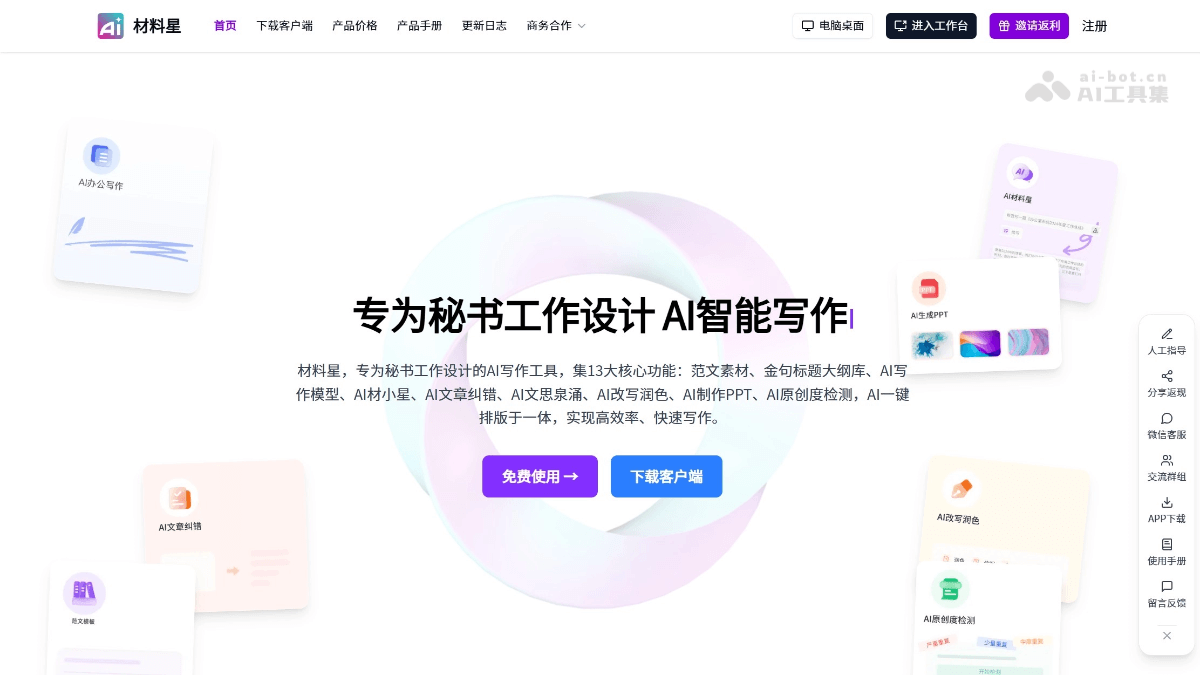
Cailiaoxing AI is an AI writing tool designed specifically for secretarial work. It uses a self-developed AI model and can generate 100% original high-quality official document materials within 90 seconds, supporting output of up to 12,000 Chinese characters. Cailiaoxing AI provides 13 core functions, including an official document library, a golden sentence and title library, AI step-by-step writing, AI conversational writing, article proofreading, originality detection, and more, covering the entire official document writing workflow. The official document library contains 400,000 high-quality sample documents, updates more than 200 daily, and supports full-text search and online editing. The AI writing modes support step-by-step and conversational writing, allowing users to complete complex tasks through prompts.
Main functions of Cailiaoxing AI
-
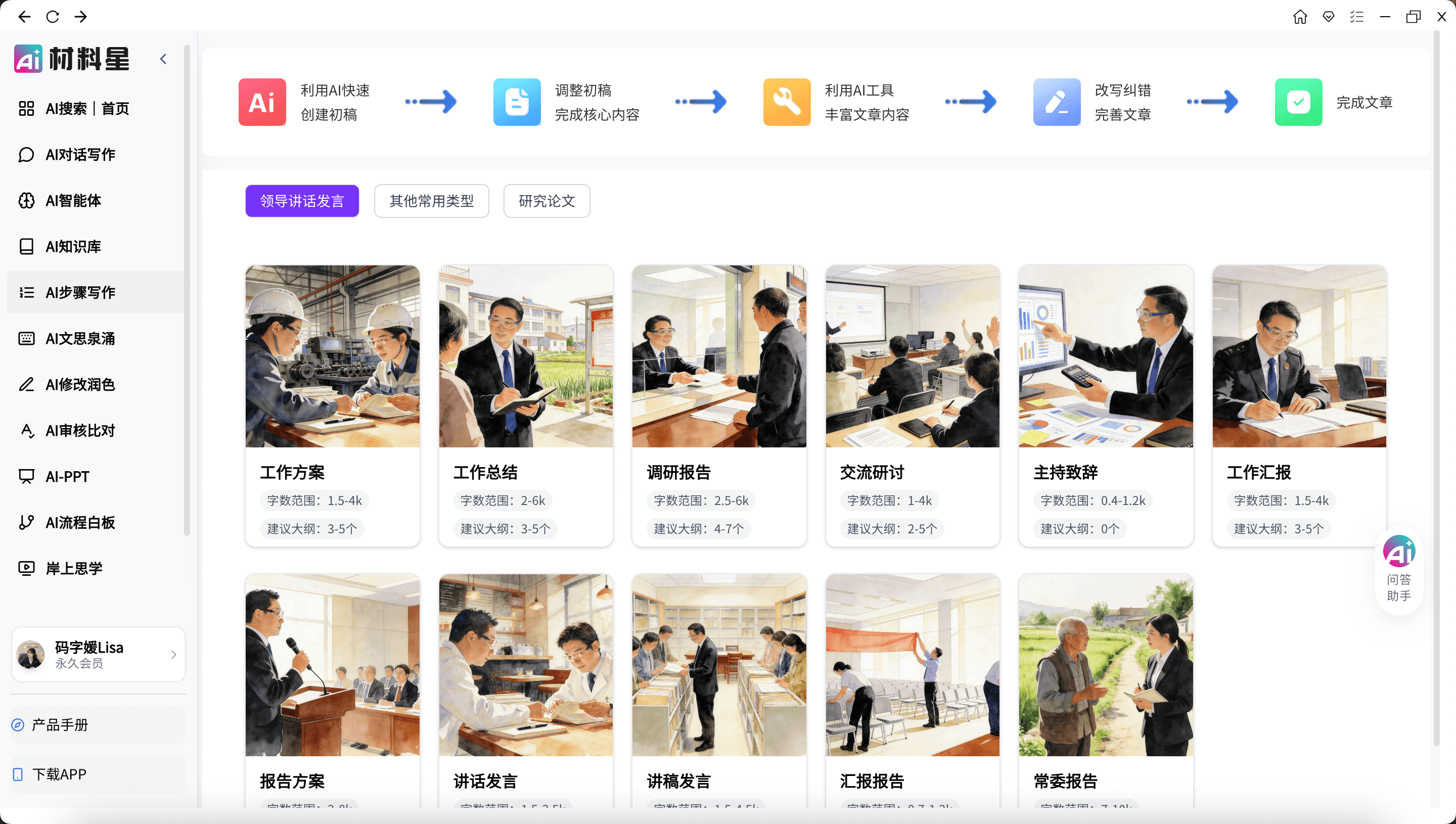
AI official document writing: Supports generating 100% original official document materials in 90 seconds, up to 12,000 Chinese characters, covering many types of official documents such as research reports, work summaries, and policy research papers.
-
Official document library: Provides 400,000 high-quality official document sample texts, updates more than 200 daily, supports full-text search of titles and content, and allows quick download and online editing.
-
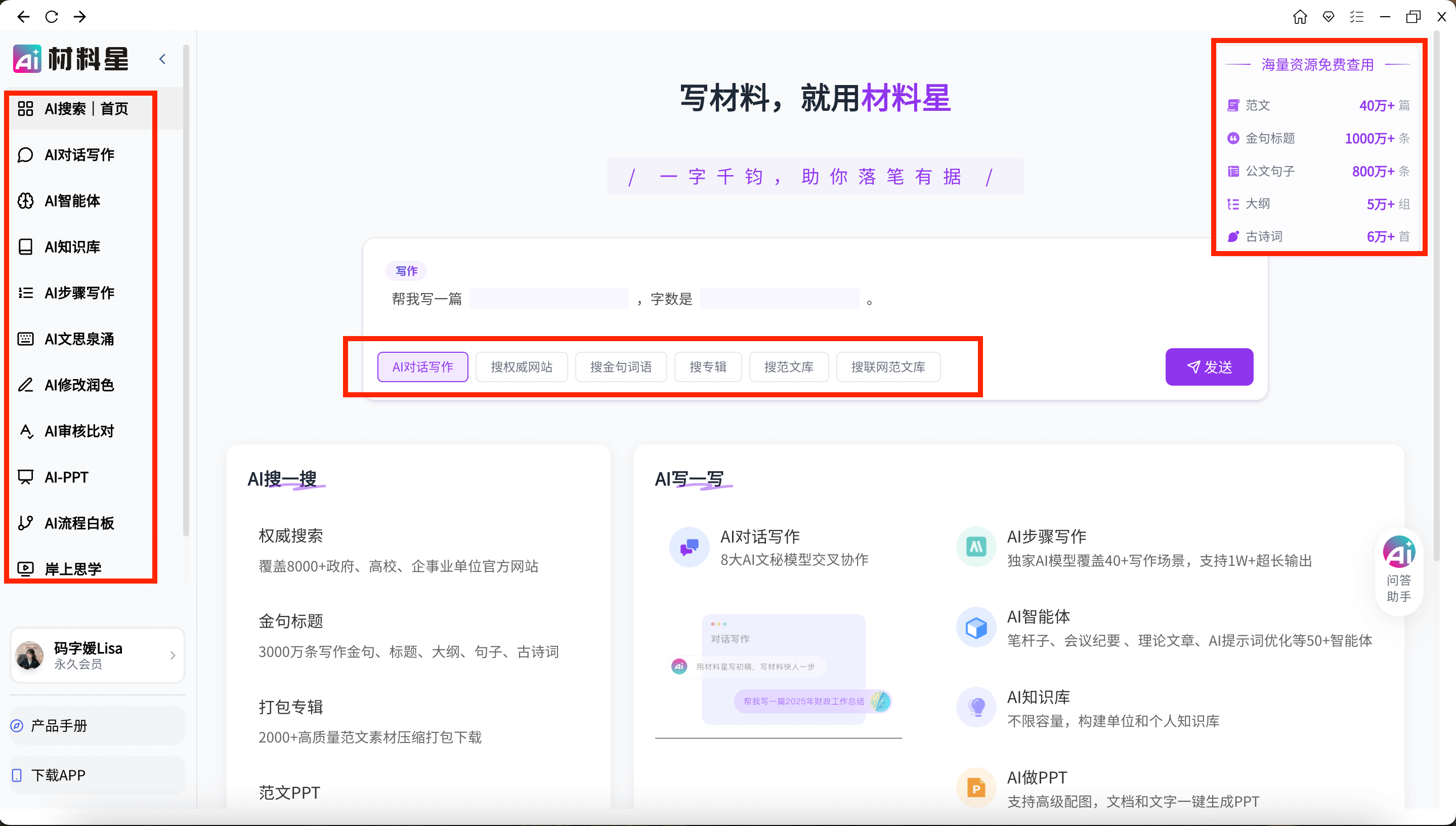
Golden sentence, title, outline, and phrase library: Provides tens of billions of materials such as golden sentences, titles, outlines, phrases, and classical poems, supports secondary classification and source tracing, and helps quickly find the needed content.
-
AI writing modes: Includes AI step-by-step writing and AI conversational writing, supports generation of multiple article types, allows users to complete complex tasks through prompts, and also supports dual-model conversations.
-
AI article proofreading: Supports 40+ types of official documents, quickly checks for typos, inappropriate expressions, leaders' names, place names, punctuation errors, and more, and provides revision suggestions.
-
AI PPT creation: Enter a title, upload a document, or input content to generate a PPT, supporting 10+ languages, AI image matching, expansion, web search, speaker notes, and other functions.
-
AI originality detection: Compares with Baidu search results, detects highly repeated paragraphs and sentences, and ensures the originality of official documents.
-
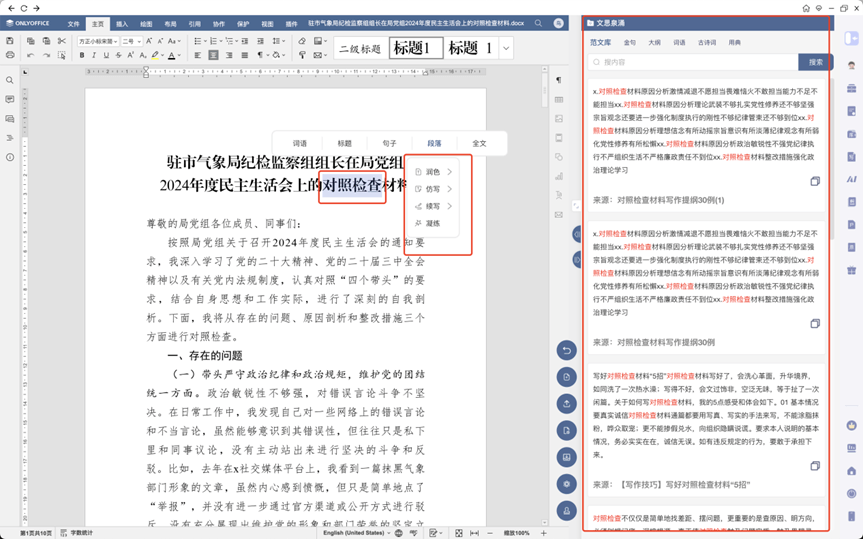
AI online editing: Supports creating, opening, and editing documents, and provides AI-assisted functions such as a flow of ideas, Caixiaoxing dialogue, modification, rewriting, polishing, and proofreading.
-
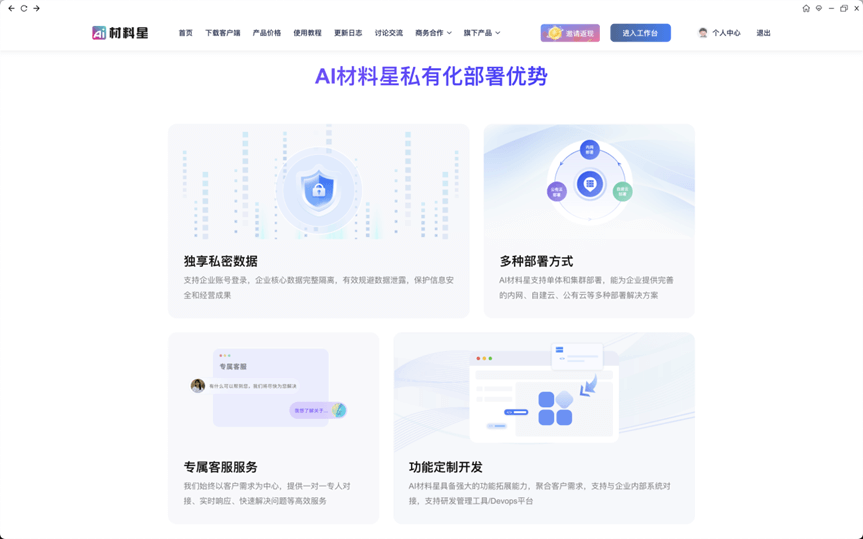
Private deployment: Provides private deployment solutions to ensure user information security, supports OEM deployment and API integration, and can be integrated with office OA systems.
How to use Cailiaoxing AI
-
Register and log in: Visit the Cailiaoxing AI official website https://www.cailiaoxing.com or download the client, then register and log in.
-
Free trial: After registration, you can get a 3-day free membership and experience all functions.
-
Choose a function module: Choose functions such as official document writing, library search, material library, article proofreading, and PPT creation according to your needs.
-
Official document writing: Enter a title, choose the article type and word count range, generate an article outline and add keywords, then click to generate a draft.
-
Material search: Enter keywords in the golden sentence, title, outline, and phrase library, and choose a category to find the needed materials.
-
Library use: Search official document sample texts, and click online editing for secondary creation.
-
Proofreading and detection: Paste the document content into the corresponding module, click detect or proofread, and view the results and make revisions.
-
PPT Creation: Enter a title or content, select a template, click to generate a PPT, and preview and download it.
-
Online Editing: Create or open a document, and use AI-assisted functions to modify, polish, proofread, and perform other operations.
-
Private Deployment: Contact customer service to inquire about private deployment solutions that meet enterprise security needs.
Product Features of 材料星AI
-
Professionalism: Specifically developed for the field of government official document writing, fully aligned with writing needs within the system, and ensuring that the output content complies with official document standards.
-
Efficiency: It can generate 100% original tens of thousands of words of official document materials within 90 seconds, greatly improving writing efficiency and saving time and energy.
-
Security: Developed using VUE3 + Go language, with code encryption, and it also provides private deployment solutions to ensure the security of user information.
-
Flexibility: Supports multiple writing modes, including AI step-by-step writing, AI conversational writing, and dual-model dialogue, meeting different user habits.
-
Integration: Provides OEM deployment and API integration, can be deeply integrated with office OA systems, and seamlessly fits into existing workflows.
-
Richness: It has 400,000 high-quality official document samples and tens of billions of materials, covering golden sentences, titles, outlines, classical poetry, and more, meeting diverse needs.
-
Ease of Use: The interface is simple and the operation is convenient. It supports online editing and multiple AI-assisted functions, so users can get started without complex training.
-
Innovation: The original AI Wen Si Quan Yong feature provides real-time inspiration for writing, helping official document creation become more creative and in-depth.
Application Scenarios of 材料星AI
-
Material Organization: Through the official document library and material library, quickly find and organize high-quality official document samples as well as materials such as golden sentences, titles, and phrases.
-
Document Proofreading: Detect and correct errors in existing official documents, such as typos, punctuation marks, and inappropriate expressions, ensuring document quality.
-
PPT Creation: Automatically generate a PPT by entering text or uploading a document, suitable for scenarios such as meeting reports and work summaries.
-
Content Polishing: Use AI rewriting and polishing functions to optimize the language expression of official documents and enhance their professionalism and readability.
-
Creative Inspiration: Use the AI Wen Si Quan Yong feature to provide inspiration and creativity for writing, assisting in drafting novel official document content.
-
Knowledge Management: Build a personal or organizational knowledge base for quick access and reference during official document writing.
-
Team Collaboration: Supports multi-user online editing and collaboration, suitable for teams jointly writing or revising official documents.


