

What is ARC
ARC is an AI image processing tool launched by Tencent's ARC (Applied Research Center) Lab, providing advanced image and video analysis services. The tool covers a variety of functions such as portrait restoration, cutout, anime enhancement, universal recognition, and multimodal understanding and generation, helping users optimize image quality, improve visual effects, and achieve intelligent image recognition and analysis. The ARC platform can simplify and automate image processing tasks, improve efficiency, and at the same time provide users with high-quality image processing results.
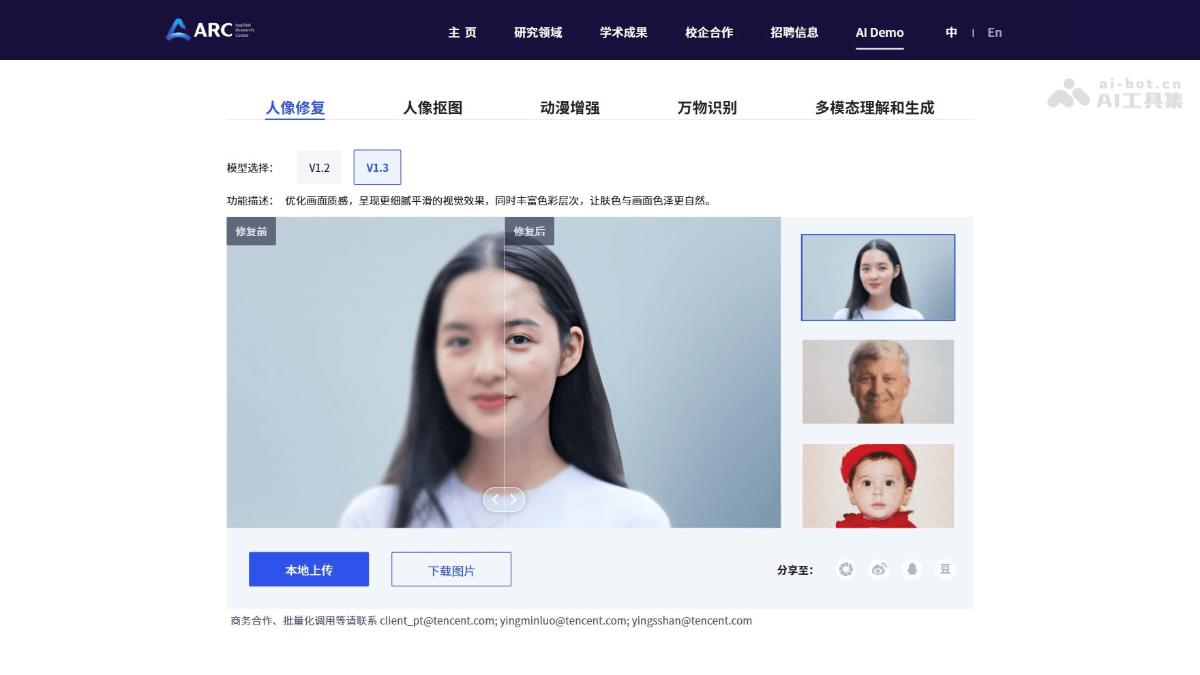
Main Features of ARC
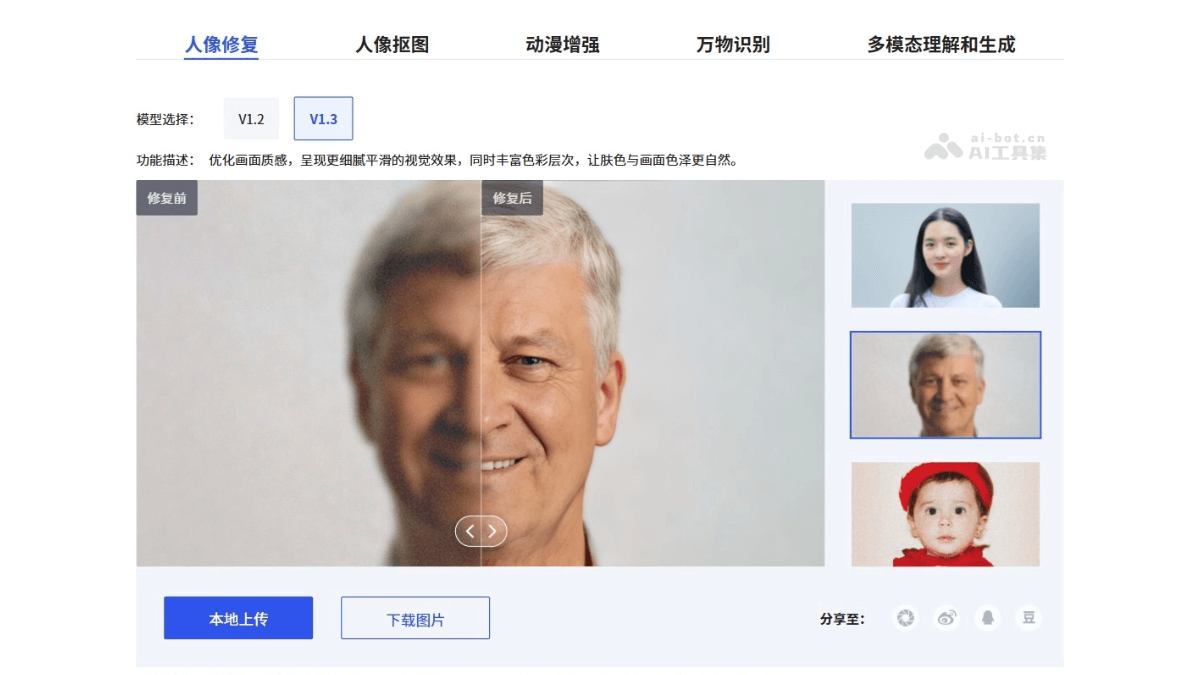
- Portrait Restoration: Uses AI technology to optimize the texture of portrait photos, making the image more delicate and smooth, with richer color layers and more natural skin tones.
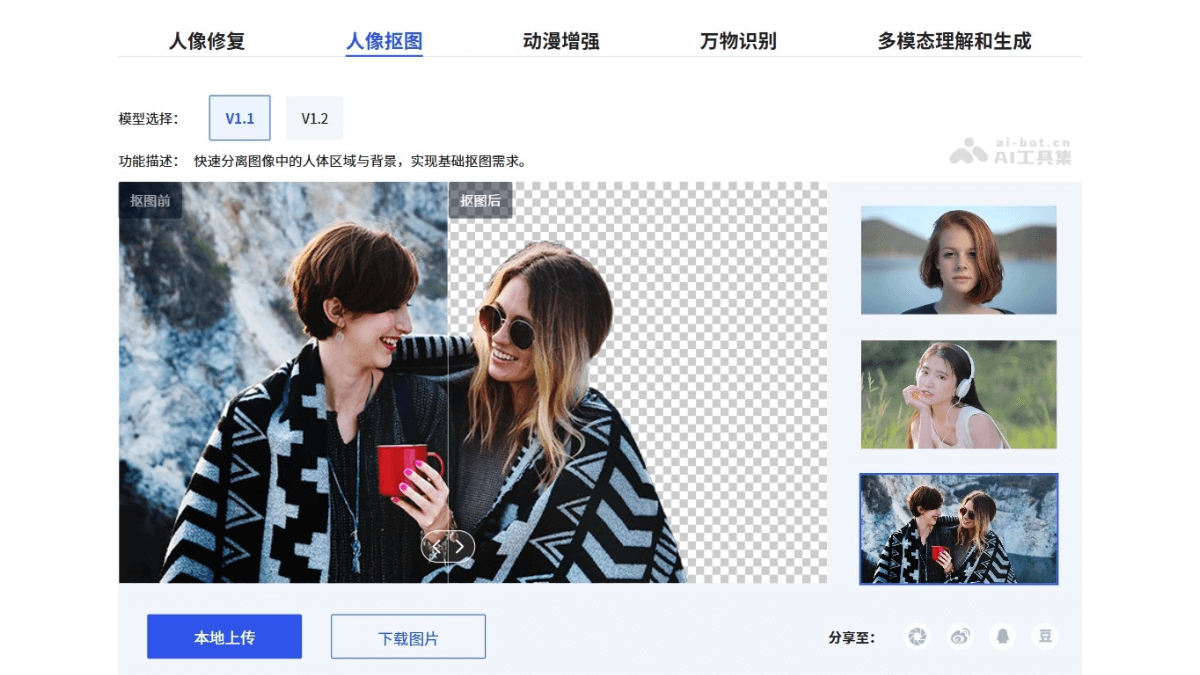
- Portrait Cutout: Quickly and accurately separates the portrait from the background in an image, achieving high-quality cutout results and facilitating subsequent image editing and compositing.
- Anime Enhancement: Performs blur repair and clarity improvement for anime-style images, adapting to different anime styles and enhancing the visual effect of the image.
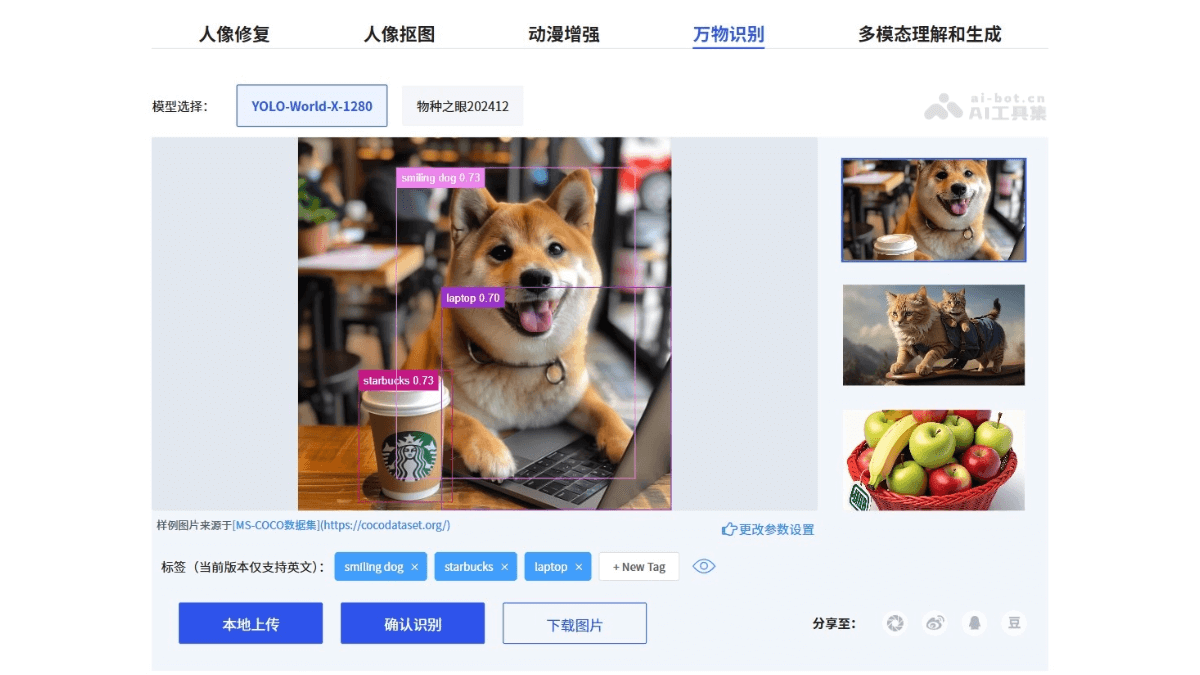
- Universal Recognition: Recognizes various objects in images, including animals, plants, items, etc., and provides detailed recognition results and information.
- Multimodal Understanding and Generation: The tool can process and understand video content, providing functions such as short video understanding and long video summarization, and supporting the analysis and generation of multimodal data.
How to Use ARC
- Visit the Platform: Visit the ARC official website https://arc.tencent.com/zh/ai-demos/。
- Register an Account: Complete account login and registration by following the prompts.
- Select a Feature: On the platform, select different AI image processing features, such as portrait restoration, portrait cutout, anime enhancement, etc.
- Upload an Image: Select the image you want to process and upload it to the platform.
- Select a Model: According to the selected feature, choose one from the available models. For example, in the portrait restoration feature, choose the V1.2 or V1.3 model.
- View the Result: After processing is complete, view the result on the platform. If you are satisfied, download the processed image.
- Download the Image: If the result meets your requirements, download the image to your local device.
Examples of Using ARC
Portrait Restoration
Portrait Cutout
Universal Recognition
Application Scenarios of ARC
-
Digital Media and Entertainment: I tools can significantly improve the clarity and visual effects of anime and game images, enhancing users' immersive experience.
-
Advertising and Marketing: Advertisers can create more attractive advertising images and social media content to attract the attention of potential customers.
-
E-commerce: E-commerce websites can improve the quality of product display images, increase consumers' desire to purchase, and enhance sales performance.
-
Education and Training: The tool can help educators create higher-quality teaching materials and online course materials, improving teaching effectiveness and the learning experience.
-
Healthcare: In the medical field, it assists doctors in analyzing medical images more accurately, improving diagnostic accuracy and treatment effectiveness.


