

What is Audiobox
Audiobox is a freeAI voiceand sound generation model launched by Meta, capable of generating speech and sound effects by combining voice input and natural language text prompts. The model includes specialized models such as Audiobox Speech (focused on speech generation) and Audiobox Sound (focused on sound effect generation), and is based on the shared self-supervised model Audiobox SSL. Audiobox features unique capabilities such as voice style transfer, making it the first model to achieve free voice style transfer with dual input of speech and text. Audiobox lowers the barrier to audio creation, allowing anyone to easily create personalized audio content, and can be used in various scenarios such as videos, podcasts, and games.
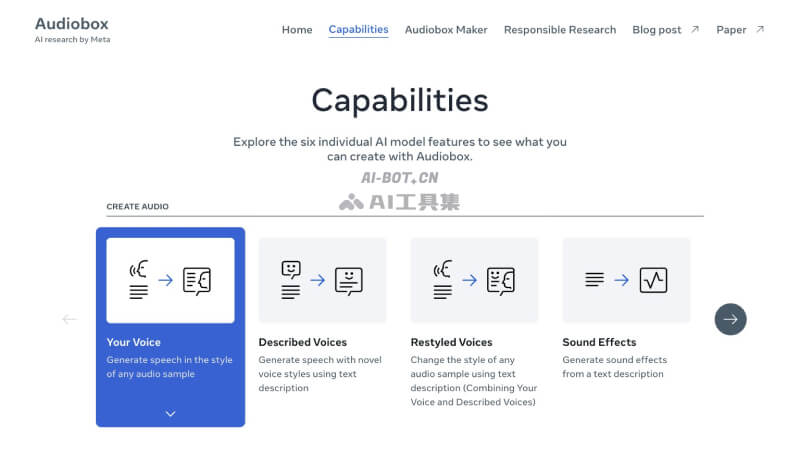
Audiobox's main features
- Clone user voice: Record voice to generate speech in the user's voice style or in the style of any audio sample.
- Generate human voice from text description: Use text to describe the voice style characteristics and acoustic environment to generate human voice.
- Change voice style: Can combine voice and text descriptions to change the existing voice style.
- Generate sound effects from text description: Generate sound effects based on the input text description of sound characteristics.
- Noise removal: Provides a Magic Eraser feature to remove transient noise from recordings.
- Sound infilling: Replace a portion of audio with new sound based on text description.
- Audio story maker: Combine the above features to create original and fun audio stories with Audiobox Maker.
How to use Audiobox
-
Visit the Audiobox platform: Visit the Audiobox official website https://audiobox.metademolab.com/,点击“Try demos”。
-
Select a feature: On the page, select a specific feature under "Create Audio" or "Edit Audio".
-
Upload or record a voice sample: Record your own voice or upload an existing audio file as a reference.
-
Enter text content: In the designated area, enter the text description of the speech or sound effect you want to generate.
-
Generate audio: Click the "Generate" button to let Audiobox generate audio based on the input.
-
View and download: Play the generated audio, and download and save it after confirming the result.
Audiobox's application scenarios
-
Video production: Generate matching voiceovers or sound effects for videos to enhance content expressiveness and appeal.
-
Podcast creation: Quickly generate or adjust speech content in podcasts to optimize the listener experience.
-
Game development: Generate environmental sound effects or character voices based on game scene descriptions to enhance immersion.
-
Advertising and marketing: Quickly generate speech and sound effects that match the brand style for advertising videos or audio content.
-
Educational content: Generate clear voice narration for online courses or educational videos to improve teaching effectiveness.


