
What is iTerms
iTerms is launched by FadadaAI Legal Assistant, focused on providing efficient legal services for entrepreneurs, business owners, legal affairs personnel, and lawyers. The platform is based on data including 150 million+ judicial precedents and 4.7 million+ laws and regulations, and supports functions such as legal search, contract drafting, and contract review. Users can obtain authoritative legal information through intelligent Q&A, quickly generate professional contract drafts, and support one-click contract scanning to identify risks. iTerms provides 24/7 online services, helping legal professionals bid farewell to tedious affairs, improve professional performance, and win with intelligence.
Main functions of iTerms
- Legal Q&A:
- Intelligent Q&A: Supports on-demand deep thinking and internet search, and can answer legal questions as naturally and efficiently as chatting.
- Authoritative data citation: Real-time updated authoritative laws, regulations, and judicial precedent data ensure that every argument has a solid basis.
- Mobile support: Supports the mobile WeChat Mini Program, making it convenient for users to obtain legal information anytime, anywhere.
- Contract drafting:
- One-click drafting: Quickly generates professional contract drafts with rigorous structure and clear logic, bidding farewell to the tedious process of finding and applying templates.
- Online editing: After drafting is completed, online editing is supported, with no need to transfer content, seamlessly connecting to the user's workflow.
- Contract review:
- One-click scanning: Quickly scans the full text of a contract and generates a contract summary, helping users quickly grasp the core information.
- Risk identification: Identifies potential risks from multiple dimensions, highlights risky clauses and traps, and precisely locates key text.
- Revision suggestions: Provides professional revision suggestions and supports selecting words to ask follow-up questions or rewrite questionable clauses at any time.
How to use iTerms
- Visit the official website or WeChat Mini Program: Enter through the iTerms official website https://ai.iterms.com/ or by searching for the iTerms Mini Program on WeChat.
- Register an account: Register an account with a mobile phone number or email address, and complete identity verification.
- Log in to the platform: Enter the account and password to log in and start using.
- Legal Q&A
- Enter the Q&A interface: After logging in, click the "Legal Q&A" function.
- Enter a question: Enter a legal question in the Q&A box, for example, "What is the upper limit of liquidated damages in a contract?"
- Get an answer: Click "Submit," and the system will quickly provide a detailed and accurate answer based on authoritative laws, regulations, and precedent data.
- Contract drafting
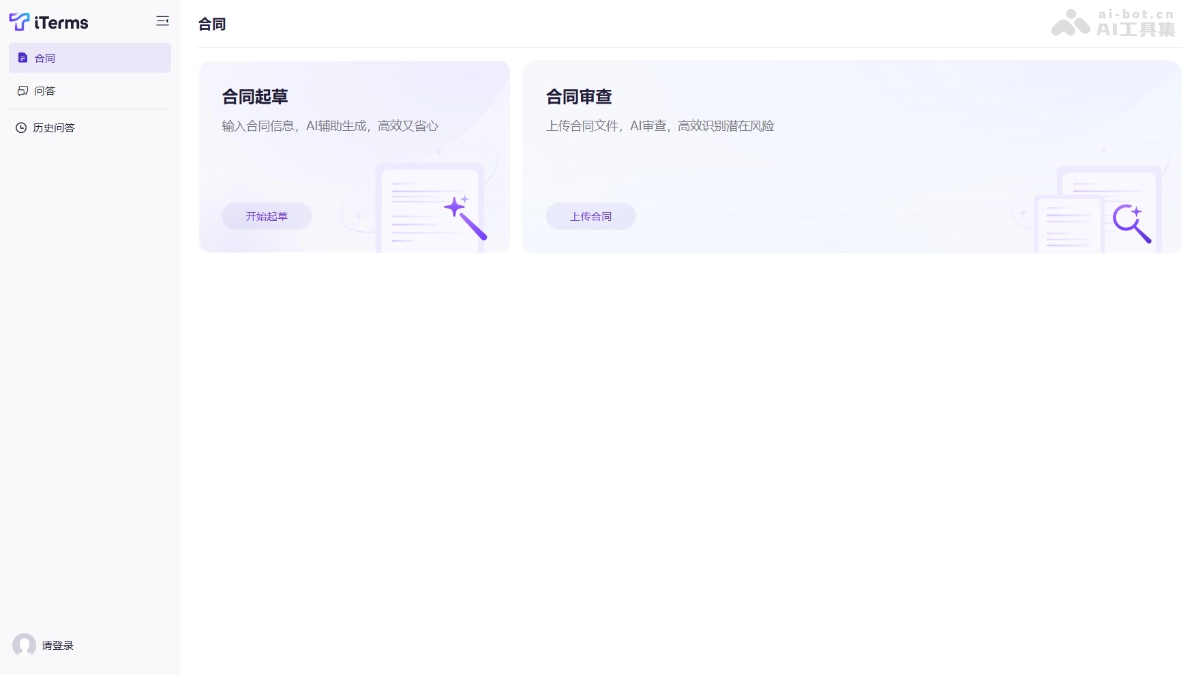
- Select contract type: On the homepage, click "Contract Drafting" and select the type of contract to be drafted (such as a lease contract, confidentiality agreement, etc.).
- Fill in key information: Follow the prompts to fill in key content such as information about both contract parties and contract clauses.
- One-click draft generation: Click "One-click Drafting," and the system will automatically generate a contract draft with rigorous structure and clear logic.
- Online editing: After generating the draft, edit and modify it directly on the platform without transferring it to other software.
- Contract Review
- Upload Contract File: Click "Contract Review" and upload the contract file to be reviewed (such as PDF or Word format) to the platform.
- One-Click Scan and Analysis: Click "One-Click Scan", and the system quickly generates a contract summary and identifies potential risk clauses.
- View Risk Alerts: The system highlights risk clauses and provides professional revision suggestions.
- Select Text to Ask: If you have questions about certain clauses, simply select the text to ask, and the system will further explain or provide revision suggestions.
- Save and Export: After completing contract drafting or modification, you can save it to the cloud or export it as PDF or Word format.
iTerms Application Scenarios
- Legal Consultation: When encountering legal issues in daily work, use iTerms' legal Q&A feature to quickly obtain authoritative answers and help users solve problems efficiently.
- Contract Drafting: When a contract needs to be drafted, use iTerms to generate a professional contract draft with one click, improving drafting efficiency.
- Contract Review: When reviewing complex contracts, iTerms scans with one click, highlights risk clauses, and provides revision suggestions to help users quickly identify risks.
- Legal Affairs Work: Legal personnel can quickly complete contract review and legal consultation, save time, and focus on complex legal matters.
- Lawyer's Work: Lawyers can quickly retrieve legal information, draft and review contracts, improve work efficiency, and better serve clients.

