

What is Tunee
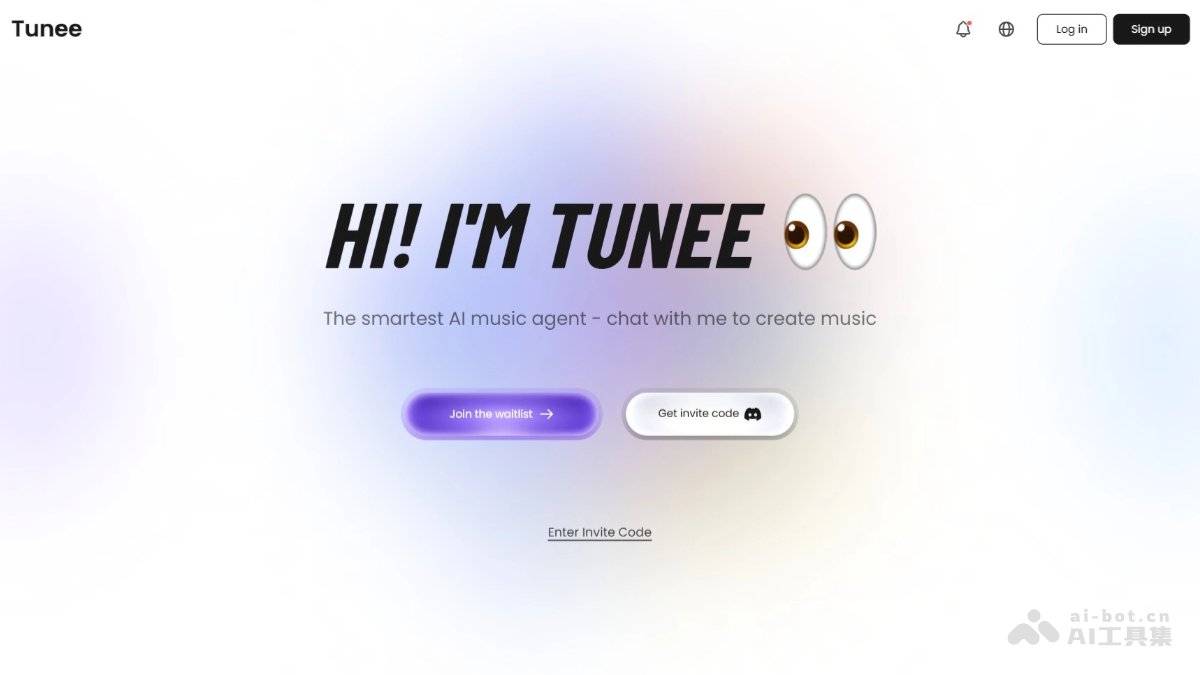
Tunee isTianpulethe first conversationalmusic creation Agentlaunched by the team. With natural language interaction at its core, users only need to describe their music needs, such as style, mood, and theme, to generate a complete song, including lyrics, composition, arrangement, and vocal performance. It can understand users' vague needs and generate songs with a complete verse and chorus structure and rich emotion, supporting multiple styles (pop, rock, Chinese style, etc.). Tunee supports uploading images, videos, or audio to get inspiration and generate music that fits the scene. Users can converse with Tunee to adjust style, rhythm, lyrics, etc., until satisfied. Tunee lowers the threshold for music creation and is suitable for music enthusiasts, creators, and teaching scenarios.
Main features of Tunee
-
Conversational music creation: Users can describe their music ideas in natural language, such as "sad but full of hope" or "as energetic as a workout song," and Tunee can generate original music works that match the description. It provides three generation modes:
-
Speed mode: Directly submit instructions and lyrics for quick generation.
-
Web search: Real-time web search, combining the latest materials for requirement analysis and creation.
-
Speed + search dual mode: First get real-time information online, then quickly generate prompts and lyrics.
-
-
Multimodal content processing: Supports multiple input methods such as uploading melodies, video clips, and mood descriptions. It can capture emotional changes from videos and images.
-
Interactive creation: Continuously optimize the music content through dialogue until the user is satisfied. Users can keep offering revision suggestions for the generated results, just like communicating with a real human producer.
-
MV production: Supports automatically generating MV videos that match the music style, combining image generation and video technology to add visual expressiveness to music works.
-
Smart mastering: Provides high-quality mastering services to ensure that the music maintains consistent sound quality on different playback devices and platforms.
-
Stem separation: Supports separating different tracks in music (such as vocals, drums, guitar, etc.), making it convenient for users to perform post-editing or remixing.
-
Royalty-free BGM: The generated music comes with a "commercial license," and can be directly used in short videos, advertisements, podcasts, and other scenarios, avoiding infringement risks.
How to use Tunee
-
Register and log in: Visit the Tunee official website https://www.tunee.ai/ , click the "Register" button in the upper right corner, and register with your email.
-
Start creating: After logging in, use natural language to describe your music idea, for example, "I need an atmospheric track to post on Douyin." Tunee will ask follow-up questions in the conversation to accurately understand your needs and recommend the most suitable music solution.
-
Choose a generation mode: Tunee provides three generation modes, including Speed mode (directly submit instructions and lyrics for quick generation), Web search (real-time web search, combining the latest materials for requirement analysis and creation), and Speed + search dual mode (first get real-time information online, then quickly generate prompts and lyrics). You can choose the appropriate mode according to your needs.
-
Accelerated Creation: You can use preset prompt bubbles to accelerate music generation and spark inspiration.
-
Multi-task Generation: Enter a request once and receive multiple music plans, each of which can generate two songs at the same time. If you want to generate music in multiple directions at once, tell Tunee "I want them all"; if you want to add a new version in the same direction, click "2 More Songs".
-
Post-production and Enhancement:
-
One-click AI MV Generation: After a song is generated, tell Tunee in the session to "make an MV", or directly click the "Make MV" button. Through the conversation feature, you can interact intelligently with Tunee to precisely adjust the MV effect, and you can also choose personalized video parameters such as aspect ratio, time range, visual style, and more.
-
Free Lyric Video Download: After music is generated, you can download the full-song lyric video with one click. You can choose a static template (default song cover, modifiable) or a dynamic template (dynamic ripple visual effect). Both template types support selecting horizontal or vertical specifications.
-
Song Secondary Editing: Supports modifying lyrics and adjusting prompts. During secondary editing, you can choose to retain the original melody or re-arrange it, and you can also customize the song name and cover image.
-
Smart Mix Creation: Allows users to remix with one click from the generated music library to quickly create a brand-new arrangement version.
-
Smart Mastering: Obtain professional-grade audio refinement in multiple styles. You can choose to use reference music provided by Tunee or upload your own reference music as the optimization standard. After processing is complete, you can directly download the finished product.
-
Stem Separation: Music can be split into separate tracks (such as vocals, drums, bass, etc.), making it easier to perform secondary editing and mixing.
-
Tunee's Official Examples
Example One:I don’t usually write songs, but I want to use a song to express my own mood, for example, I am very happy now and the sun is shining brightly.
(https://www.tunee.ai/project/GPGTlDhuGsLRFDcPl)
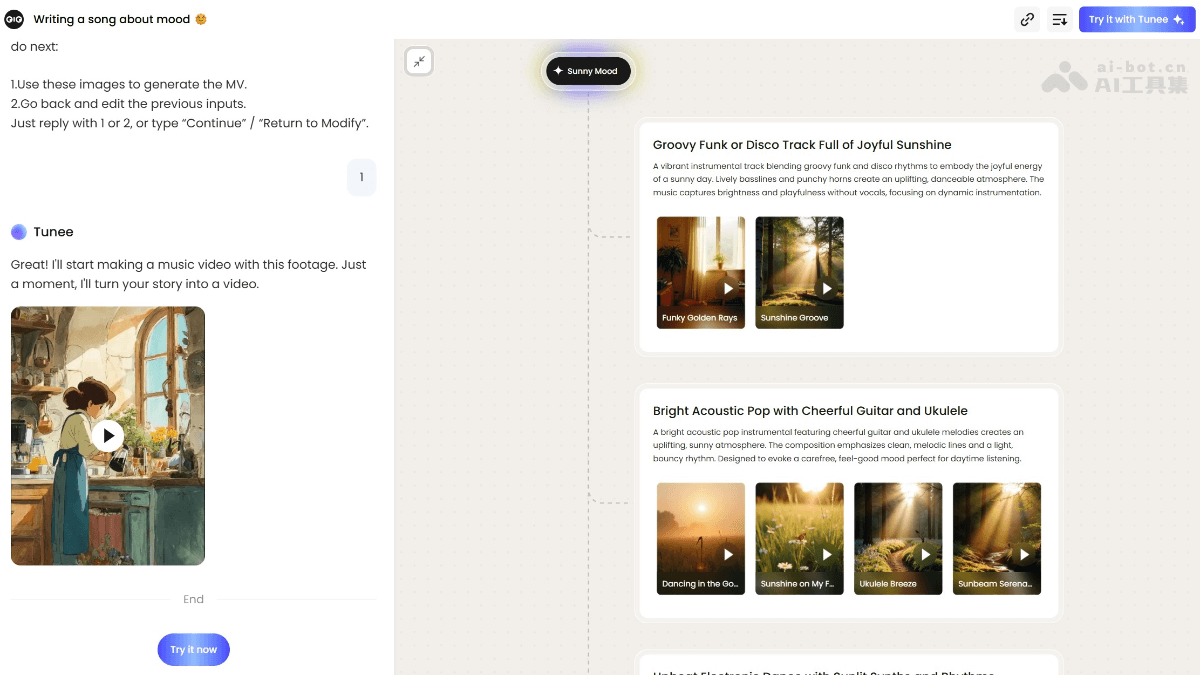
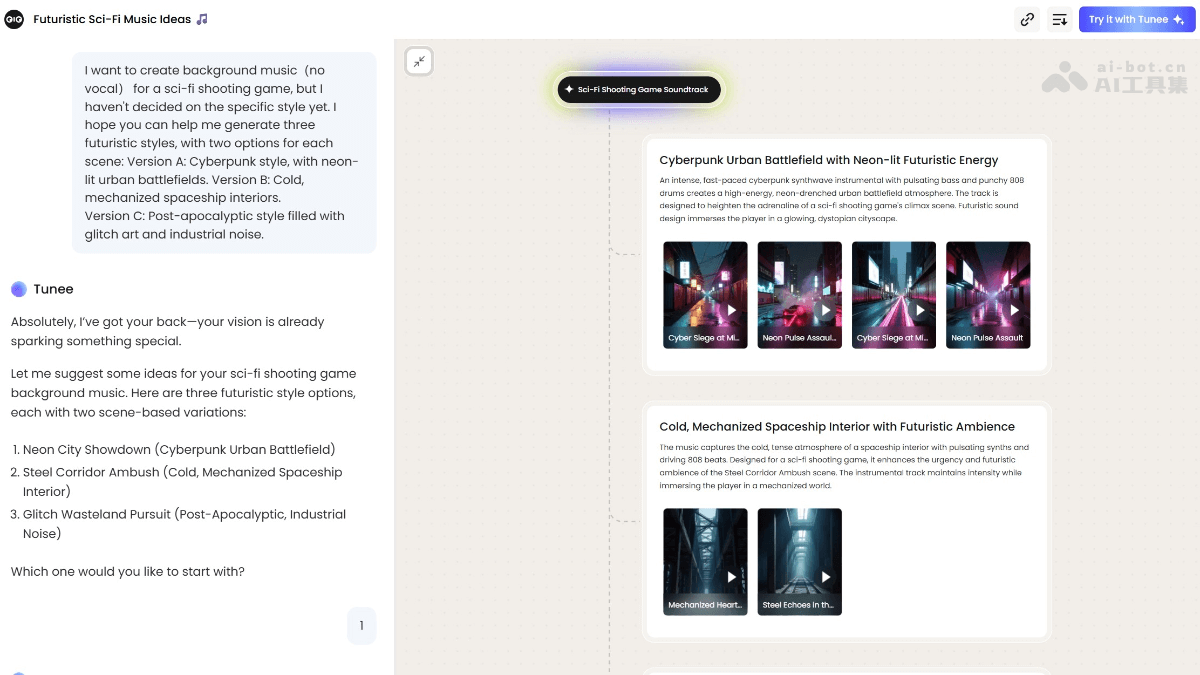
Example Two:I want to create background music(no vocal) for a sci-fi shooting game, but I haven’t decided on the specific style yet. I hope you can help me generate three futuristic styles, with two options for each scene: Version A: Cyberpunk style, with neon-lit urban battlefields. Version B: Cold, mechanized spaceship interiors. Version C: Post-apocalyptic style filled with glitch art and industrial noise.
(https://www.tunee.ai/project/xPrT-cn2Iyg3gu2F7)
Tunee's Application Scenarios
-
Music Creation: Helps musicians quickly generate melodies, lyrics, and arrangements, sparking creative inspiration and improving creative efficiency.
-
Video Production: Generates matching background music and sound effects for video content such as short videos, advertisements, films, and animations, enhancing the appeal of the video.
-
Game Development: Generates music and sound effects that match the scene atmosphere for games, enhancing the game's immersion.
-
Podcasts and Audio Content: Creates background music for audio content such as podcasts, audiobooks, and radio dramas, improving the listening experience.
-
Commercial Activities: Generates customized music for commercial scenarios such as brand advertisements, offline events, and online live streaming, enhancing the brand atmosphere.
-
Personal Entertainment: Users can generate personalized music according to their own mood and preferences, enjoying the fun of music creation.
Who Tunee Is For
-
Podcast and Audio Content Creators: Creates background music for audio content such as podcasts, audiobooks, and radio dramas, improving the listening experience.
-
Commercial Brands and Marketing Personnel: Generates customized music for commercial scenarios such as brand advertisements, offline events, and online live streaming, enhancing the brand atmosphere.
-
Individual Users: Ordinary users who like music can generate personalized music according to their own mood and preferences, and enjoy the fun of music creation.
-
Educators and students: In music education, help students quickly understand and practice music creation, and stimulate their interest in learning.
-
Social media content creators: Provide background music for social media content creation, increasing the fun and appeal of the content.
-
Film and television post-production personnel: Provide music and sound effect support for the post-production of film and television works, improving the overall quality of the works.


