

What is Transor Immersive Translate
Transor Immersive Translate is a professionalAI translation tool, providing users with real-time translation services for multiple scenarios such as web pages, subtitles, PDFs, and images. By intelligently identifying the core content areas of web pages, it achieves low-intrusion bilingual comparison translation, bringing users an immersive foreign-language web reading experience. Transor has built in more than ten top translation services such as OpenAI (ChatGPT), DeepSeek, Google Gemini, and is one of the web translation plugins with the richest service support in the world. It supports real-time bilingual subtitle translation for mainstream video websites such as YouTube and Netflix, allowing users to understand the content while watching videos and also improve their foreign language skills. Transor pioneered free PDF translation, supports bilingual document reading, and can obtain professional translation results with one click, whether for academic papers or business contracts.
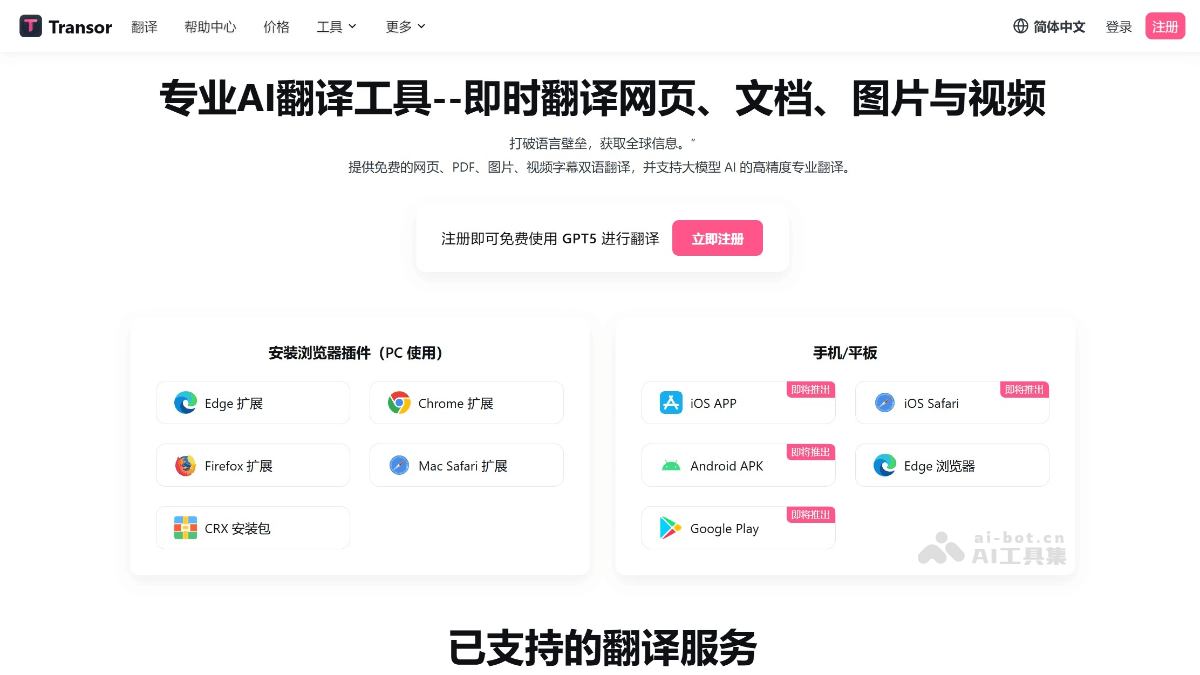
Main features of Transor Immersive Translate
-
Web page translation: Intelligently identifies the core content areas of web pages, achieves low-intrusion bilingual comparison translation, and provides users with an immersive foreign-language web reading experience.
-
Video subtitle translation: Supports real-time bilingual subtitle translation for mainstream video websites such as YouTube and Netflix, helping users understand the content while watching videos and also improve their foreign language skills.
-
PDF translation: Pioneered free PDF translation, enabling bilingual reading of documents. Whether it is academic papers or business contracts, professional translation results can be obtained with one click.
-
Image translation: The plugin supports web page image translation, which can be completed by right-clicking or hovering. Powered by advanced OCR and Inpaint technology, the translated text blends naturally into the original design, bringing a smooth reading experience.
-
Text translation and bookmarking: Select any text on a web page to translate it into your native language with AI, and bookmark it to your personal favorites with one click, with support for data export.
-
Input box translation: After entering text in a web page input box, quickly press the spacebar 3 times in succession to translate it into the target language (English by default, customizable), without leaving the page, making translation smoother in search, writing, and conversation scenarios.
-
Bilingual image sharing: Select text on a web page to generate a bilingual image that can be shared to social platforms. You can also take and crop a screenshot on any page to quickly generate a bilingual comparison sharing image.
How to use Transor Immersive Translate
-
Install the plugin: Visit the Transor Immersive Translate official website https://transor.ai/ and choose the corresponding browser version to install.
-
Web page translation: Click the Transor icon in the browser toolbar, or right-click in a blank area of the web page and select "Translate web page" to perform bilingual comparison translation of the web page.
-
Video subtitle translation: After playing a video on a supported video website, click the Transor icon and select the subtitle translation feature to watch videos with bilingual subtitles.
-
PDF translation: In the plugin interface, select the document translation feature, upload a PDF file, choose the translation engine and target language, and click translate to view the bilingual PDF document.
-
Image translation: Right-click an image on a web page and select Transor's translation option, or upload a local image in the plugin interface for translation.
-
Text translation and bookmarking: Select any text on a webpage, click the Transor icon to translate, and save the translation to your personal favorites with one click.
-
Input Box Translation: After entering text in a webpage input box, quickly press the spacebar 3 times in succession (default setting, customizable) to translate the entered text into the target language.
-
Bilingual Image Sharing: After selecting webpage text, use Transor to generate a bilingual image, or take a screenshot of the webpage and crop it to quickly generate a bilingual comparison sharing image.
Application Scenarios of Transor Immersive Translation
-
Web Browsing: When reading foreign-language webpages, you can quickly translate the webpage content to achieve bilingual comparison reading, helping users better understand the webpage information.
-
Video Watching: Supports real-time bilingual subtitle translation on mainstream video websites. When users watch videos on YouTube, Netflix, etc., they can see both the original text and translated subtitles at the same time, enhancing foreign language learning results.
-
Document Reading: For documents in formats such as PDF and Word, bilingual translation can be performed, making it convenient for users to read various documents such as academic papers and business contracts.
-
Image Translation: Users can upload images or translate images on webpages, suitable for reading text content in images, such as comics and charts.
-
Social Interaction: On social media platforms, text in webpage input boxes can be translated, making it convenient for users to engage in cross-language communication and dialogue.
-
Learning Improvement: Through the bilingual comparison function, users can learn foreign languages while reading, watching videos, and more, improving their language abilities.

