

What is Photon AI Cutout
Photon AI Cutout isPhoton AIlaunched AI image background removal tool. When users create and generate commercial photography images, they can use the background removal function to easily separate products from the original background and quickly replace the background. It is suitable for product display on e-commerce platforms and can help merchants quickly generate product images that meet different display needs, enhancing the visual effect and appeal of products.
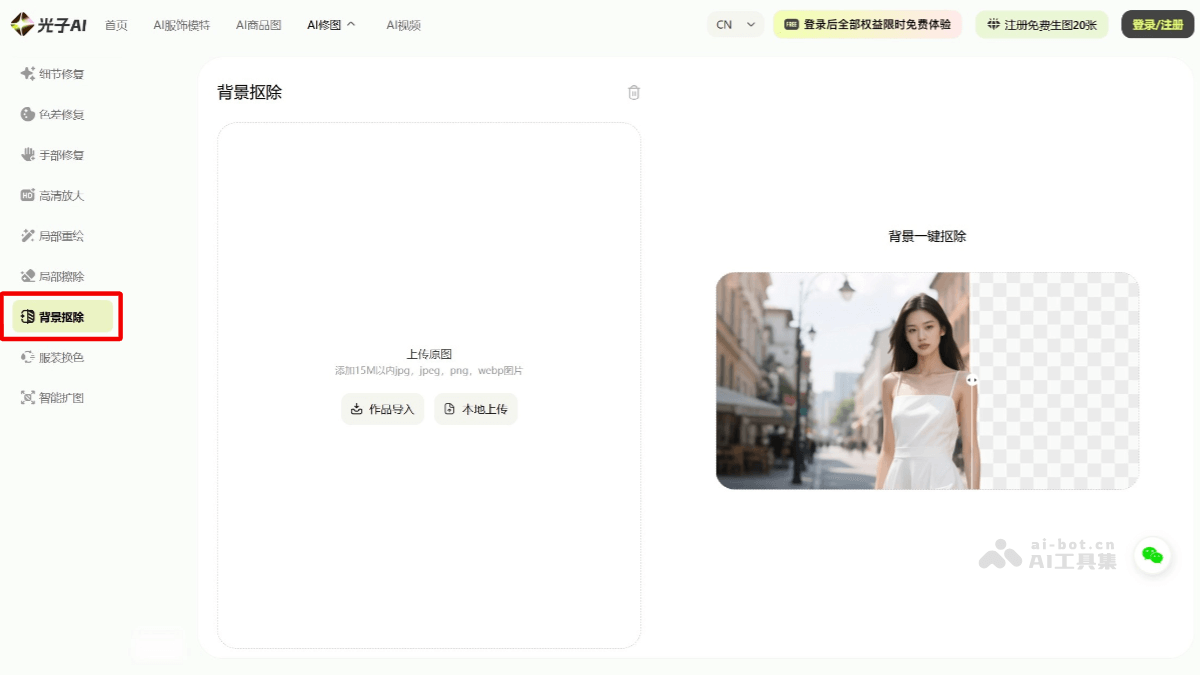
Main functions of Photon AI Cutout
-
One-click background removal: It can quickly and accurately separate products from the original background without complex operations or long waiting, improving work efficiency.
-
Supports multiple background replacements: It provides preset scenes such as solid colors, street photography, home, and natural scenery, and also supports custom background image uploads to meet product display needs in different scenarios.
-
Accurate product outline recognition: When removing the background, it can accurately recognize the product outline, preserve the integrity and details of the product, and avoid blurred or missing edges.
-
Works with retouching functions: After background removal, it can be combined with other retouching functions, such as detail repair, color difference adjustment, and HD upscaling, to further optimize the quality of product images.
How to use Photon AI Cutout
-
Visit and register: Visit the Photon AI Cutout official website https://www.photonaiclub.com/workspace/cutout and register and log in to your account.
-
Select the function module: On the main interface, select the "AI Retouching" function module and choose the background removal tool.
-
Upload the original image: Upload the image that needs background removal, and note that the image format and size must meet the platform requirements.
-
Preview and edit: After removing the background, users can preview the result and make further edits, such as repairing details and adjusting color differences.
-
Save and download: After completing the edits, users can save and download the processed image.
Application scenarios of Photon AI Cutout
-
Cross-border e-commerce adaptation: According to the marketing needs of different countries and regions, quickly replace product backgrounds and models to adapt to the display requirements of different e-commerce platforms.
-
Advertising design: Quickly extract design materials, create highly creative advertising posters, and meet the background replacement and creative display needs in advertising design.
-
ID photo creation: Quickly remove the background, place the portrait on a standard ID photo background, and improve the efficiency and quality of ID photo creation.
-
Social media sharing: Meet the social media sharing needs of ordinary users and create eye-catching content, such as changing photo backgrounds and adding creative elements.


