

What is QuillBot
QuillBot is a powerfulAI writing assistant tool, helping users improve writing efficiency and quality through a variety of features. Its core function is text paraphrasing, offering multiple rewriting modes such as Standard, Fluency, and Formal, which can quickly adjust the way text is expressed, avoiding plagiarism while increasing text diversity. It has a grammar check feature that can accurately identify and correct grammar, spelling, and punctuation errors, improving text accuracy. QuillBot's plagiarism detection feature can effectively identify plagiarized content in text, ensuring the originality of writing. QuillBot provides a summarizer that can extract key points from long texts, helping users quickly summarize the core content. The citation generator supports multiple citation formats such as APA, MLA, and Chicago, making academic writing convenient. The translation feature supports more than 40 languages, meeting the multilingual needs of different users.
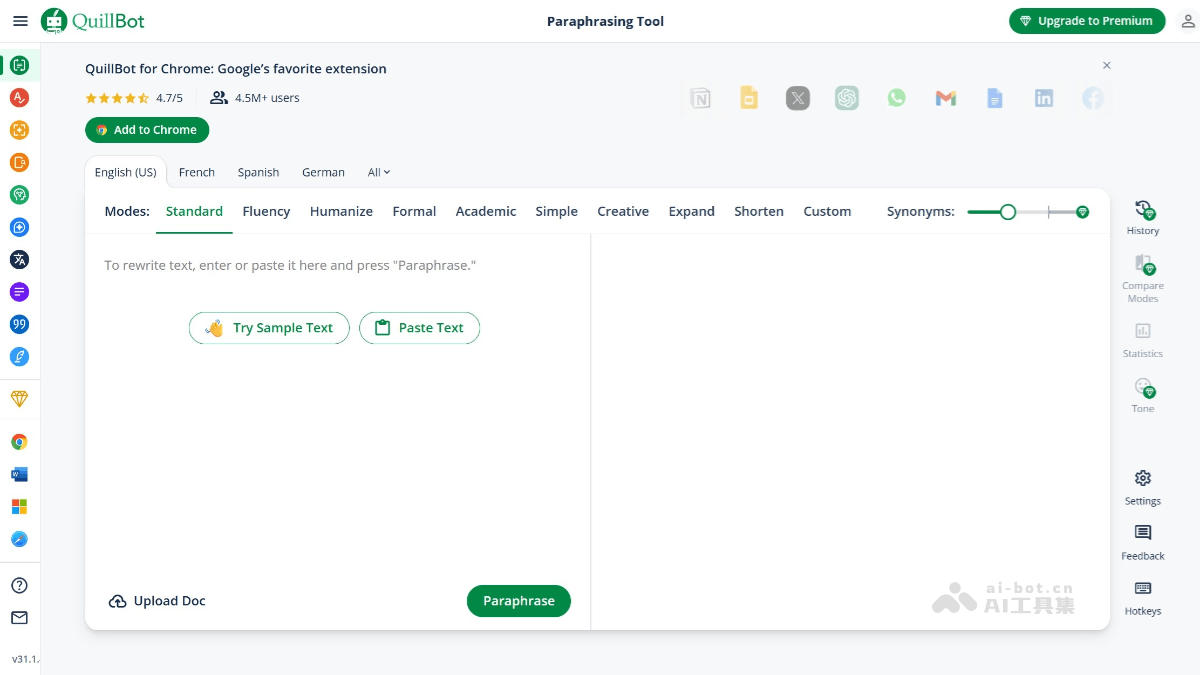
QuillBot's Main Features
-
Text Paraphrasing: Provides multiple rewriting modes, such as Standard, Fluency, Formal, Academic, etc., helping users quickly adjust the way text is expressed, avoid plagiarism, and increase text diversity.
-
Grammar Check: Can detect and correct grammar, spelling, and punctuation errors, improving the accuracy and readability of text.
-
Plagiarism Detection: Scans text to identify potential plagiarized content, ensuring the originality of writing.
-
Summarization: Extracts key points from long texts, helping users quickly summarize the core content.
-
Citation Generation: Supports multiple citation formats such as APA, MLA, and Chicago, making academic writing convenient.
-
Translation Feature: Supports translation in more than 40 languages, meeting multilingual writing needs.
How to Use QuillBot
-
Visit the Official Website: Enter QuillBot's URL in the browser to enter its official website.
-
Select a Feature: Choose the required feature modules, such as text paraphrasing, grammar check, plagiarism detection, etc.
-
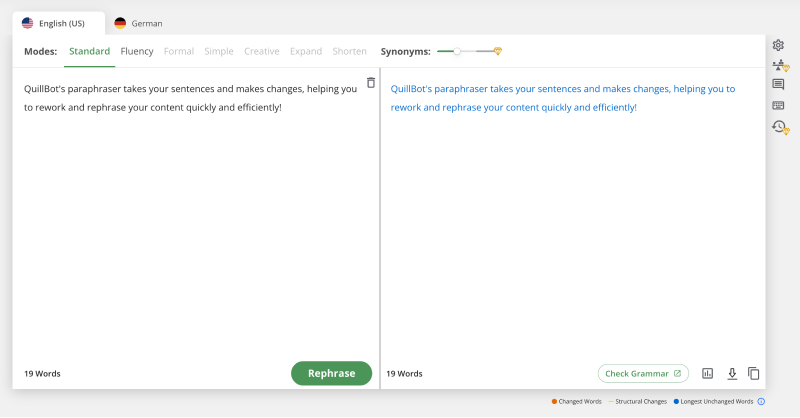
Enter Text: Paste or enter the text to be processed into the corresponding text box.
-
Adjust Settings: Choose different rewriting modes or check options according to your needs.
-
Get Results: Click buttons such as "Paraphrase" or "Check", wait for QuillBot to process, and get the results.
-
Edit and Save: Further edit the generated results, and save or export the text if needed.
QuillBot's Application Scenarios
-
Academic Research: Helps students and researchers quickly rewrite papers, avoid plagiarism, check grammar and spelling errors, and improve the quality of academic writing.
-
Content Creation: Provides text rewriting and optimization suggestions for writers, bloggers, and content creators, improving creative efficiency and content diversity.
-
Professional Writing: Optimizes documents such as business reports, emails, and resumes, ensuring professional and accurate language expression.
-
Education and Learning: Assists students in improving writing skills, provides grammar and spelling correction suggestions, and helps them better understand and master language rules.
-
Multilingual Translation: Supports translation in multiple languages, helping users overcome language barriers for cross-cultural communication and learning.
-
Quick Writing: When text needs to be generated quickly, such as writing press releases, social media content, etc., QuillBot can quickly provide rewriting and optimization suggestions, saving time.


