

What is Kimi PPT Assistant
Kimi PPT Assistant is Moonshot AI's all-new self-developed PPT assistant that helps users useAI to generate PPT with one clickpresentations. Users only need to enter a topic or detailed text content, and Kimi can automatically generate the PPT framework and content based on this information. Users can adjust and modify it according to actual needs. Documents in multiple formats such as Word and PDF can be uploaded as the content source for the PPT. After generating the PPT, it can be exported with one click to common formats, or shared directly with others for viewing.
Main features of Kimi PPT Assistant
- One-click PPT generation: Users can enter a topic or detailed content description, or upload related documents (such as Word, PDF, etc.), and Kimi will automatically generate the PPT outline and content.
- Online editing and modification: The generated PPT can be modified in the online editing interface, including modifying the outline content and inserting or modifying text, images, charts, and other elements.
- Content optimization and polishing: Kimi can optimize and polish the generated PPT content to ensure standardized language and rigorous logic.
- Multi-file generation: Users can upload multiple documents, and Kimi will analyze the content of these files and generate a PPT outline, producing a PPT that better fits user needs.
How to use Kimi PPT Assistant
-
Visit the Kimi platform: Visit the Kimi PPT Assistant official website, ordownload the Kimi App/desktop client, and register/log in to your account.
-
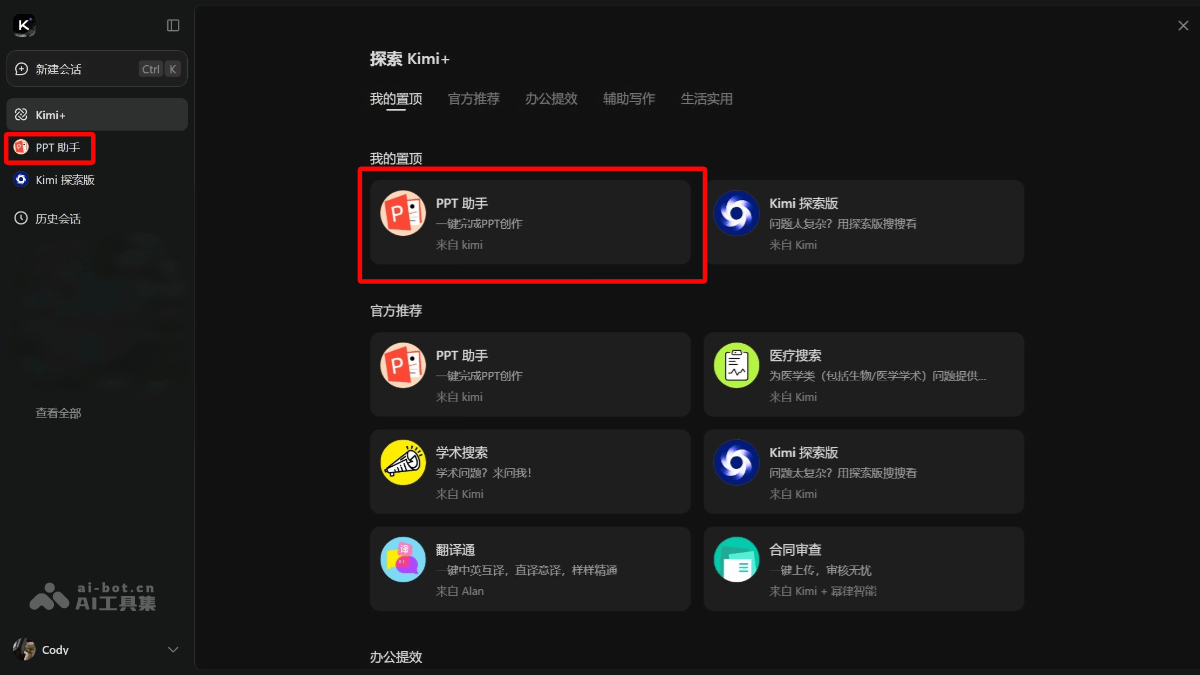
Select Kimi PPT Assistant: In the left navigation bar, directly click Kimi PPT Assistant, or click "Kimi+" and select the "PPT Assistant" feature.
-
Enter requirements: Enter the PPT topic and requirements in the dialog box, or directly upload related documents.
-
Generate results: The system will first optimize the content structure. After confirmation, click "Generate PPT with one click."
-
Select a template: Select a suitable template style and wait for the system to automatically generate the PPT.
-
Adjust and optimize: Make final adjustments in the editing interface, and download or share when finished.
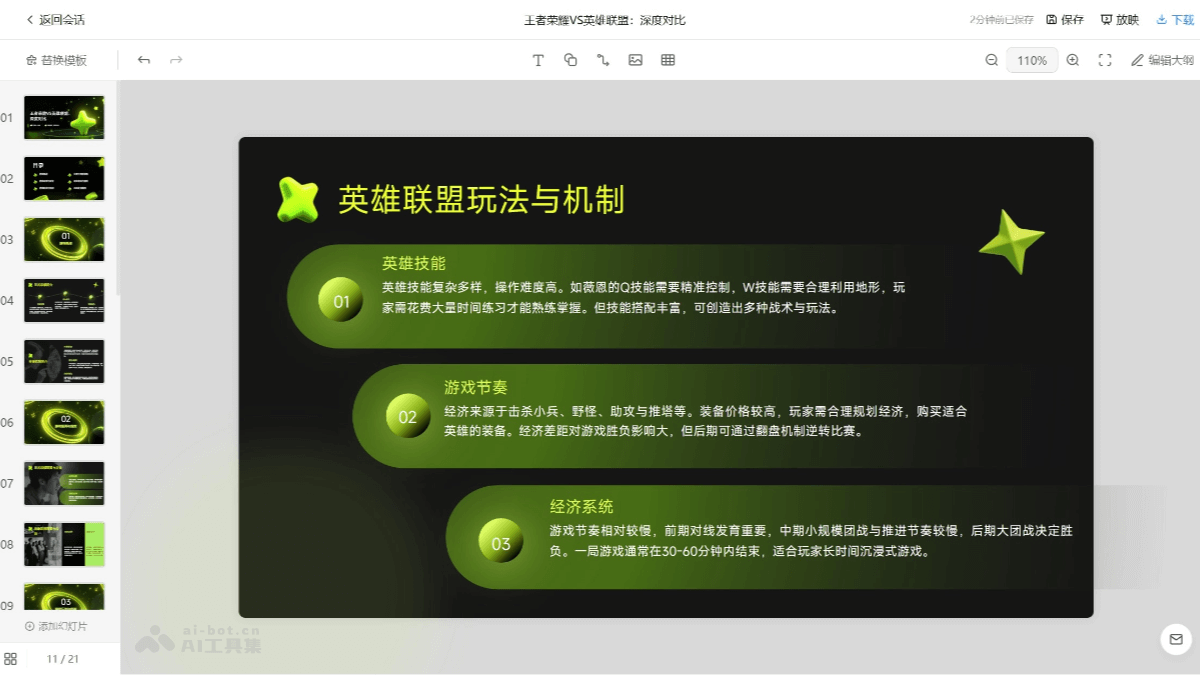
Generation example: I am a practitioner in the gaming industry, help me generate a PPT on Honor of Kings VS League of Legends
Product advantages of Kimi PPT Assistant
-
Efficient and time-saving: Users do not need to create a PPT from scratch, greatly saving time and effort.
-
Free to use: The Kimi PPT Assistant feature is completely free.
-
Excellent Chinese support: Suitable for Chinese users, able to handle long texts and perform localized adjustments.
Application scenarios of Kimi PPT Assistant
-
Student assignment presentations: Helps students quickly complete academic PPT creation such as course reports and research projects.
-
Workplace work reports: Saves time costs for workplace professionals in creating business PPTs such as weekly reports, monthly reports, and project reports.
-
Teaching courseware creation: Teachers can use the assistant to quickly prepare teaching courseware.
-
Business proposal presentations: Entrepreneurs or salespeople can quickly generate professional presentation materials such as business plans and product introductions.
-
Event planning presentations: Event organizers can easily create promotional presentation PPTs such as event schedules and sponsorship proposals.

