

What is Fast3D
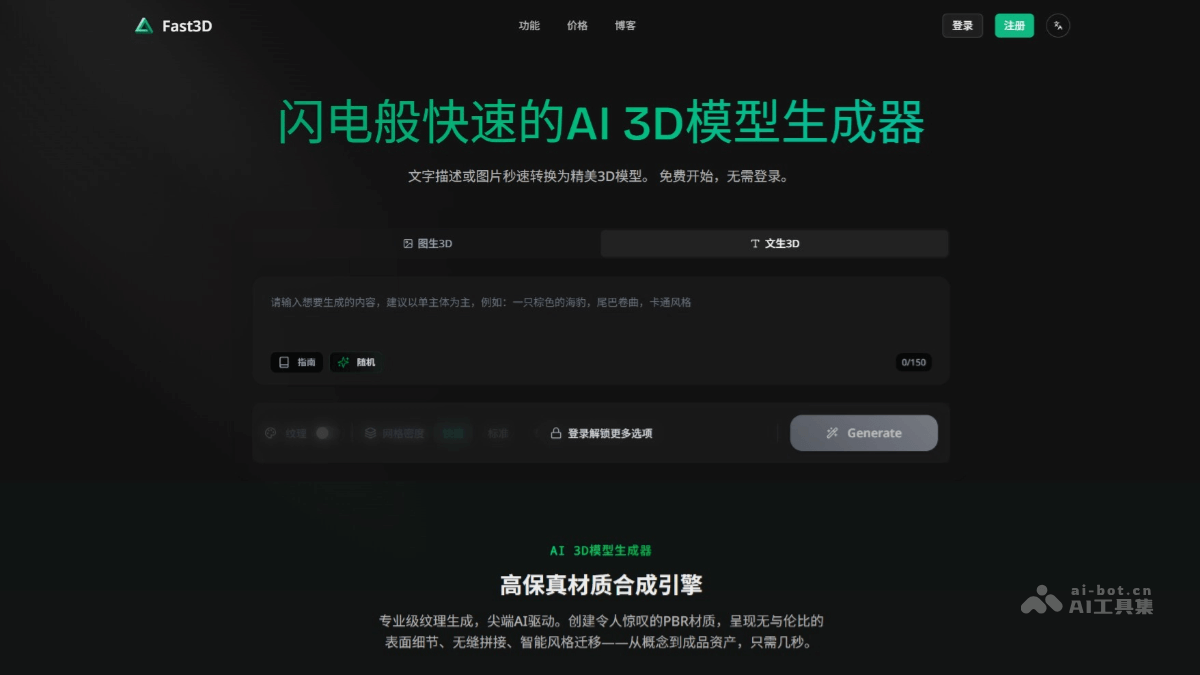
Fast3D is a powerful AI 3D model generation tool, capable of generating high-quality 3D models in just a few seconds through simple text descriptions or image input. Fast3D supports high-fidelity material synthesis and has high-precision geometry generation capabilities, suitable for a wide range of users from beginners to professionals. Models generated by Fast3D support export in multiple formats and can be used for 3D printing, game development, and more. Fast3D offers a free trial, allowing you to enjoy efficient creation without registration or login.
Main Features of Fast3D
- AI-driven 3D model generation: Quickly generate high-quality 3D models through text descriptions or image input.
- High-fidelity material synthesis: Supports professional-grade texture generation, providing seamless stitching and intelligent style transfer to present realistic surface details.
- High-precision geometry generation: Capable of generating high-precision geometric shapes with rich details, suitable for complex models.
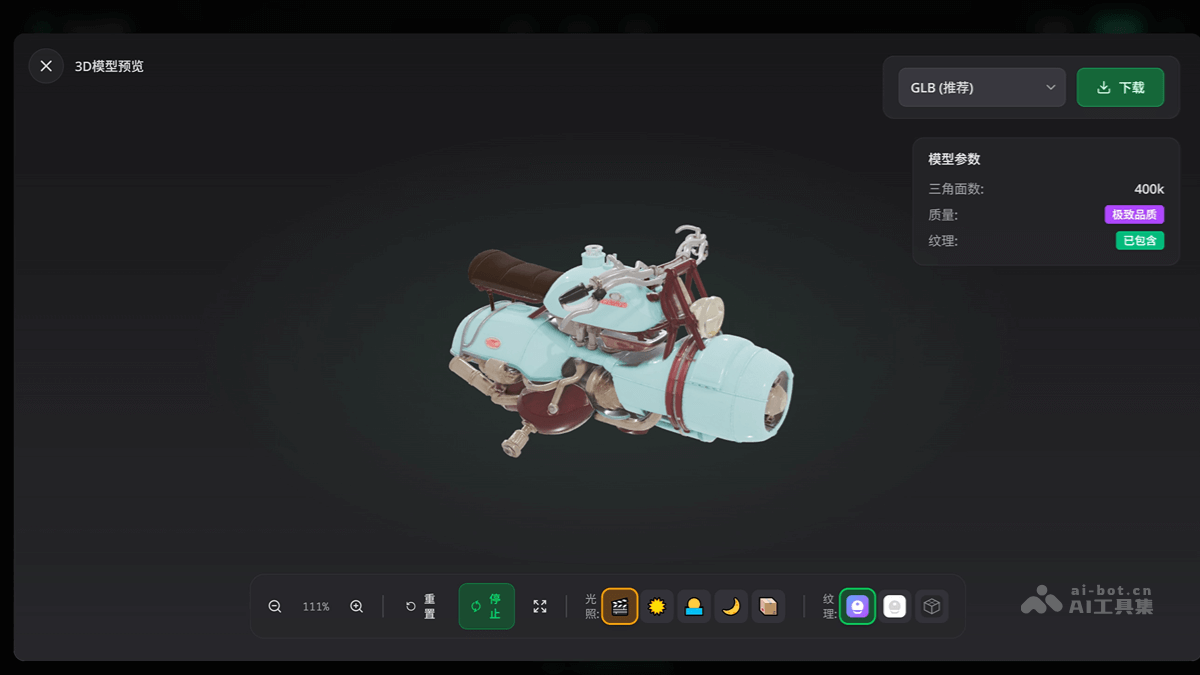
- Multiple export formats: Supports formats such as GLB/GLTF, FBX, OBJ/MTL, and STL, with strong compatibility.
How to Use Fast3D
- Visit the official website: Visit the Fast3D official website https://fast3d.io/ 。
- Choose login mode:
- No-login mode: No registration or login required; use basic features directly.
- Login mode: After registering and logging in, unlock more advanced features, such as high-precision model generation and custom textures.
- Input content:
- Text generation: Enter a text description in the input box.
- Image generation: Upload an image, supporting multiple formats (such as JPG, PNG).
- Set parameters:
- Mesh density: Choose "Fast", "Standard", or "Extreme"; the higher the precision, the more refined it is.
- Texture options: Enable or disable textures; when enabled, models with materials can be generated.
- Generate model: Click the "Generate" button and wait for the model to be generated.
- View and export: After generation is complete, view the 3D model on the preview page, with support for rotation and zooming. Click the "Export" button, choose an export format (such as GLB, FBX, OBJ, etc.), and save it locally.
- Use the model: Import the exported 3D model into 3D software for further editing or use.
Application Scenarios of Fast3D
- Game development: Quickly generate character, prop, and scene models in games, saving time and cost and accelerating the game development process.
- 3D printing: Generate models suitable for 3D printing through text or images, export them as STL format for direct printing, convenient and quick.
- Architectural design: Quickly generate 3D models of building exteriors or interior spaces, used for presentation or further design, improving design efficiency.
- Film and animation: Quickly generate character and prop models in animations, speeding up the production process and increasing the speed of creative realization.
- Education: Generate various teaching models, such as biology models, mechanical models, etc., enhancing teaching interactivity and student participation.


