

What is Changtu
Changtu is an AI-native chart tool. Through natural language conversation with AI, users can quickly generate mind maps, flowcharts, tables, kanban boards, and other charts without any drawing experience. Changtu supports multi-turn conversations and context understanding, and can continuously optimize chart content based on user input. Changtu supports uploading multiple file types (such as PDF, PPT, Word, etc.), and AI automatically parses the content to generate charts. Users can export the generated charts as PDF, images, or PPT format for easy sharing and presentation.
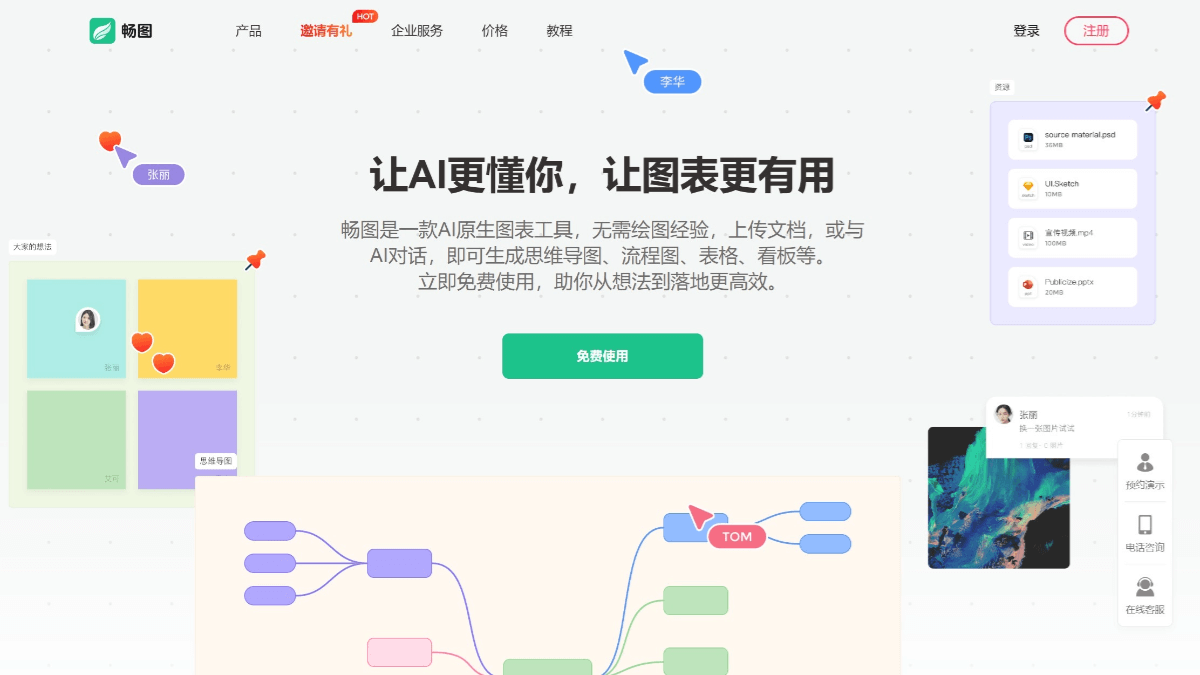
Main Features of Changtu
-
Natural Language Conversation Chart Generation: Users only need to describe through simple natural language, and Changtu can quickly generate mind maps, flowcharts, tables, kanban boards, and many other types of charts.
-
Multi-turn Conversation and Context Understanding: Changtu supports multi-turn conversations and can remember context information, continuously optimizing chart content based on the user's consecutive input to ensure the accuracy and coherence of the chart.
-
Multiple Chart Types: Supports multiple chart types such as mind maps, flowcharts, organizational charts, Gantt charts, card kanban boards, and more, meeting visualization needs in different scenarios.
-
Intelligent Conversion Between Charts: Users can convert one chart type to another with one click, for example from a mind map to a flowchart, without redrawing, greatly saving time.
-
Multiple File Type Uploads: Supports uploading PDF, PPT, Word, TXT, images (JPG, PNG, GIF), and web URLs. AI automatically parses the content and generates the corresponding charts.
-
Multimodal Prompt Parsing: Supports parsing prompts of multiple types such as text, images, documents, and code. Users can open multiple AI windows in the editing interface to achieve multithreaded work.
-
Real-time Collaboration: Supports real-time online editing and communication among multiple people. Team members can jointly complete the creation and optimization of charts on the same canvas, improving team efficiency.
-
One-click Sharing: After drawing is completed, users can share the chart with one click, making it convenient for team members to view, edit, and comment, with real-time feedback for more efficient communication.
-
Multiple Export Formats: Supports exporting generated charts as PDF, images (PNG, JPG), and PPT formats, making it convenient for users to share and present.
-
Professional Template Library: Built-in 1000+ professional templates covering various fields, providing users with abundant inspiration and visual analysis support.
-
Infinite Canvas for Free Creation: Provides an infinite canvas, allowing users to fully unleash their creativity on the whiteboard and draw various exquisite graphics.
-
Efficient Mind Maps: Unlimited nodes and diverse themes help users quickly clarify their thoughts.
-
Professional Flowchart Symbols and Templates: Rich flowchart symbols and templates make it easy for beginners to get started quickly.
How to Use Changtu
- Registration and Login: Visit the Changtu official website www.fluig.cn to register an account or log in to use.
- Chart Generation: Enter natural language instructions in the interface, and AI will generate the corresponding chart based on the instructions. You can upload images, documents, web URLs, etc., and AI will parse the content and generate charts.
- Chart Editing
-
Multi-turn Conversation Optimization: Use AI's multi-turn dialogue feature to continuously optimize and modify charts, and AI will remember the contextual logic.
-
Manual editing: After selecting a shape, you can adjust its position, angle, and size by dragging, and you can modify the shape type, fill color, border style, etc.
-
Conversion between charts: Supports intelligent conversion between multiple chart types such as mind maps, flowcharts, and kanban boards.
-
-
Import: Supports importing multiple file formats such as PDF, PPT, Word, TXT, and images.
-
Export: Generated charts can be exported to multiple formats such as PDF, PNG, JPG, and PPT.
-
Multi-user real-time collaboration: Team members can edit, comment, and provide feedback in real time on the same canvas, with content synchronized in real time.
-
Comments and feedback: After selecting a shape, click the comment icon to comment.
Changtu's Application Scenarios
-
Creative inspiration and idea recording: Use brushes, sticky notes, images, and hyperlinks to gather inspiration on the canvas.
- Personal use:: Create reading notes and design materials, and systematically organize knowledge. Make travel plans, health management plans, goal setting, etc.
-
Software development: Draw system architecture diagrams, ER diagrams, and UML diagrams to support software development.
-
Project management: Display project progress and resource allocation, and break down project goals into specific tasks.
- Education field: Quickly generate mind maps, flowcharts, etc. to assist teaching. Help students and teachers organize knowledge points and create study notes.

