

What is Gank Interview
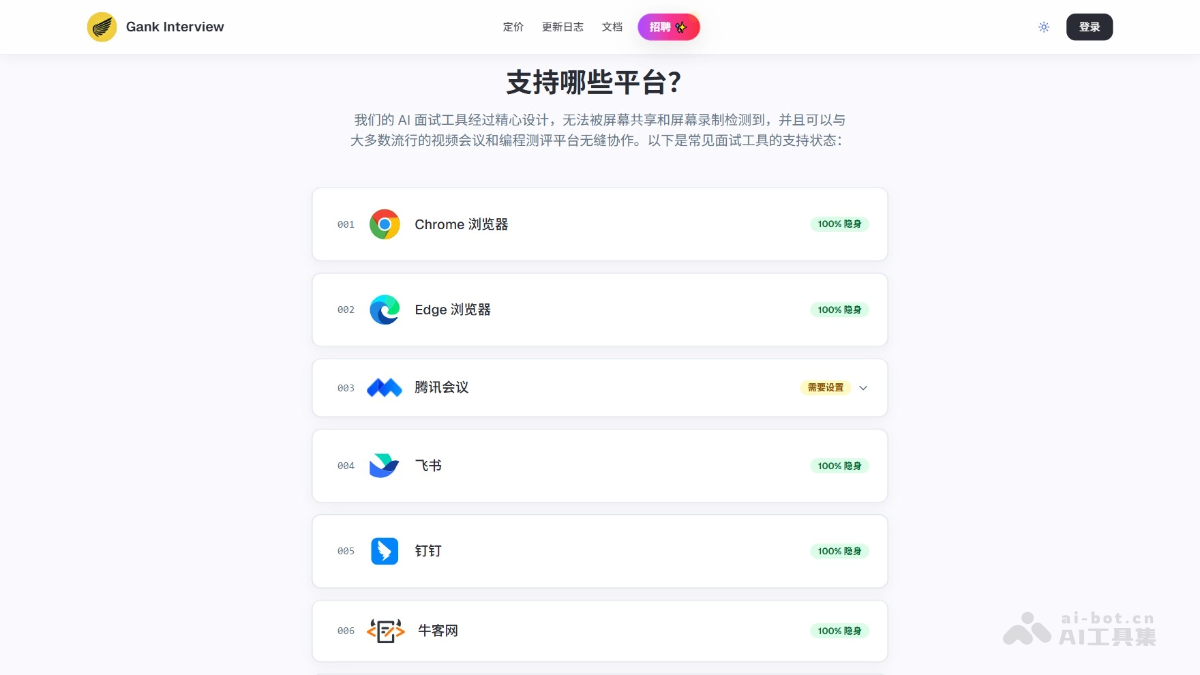
Gank Interview isan AI smart interview assistant, an AI desktop application designed specifically for written tests and interviews. Gank Interview supports screenshot mode and voice mode, and can quickly generate written test answers or recognize interviewer questions in real time and provide answers. Gank Interview supports multiple programming languages and both Chinese and English, and can be completely invisible on mainstream interview platforms such as Chrome, Edge, Tencent Meeting, Zoom, LeetCode, etc., evading anti-cheating detection to help users efficiently handle technical interview and written test scenarios.
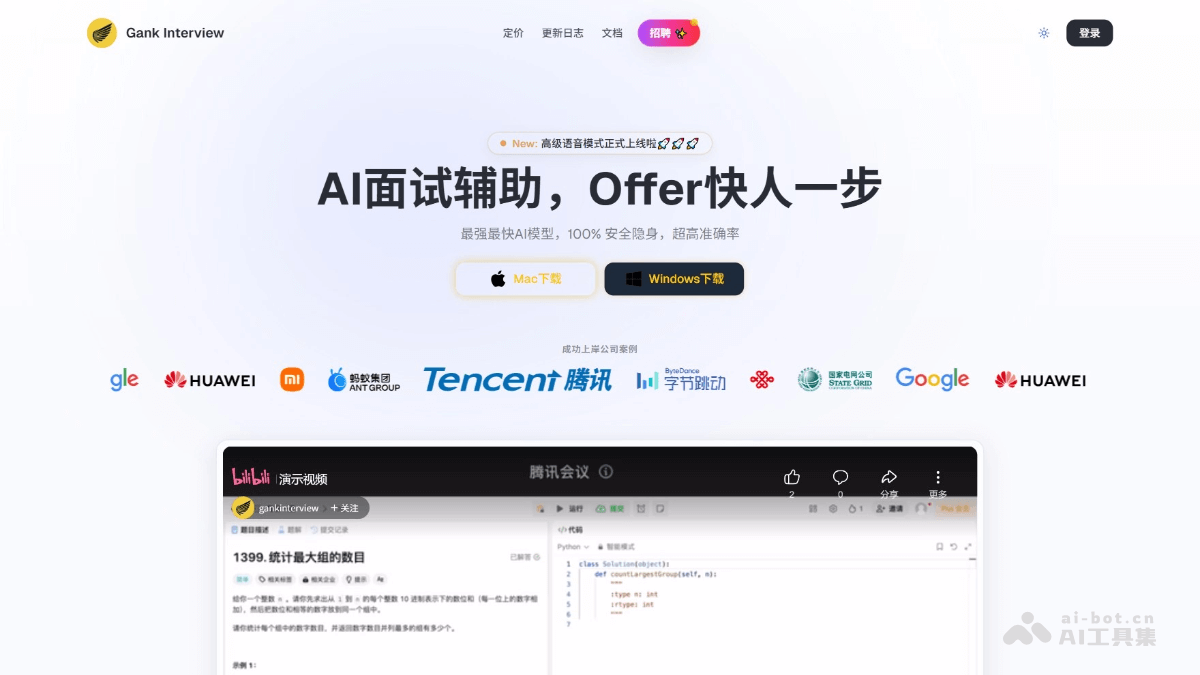
Gank Interview's main features
- Written test mode: Generate answers by taking screenshots with shortcut keys, supports general written test questions (including aptitude tests, etc.), supports various question types (including multiple-choice questions, etc.), and supports coding questions (including ACM mode, and coding questions can be debugged multiple times).
- Interview mode: Capture the interviewer's voice in real time, no additional configuration required, directly obtain operating system audio, supports all interview software, and effectively solves the standard interview questions that need to be memorized and behavioral interview questions.
- Perfect concealment: Invisible during screen sharing on major platforms, able to evade anti-cheating detection, and supports a variety of mainstream interview and programming platforms.
- Multi-language support: Supports multiple programming languages for coding questions, and supports Chinese and English.
- Advanced features: Supports SQL code generation and analysis, multiple-choice question answer assistance, advanced debug mode, freely selectable AI models, voice interaction mode, etc.
How to use Gank Interview
- Download and install: Visit the Gank Interview official website www.gankinterview.cn, download the corresponding version according to your operating system (such as Windows, Mac, etc.). Install and launch the application.
- Register and log in: Complete registration and login as prompted.
- Basic settings:
- Language settings: Go to "Settings" -> "Language" and select the interface language and AI output language (such as Chinese or English).
- Programming language: Navigate to "Settings" -> "Programming Language" and select the main programming language (such as Python, Java, etc.).
- Written test scenario:
- Written test mode operation:
- Open the written test platform (such as LeetCode, Nowcoder, etc.) and find the question that needs to be answered.
- Select "Written Test Mode" in Gank Interview.
- Use the shortcut Cmd/Ctrl + H to capture a screenshot.
- Use the shortcut Cmd/Ctrl + Enter to recognize the screenshot and get the answer.
- If you need to reset the state, you can use the shortcut Cmd/Ctrl + R.
- Copy the answer: View the generated answer in the Gank Interview interface and copy it to the written test platform.
- Written test mode operation:
- Interview scenario:
- Enter the interview platform: Open the interview platform (such as Zoom, Tencent Meeting, etc.) and wait for the interviewer to ask questions.
- Start recording:
- Select "Interview Mode" in Gank Interview.
- Before the interview starts, click the "Start Recording" button.
- Click "Settings" in the voice panel and choose automatic trigger mode or manual trigger mode.
- Auto-trigger mode, AI automatically answers the interviewer's questions.
- Manual trigger mode, use the shortcut Cmd/Ctrl + G to get AI answers.
- Get answer suggestions: View AI-generated answer suggestions in the Gank Interview interface, adjust as needed, and then answer the interviewer's questions.
- Stealth testing:
- Join a test video call or start screen sharing with two accounts.
- Share your screen while the application is open.
- Verify that Gank Interview is invisible to others.
- Use screen-switching detection tools to verify that Gank Interview shortcuts do not trigger screen-switching detection.
Gank Interview product pricing
- Free version: The free version supports 10 mainstream programming languages and provides 3 free AI Q&As per day, suitable for light users.
- Professional version: ¥99 /1 month, provides unlimited AI Q&As, 90% accuracy, supports advanced AI models (such as GPT-4o, Gemini 2.0 Flash), and includes advanced debug mode, SQL code generation and analysis, multiple-choice question assistance, and advanced voice mode (2 hours per week).
- Flagship version: ¥199 /1 month, provides unlimited AI Q&As, 99% accuracy, unlimited use of top-tier AI models (such as Gemini 2.5 Pro, Claude 3.7, etc.), supports free selection of AI models, and includes advanced debug mode, SQL code generation and analysis, multiple-choice question assistance, and advanced voice mode (10 hours per week).
Gank Interview use cases
- Written test answering assistance: On written test platforms, use screenshot mode to quickly generate programming problem code, multiple-choice answers, or comprehensive problem-solving approaches to improve answering efficiency.
- Technical interview support: Enable voice mode to receive real-time answer suggestions, helping interviewees respond more confidently to technical challenges such as algorithms and data structures.
- Behavioral interview guidance: Voice mode provides structured answer suggestions, helping interviewees quickly organize their language and improve answer quality.
- Mock practice: When preparing for written tests or interviews, generate answers or answer suggestions through screenshot or voice mode, providing a realistic simulation environment and improving practice results.

