

What is RunningHub
RunningHub is a cloud-based ComfyUI AI image and video creation platform. RunningHub is built on the ComfyUI architecture and has over 7,000 preset nodes, covering cutting-edge models such as Stable Diffusion, Tencent Hunyuan AI video model, and more. Users build workflows by dragging and dropping nodes, debug in real time, and manage versions, with support for Python/JS development. RunningHub provides powerful cloud computing power. Based on FramePack technology, it enables ordinary devices to generate high-definition videos. It has multimodal generation and batch processing capabilities and is widely used in fields such as e-commerce, film and television, and gaming, accelerating the creative process, lowering the barrier to creation, and helping creators quickly transform from storyboard scripts to finished videos.
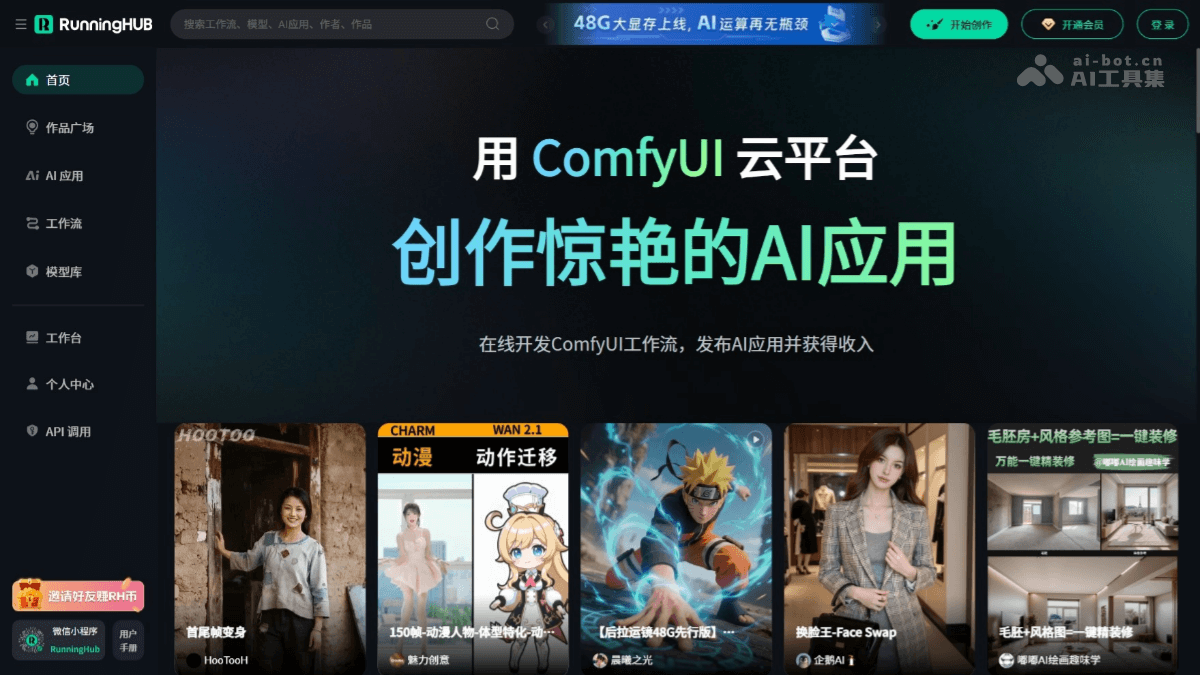
RunningHub's main features
- Online development and editing: Provides a cloud-based development environment, allowing users to edit ComfyUI workflows online without the need to install complex software locally, making it convenient and quick.
- App publishing and monetization: Users publish the AI apps they create to the platform for others to use and have the opportunity to earn income, enabling commercial monetization.
- Latest and most complete nodes: Provides the latest and most complete ComfyUI nodes to meet different creative needs.
- Workflow integration: Based on API interfaces, integrates RunningHub workflows into users' systems to achieve seamless connection with other business systems.
- Multi-task running status query: Based on the API, users can query the running status of multiple workflow tasks, making task management and scheduling easier.
- Business logic control: Users design business logic to control workflow invocation strategies, enabling personalized business process automation.
- Popular models preinstalled: Popular models such as Stable Diffusion, Flux, and Cogvideo are preinstalled, lowering the barrier to creation.
How to use RunningHub
- Login and registration: Visit the RunningHub official website https://www.runninghub.cn/ to complete registration and login.
- Use AI apps:
- Select an app: In the AI apps interface, select an AI app you are interested in, for example "Face Swap King - Face Swap".
- Parameter settings: According to the author introduction and input suggestions below the app, adjust the parameters to meet your creative needs.
- Run the app: After adjusting the parameters, click the "Run" button to start running the AI app.
- View results: After running is complete, click the task list on the right to view the results.
- Use workflows:
- Create a workflow: In the workflow interface, click "Create New Workflow" to enter the ComfyUI interface.
- Edit nodes: In the ComfyUI interface, select the required nodes and adjust parameters to build a workflow.
- Connect nodes: Ensure all nodes are connected correctly and that an image-saving node is connected.
- Run the workflow: After adjustments are complete, click the "Run" button in the upper right corner to start running the workflow.
- View results: After running is complete, click the task list on the right to view the results.
- Use the model library:
- Select a model: In the model library interface, select the model you need, for example Stable Diffusion.
- Load the model: Load the selected model into the workflow and start using it.
- Adjust parameters: According to the model's instructions for use, adjust the relevant parameters to achieve the best results.
- Run the model: After adjusting the parameters, run the workflow and check the model's output results.
RunningHub application scenarios
- Creative design: Designers and artists quickly generate high-quality images and videos for creative design and artistic creation, improving work efficiency and creative expression.
- Content creation: Creators generate attractive image and video content for use on social media and self-media platforms, enhancing the appeal and reach of their content.
- Film and television production: Film and television production teams generate special effects shots and animated content, reducing the complexity and cost of post-production and improving production efficiency.
- Advertising and marketing: Advertising agencies and enterprises generate creative advertising images and videos, quickly test different options, and improve advertising effectiveness and brand promotion.
- Education and training: Educators generate images and videos for teaching, enriching teaching content and improving teaching effectiveness and students' learning experience.


