

Spark Document Q&A is launched by iFlytek and is based on theiFlytek Spark large modelAI document Q&A and knowledge base solution, providing AI analysis, reading, and Q&A tools to help users efficiently retrieve document information, accurately answer professional questions, and let the large model help you efficiently interpret document content.
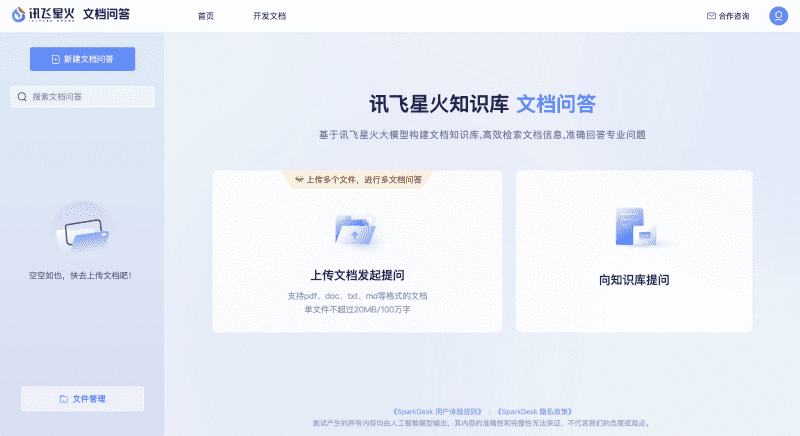
Main features of Spark Document Q&A
- Knowledge base Q&A: Let the large model answer questions based on document content. You can also create a knowledge base to aggregate multiple documents, so one question can traverse domain knowledge.
- Source locating: When faced with massive technical documents and rules and regulations, use document Q&A to quickly retrieve the knowledge you need and conveniently locate the source of the content.
- Document summarization: Too many documents are hard to read through. Use document summarization to automatically summarize document overviews and quickly understand document content.
- Multi-mode Q&A: Multiple Q&A modes are preset, which can be concise or detailed, and the answer tone can be customized to serve the needs of various scenarios.
- Custom segmentation: Choose segmentation methods independently according to document structure, optimize segmentation results, and improve Q&A effectiveness.
How to use Spark Document Q&A
- Visit the official website of Spark Document Q&A (chatdoc.xfyun.cn), click the Experience Now button, and enter the Q&A interface
- Choose to upload a file or click Login in the upper right corner, then log in/register an iFlytek account. After successful login, you will automatically return to the workspace
- Upload your document, and then you can start a conversation with Spark to ask questions about the document content
- You can also switch to Standard Mode, Strict Mode, Customer Service Mode, or Custom Mode to conduct the conversation
Frequently Asked Questions
Is Spark Document Q&A free?
Spark Document Q&A is currently available for users to use for free, and no paid plan has been launched yet.
Does Spark Document Q&A support uploading multiple files at once?
Spark Document Q&A allows users to upload multiple files at once for Q&A, and uploaded files can also be managed.
What file formats does Spark Document Q&A support uploading?
Spark Document Q&A supports common document and text formats, such as pdf, doc, txt, md, etc.

