

What is Meijian AI
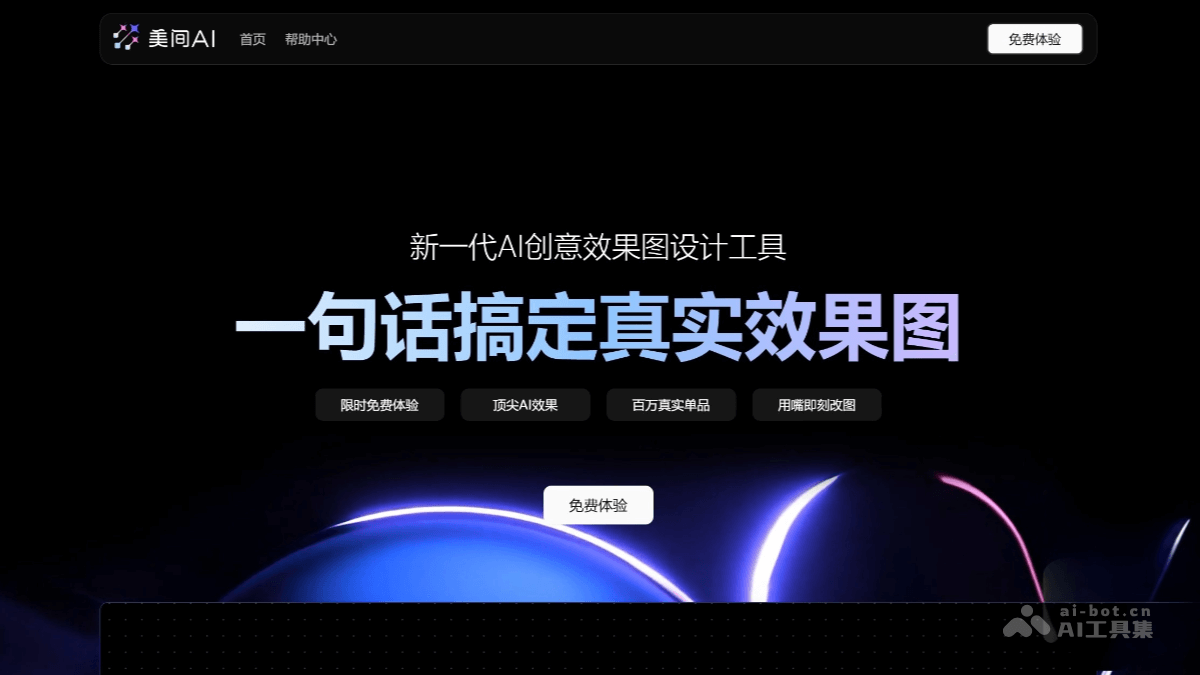
Meijian AI is a new-generation AI canvas-based creative design platform. Users can create scenes, modify content, and adjust details with just one sentence. They can replace materials and styles, change backgrounds, modify text, delete or add scene elements, replace theme objects, and more. It is mainly aimed at e-commerce designers, creative professionals, corporate marketers, and users with no prior experience.
Meijian AI also provides a series of efficient design tools and features, including smart cutout, realistic enhancement, image expansion, blemish removal, design asset generation, marketing copy creation, background image creation, comic style conversion, lossless image upscaling, proposal PPT and poster generation, and more. The core advantages of Meijian AI lie in its efficiency and ease of use. Users with no prior experience can quickly get started and complete high-quality design tasks.
Main features of Meijian AI
- One-sentence design: Users can create scenes, modify content, and adjust details with just one sentence. They can replace materials and styles, change backgrounds, modify text, delete or add scene elements, replace theme objects, and more.
- Image processing features
-
AI smart cutout: It uses deep learning technology to achieve hair-strand-level precise cutouts, supports one-click batch cutouts, and produces natural cutout edges.
-
AI smart removal: Through brushing operations, it easily removes impurities, blemishes, watermarks, and other elements from images.
-
AI image expansion: It intelligently recognizes image content, upscales images without loss, and supports multiple upscaling modes.
-
AI realistic enhancement: It optimizes the lighting, color, and texture of images through high-definition algorithms, and supports multiple stylization processes.
-
AI lossless upscaling: It upscales image resolution with high fidelity while maintaining the original clarity.
-
- Design creation features
-
AI smart poster: Users can input relevant copy or choose a template to quickly generate poster design solutions in multiple styles, with support for real-time modification and adjustment.
-
AI proposal PPT: By entering a simple text description, combined with AI copywriting and a rich template library, it generates personalized proposal PPTs with one click.
-
AI copywriting: Based on product characteristics and user needs, it automatically generates attractive marketing copy and supports multiple copy styles.
-
AI text-to-asset: After entering keywords, the system automatically generates related design assets, such as icons and patterns.
-
- Special features
-
AI comic face: It converts real portraits into comic style and supports multiple comic effects.
-
AI soft furnishing design: It uses AI technology to quickly generate soft furnishing matching solutions, suitable for interior design scenarios.
-
AI video explanation: It converts proposal PPTs into detailed explanatory videos and automatically generates video scripts.
-
-
AI background image tool: It supports multiple background styles and can be applied to multiple images with one click.
-
Multi-angle image generation: It supports quickly creating multi-angle product display images.
-
AI inspiration library: After uploading an image, corresponding style image assets are automatically generated, and accompanying proposal PPTs and posters can also be generated.
How to use Meijian AI
- Registration and Login: Visit the Meijian AI official website, click the "Register" button, and choose to register with a mobile phone number, email, or third-party account. After successful registration, supplement your personal information (such as nickname, occupation, and fields of interest) so the system can accurately recommend design inspiration.
- Create a Project: After logging in, click "New Project," select the project type (such as e-commerce poster or product display), and set the design size or choose a preset template. Upload product images, with batch upload supported.
- Use Features
-
AI Smart Cutout: After uploading an image, select the AI Smart Cutout tool, and the system will automatically identify and cut out the subject, supporting hair-strand-level precision.
-
AI Smart Eraser: Upload an image, paint over the parts that need to be erased, and AI will automatically identify and fill in the background.
-
AI Image Expansion: Upload an image, select the AI Image Expansion tool, and set the enlargement ratio and output size.
-
AI Real Enhancement: Upload an image and select the AI Real Enhancement tool; the system will automatically optimize the image's lighting, color, and texture.
-
AI Text-to-Asset: Click "AI Text-to-Asset," select attributes or enter keywords, upload a reference image, and click "AI Generate" to generate personalized design assets.
-
AI Smart Poster: Enter relevant copy or choose a preset template, and the system will quickly generate poster design options in multiple styles.
-
AI Proposal PPT: Enter a simple text description, and with AI copywriting and the template library, generate a personalized proposal PPT with one click.
-
AI Scene Assembly: Drag and drop product images to quickly generate 3D renderings, with one-click rendering supported.
-
- Preview and Export: After the design is complete, preview the effect in real time. Once satisfied, you can export it, with multiple formats and resolutions supported.
-
Collaboration: On the canvas page, click "Invite to Collaborate" and enter the other party's email or Meijian account to enable co-editing.
-
Share: Click the "Share" button to generate a link or QR code so others can view the canvas.
Examples of Using Meijian AI
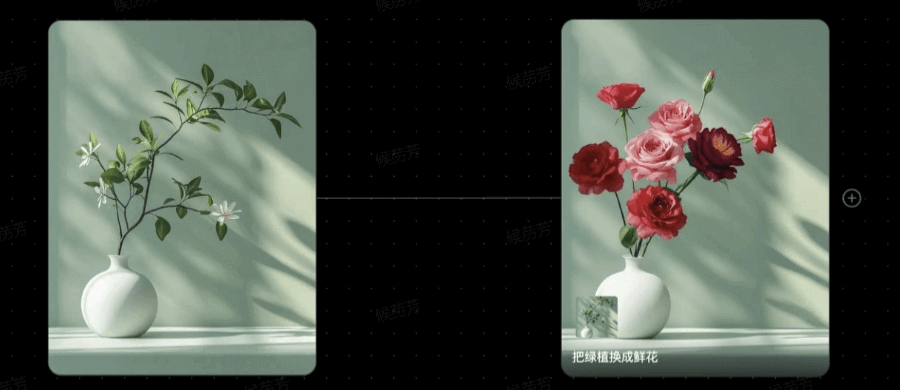
Theme replacement: replace the green plants with flowers
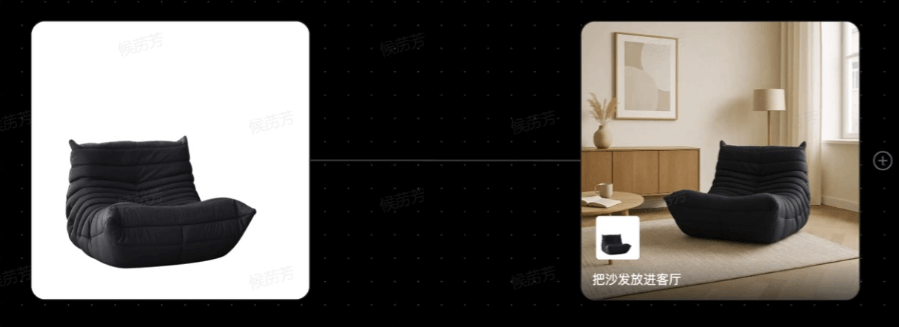
Background change: place the sofa in the living room
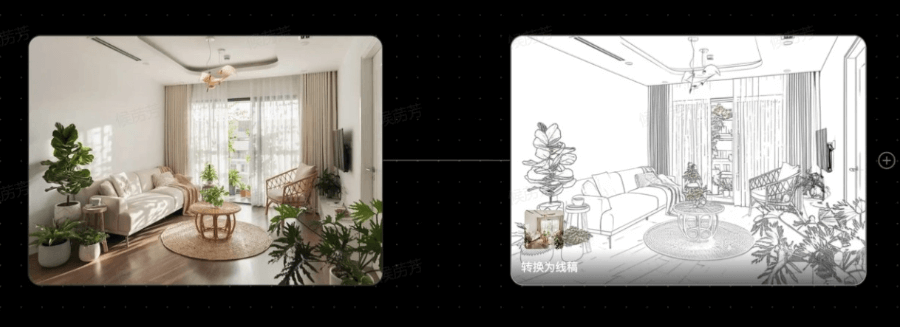
Style conversion: convert to line art
Product Advantages of Meijian AI
- Powerful AI Design Features: Meijian AI has multiple advanced AI design features, including smart cutout, smart eraser, smart image expansion, real enhancement, text-to-asset generation, and comic face conversion, among others. It can quickly process images and generate high-quality design assets, meeting users' needs in various scenarios such as e-commerce design and creative design.
- Efficient Design Proposals and Marketing Tools: Meijian AI provides features such as AI proposal PPT generation, smart poster design, and AI video narration, helping users quickly generate design proposals and marketing assets. It significantly improves the efficiency of design and marketing work, helping users better present their ideas and plans.
- Rich Application Scenario Support: Meijian AI is suitable for many fields such as e-commerce design, marketing planning, interior design, and education. Whether generating product main images, marketing posters, or creating teaching courseware, Meijian AI can provide powerful support to meet the needs of different users.
- Personalization and Efficient Collaboration: Meijian AI supports multi-person collaboration, and team members can jointly edit the same project, improving collaboration efficiency. The platform provides an AI inspiration library feature; users can upload one image to generate a matching asset library, proposal PPT, and poster, inspiring more creativity.
Application Scenarios of Meijian AI
-
E-commerce Design: Quickly generate high-quality product marketing images, main images, and header images, simplifying the e-commerce design process.
-
Marketing Planning: Generate marketing copy, posters, and PPTs, enhancing brand communication power and marketing effectiveness.
-
Interior Design: Provide soft furnishing matching solutions and 3D renderings, helping interior designers efficiently complete design solutions.
-
Education Field: Generate teaching courseware, promotional posters, etc. for educators, improving the efficiency of preparing teaching resources.


