
What is Yunque Guangnian
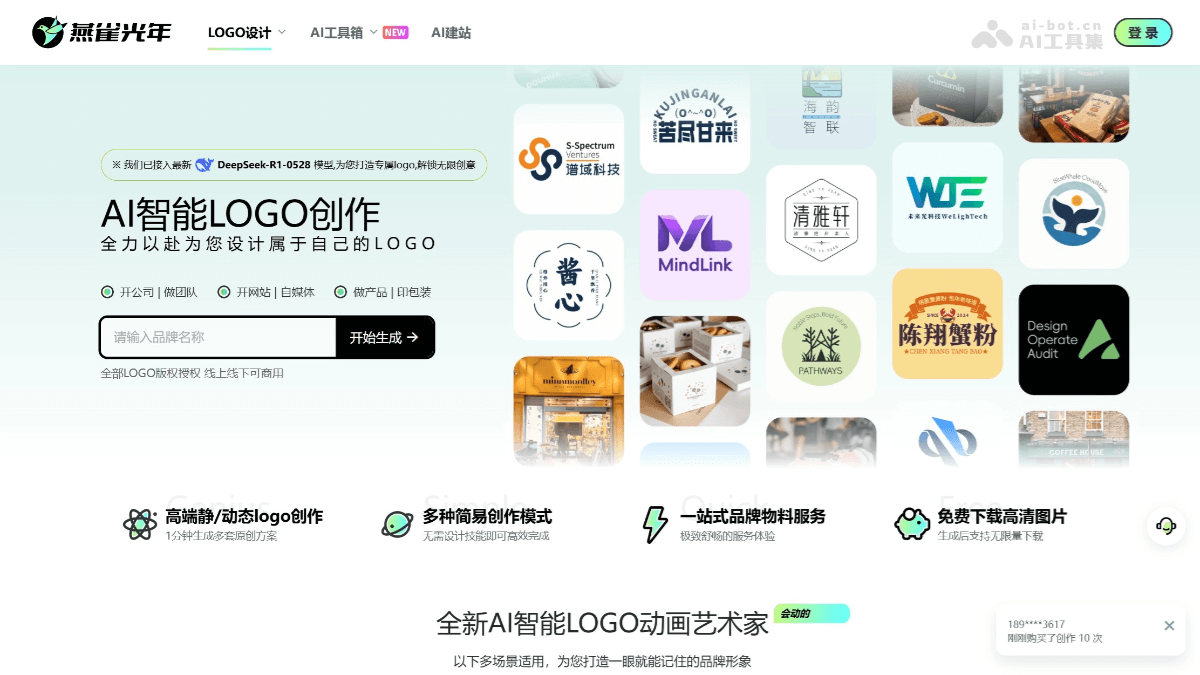
Yunque Guangnian is an onlineAI LOGO design tool, helping users quickly generate high-quality brand logos. Through intelligent algorithms, it generates diverse original LOGO proposals with one click based on user-input brand information, industry type, design style, and other requirements. Users can also personalize the generated LOGOs by adjusting fonts, colors, icons, and other elements to meet unique design needs. Yunque Guangnian is easy to operate, requiring no professional design skills, and design beginners can easily get started. It supports multiple design modes, such as free creation, Chinese character creation, and more, meeting the creative needs of different users. The generated LOGOs come with commercial authorization and support downloading in multiple formats, suitable for various scenarios such as printing and digital media.
Main Features of Yunque Zhizao
-
AI Logo Design: Based on user-input information such as brand name, industry type, and design style, it generates Logo design proposals in multiple styles with one click. It supports five modes: free creation, font creation, letter creation, same-style creation, and animation creation.
-
Dynamic Logo Generation Feature: After the user inputs the brand name, Yunque Guangnian can generate an exclusive dynamic Logo based on the brand's characteristics, supporting multiple industry styles and customization options.
-
Mockup Design: Generate high-quality Logo mockup renderings with one click, showcasing the Logo's effect in different scenarios (such as signage, business cards, product packaging, etc.).
-
Packaging Design: Provides AI-generated packaging design services, helping users quickly complete brand packaging design.
-
Smart Naming: Based on the brand information provided by the user, it quickly generates company names, store names, trademark names, etc., helping users solve brand naming challenges.
-
AI Smudge Beautification Feature: Users can quickly remove redundant elements in the Logo design by smudging, optimizing the design effect.
-
Multi-scenario Design Support: In addition to Logo design, Yunque Guangnian also supports VI design, red envelope cover design, and other design services.
-
Multiple Creation Modes: Provides multiple design modes such as free creation, Chinese character creation, letter creation, and same-style creation, meeting the design needs of different users.
-
Personalized Customization: Users can edit the generated LOGO online, adjusting fonts, colors, spacing, icons, and other elements to achieve personalized customization.
-
Rapid Proposal Generation: Yunque Guangnian can provide 100+ original LOGO proposals within 3 minutes, meeting the fast-paced market demand.
-
Commercial Authorization: The generated LOGOs come with complete commercial authorization, including free-copyright fonts and images, allowing users to use them for commercial purposes with peace of mind.
How to Use Yunque Guangnian
- Visit Yunque Guangnian: Visit the official website of Yunque Guangnian https://www.yanqueai.com/ , register and log in to your account.
- Logo Design
-
Enter brand information: Enter the brand name, English name, or slogan.
-
Select industry and style: Select the brand's industry and Logo style.
-
Add keywords: Enter key elements or descriptions for the Logo.
-
Generate and edit: Click Generate; after generation, you can edit online and download the Logo file.
-
- Packaging Design
-
Enter Basic Information: Enter the product main title, packaging copy, product type, and industry.
-
Select Packaging Style: Select the packaging type (such as mailer box, zip-lock bag, etc.), and specify the style and color.
-
Add Design Elements: Enter the patterns or elements on the packaging.
-
Download and Edit: After generation, you can download the design file or edit the effect online.
-
- Smart Naming
-
Enter Brand Information: Enter a description related to the brand.
-
Generate Names: The system will generate multiple names for you to choose from.
-
Select and Generate Logo: After selecting a suitable name, you can directly generate a brand Logo.
-
- Mockup Design: After entering brand information, you can generate how the Logo appears in different scenarios.
- VI Design: Based on the generated Logo, create template designs for application scenarios such as work badges and menus.
- Marketing Design: Supports designs such as storefronts, business cards, and posters; just enter brand information or upload a Logo.
Application Scenarios of Yanque Guangnian
- Companies and Enterprises: Suitable for various companies and enterprises to create brand LOGOs, helping businesses quickly build a professional brand image.
- Government and Enterprise Institutions: Government and enterprise institutions can also use Yanque Guangnian to design official LOGOs, enhancing their image and recognizability.
- Physical Stores: Offline physical stores can use Yanque Guangnian to design unique store LOGOs, attracting customers and improving brand recognition.
- Online Stores: Online stores on e-commerce platforms can use Yanque Guangnian to design LOGOs for online shops, enhancing the visual appeal of the online brand.
- Individuals and Teams: Small teams or individual studios can use Yanque Guangnian to design team logos, enhancing team cohesion and professional image.


