

What is PicDoc
PicDoc is an AI text-to-chart tool launched by the Chuangketie team. It can quickly convert text content into various visual charts, such as flowcharts, mind maps, infographics, etc., making complex information clear at a glance. The AI copywriting generation feature can generate high-quality text based on keywords, providing inspiration for creation. It also has an image clarification feature that can optimize blurry images. PicDoc supports multi-person collaboration, allowing team members to share projects and material libraries, and edit and comment in real time. It has a massive collection of licensed design templates and image materials, covering multiple scenarios and meeting different needs. Multi-platform support (Web, Mobile, Mac, Windows) and cloud storage ensure document security and accessibility anytime, anywhere.
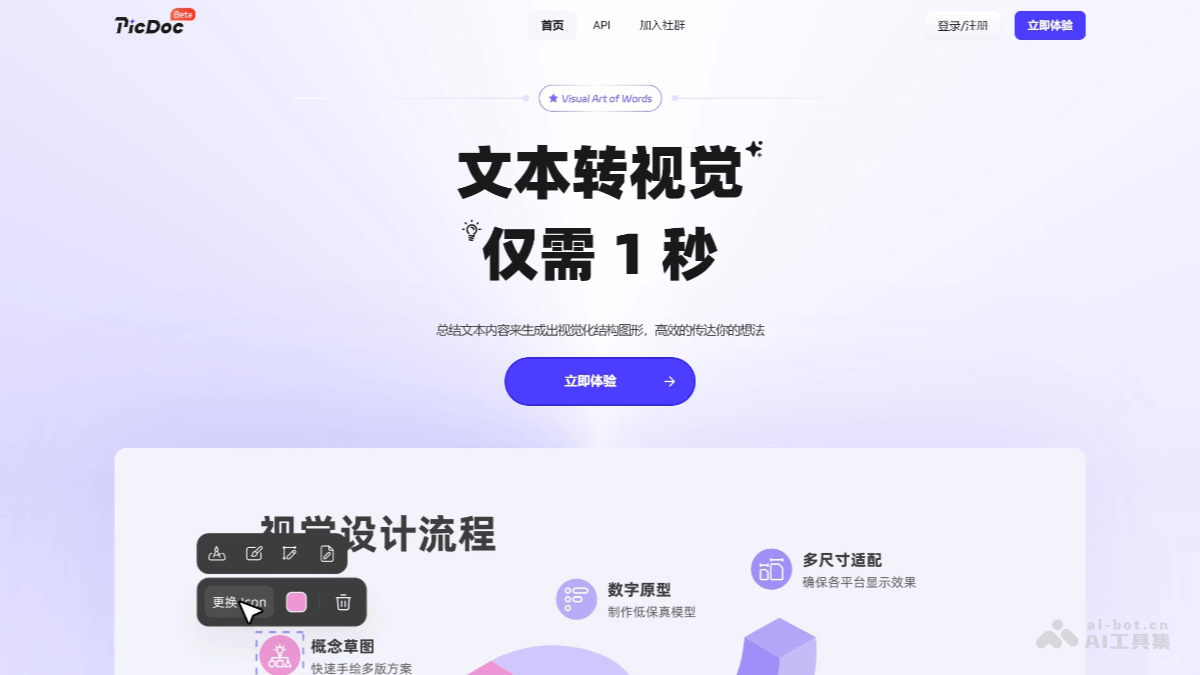
Main features of PicDoc
- Text to chart: PicDoc converts text content into various visual charts with one click, such as flowcharts, mind maps, infographics, structure diagrams, comparison charts, funnel charts, etc. After users enter text, the system can intelligently identify the logical structure of the text and generate charts, and elements such as chart colors, styles, and layouts can be adjusted according to needs.
- AI copywriting generation: Users enter relevant topic keywords, and PicDoc's AI feature can automatically generate high-quality text content, providing users with inspiration and ideas, helping them quickly organize their thoughts, and saving time and effort.
- Visual chart customization: PicDoc provides customization features. After a chart is generated, you can customize the elements in the chart, helping you easily customize and personalize your visual charts.
- Visual chart export: PicDoc can export generated visual charts in PNG/JPG/PDF/PPT and other formats, making it convenient to use in other software such as PowerPoint or Word.
- File export: PicDoc can export the entire document as PDF or PNG format, displaying your information and ideas more completely.
- Image clarification: PicDoc has an image clarification feature that can optimize blurry images and improve image quality.
- Cloud storage and collaboration: PicDoc supports multi-person collaboration. Team members can share design projects and material libraries, and edit and comment in real time. The cloud storage feature ensures the security and accessibility of documents. Users can log in to their accounts on any device and manage and adjust documents anytime, anywhere.
- Rich templates and material library: PicDoc provides more than a million licensed design templates and image materials, covering 65 scenarios such as posters, business cards, official account images, PPT, etc.
Core advantages of PicDoc
- Simple and easy to use: No complicated operation process is required, no design foundation is needed, and it is simple to operate and quick to get started.
- AI Generate: Just select the text content to be turned into a chart, and AI generates it with one click, improving chart production efficiency.
- Free to use: Basic features such as chart generation and chart export are free to use, and you can also pay to experience more advanced features.
- Online generation: Just visit the website in a browser and log in to use it, saving the trouble of downloading and installing software.
- Cloud storage: Documents and charts are stored in the cloud, making it convenient to manage and adjust charts again.
How to use PicDoc
-
Register and log in: Visit the PicDoc official website at www.picdoc.cn and quickly complete registration with your mobile phone number.
-
Create a document: Click New Document, then paste the text content you want to turn into a chart or upload an attachment.
-
Generate a chart:
-
Hover the mouse over the text block and click the blue "Generate Visual Effects" button.
-
Select the text content you need to turn into a chart, click the text-to-image option on the left, and AI will automatically generate a matching visual chart based on the selected text. You can choose a suitable style and look from the list on the left.
-
-
Custom adjustments:
-
You can customize and adjust the copy information in the visual chart. Select the copy you want to adjust, delete the original copy, and re-enter it. You can adjust the position and size of icons in the chart, and you can adjust the font style, size, position, arrangement, and more of the text in the chart. You can adjust the font style, color, arrangement, and more of the text in the document.
-
-
Export the chart:Click the "Download" button in the upper right corner and choose PNG or PDF to export the entire document.You can click Share in the upper right corner to copy a link and share the document.
PicDoc use cases
- Workplace reports: With plain-text reports, leaders cannot grasp the key points. Use PicDoc to turn report content into visual charts for clearer reporting.
- Teaching materials: Complex teaching content is hard for students to understand. Use PicDoc to turn knowledge content into visual charts for easier teaching.
- Article illustrations: For lengthy articles, users have trouble reading smoothly. Use PicDoc to turn article content into visual charts for smoother reading.
- Customer communication: Dull text information has low appeal to customers. Use PicDoc to turn text information into visual charts for more attractive communication.
- Business presentation documents: Disorganized presentation documents lack persuasiveness. Use PicDoc to turn document content into logically clear charts for more persuasive business presentations.
Who PicDoc is for
- Working professionals: PicDoc can turn dull text information into various visually rich charts, helping working professionals with reporting and other work.
- Teachers/Students: PicDoc can convert knowledge points into timelines and mind maps, helping teachers and students better teach knowledge and present papers.
- Self-media creators: PicDoc can turn long articles into highly attractive infographics, helping self-media creators better present content.
- Small business owners: PicDoc can handle business proposals, product manuals, and other content at low cost, allowing promotional content to be completed even without a designer.

