

What is Gaoding AI Removal
Gaoding AI Removal isGaoding Designan online AI image clutter removal tool that can quickly identify and remove text, watermarks, blemishes, unwanted objects, and other elements from images, intelligently repairing the background to keep the picture natural and aesthetically pleasing. It is easy to use: users only need to upload an image, brush or select the parts to be removed, and complete the process with one click.
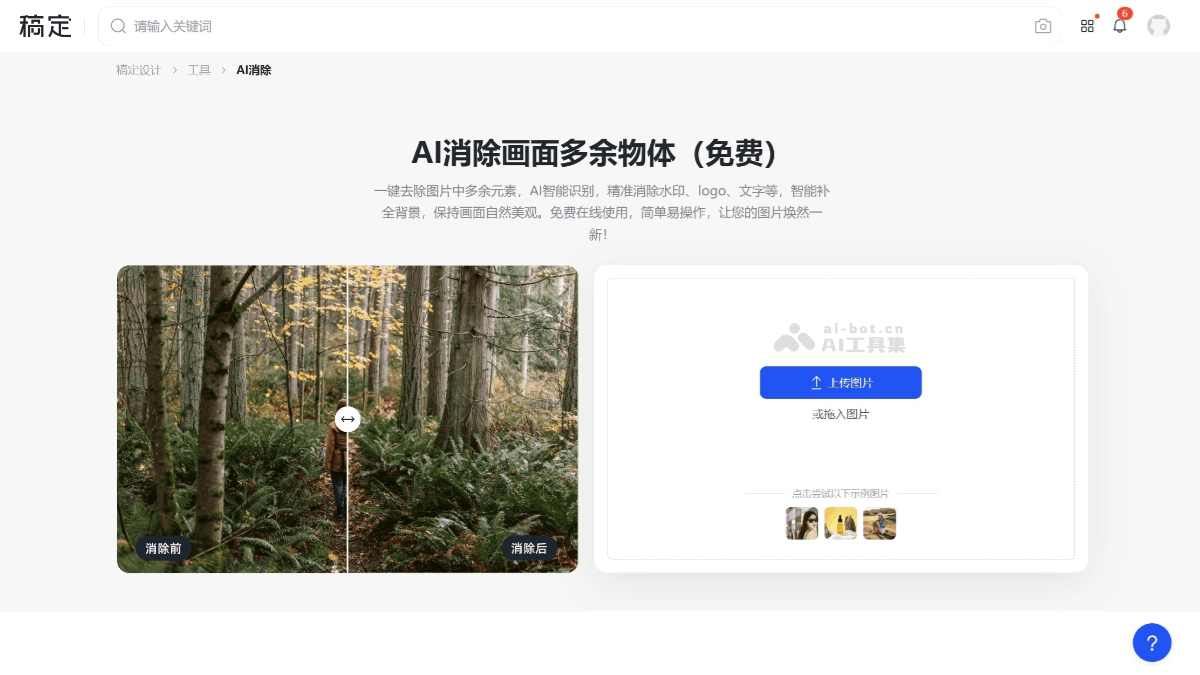
Main Features of Gaoding AI Removal
- One-Click Removal: Using advanced AI technology, it can accurately identify and quickly remove unwanted elements from images.
- Intelligent Background Completion: After removing elements, AI automatically repairs the background, keeping the picture natural and aesthetically pleasing.
- HD and Lossless: The processed image maintains the clarity and quality of the original image, without blurring or distortion.
- Secondary Editing: In addition to removal, users can also perform secondary editing on images, such as cropping, adding effects, and adding text.
How to Use Gaoding AI Removal
- Upload Image: Visit theofficial websiteof Gaoding AI Removal, select the AI removal tool, and click to upload images. Batch upload is supported.
- Set Removal Area: After entering the editor, set the brush thickness and brush over the areas to be removed, or choose the selection tool.
- Start Removal: After adjusting the removal area, click "Start Removal," and AI will process it automatically.
- Download Image: After processing is complete, click "Apply," then click the "Download" button in the upper right corner, and choose the download size and type of the image.
Application Scenarios of Gaoding AI Removal
- E-commerce Design: In the e-commerce field, the AI removal tool can be used to quickly remove blemishes, watermarks, backgrounds, or unwanted elements from product images, improving product presentation and making product images more professional and attractive.
- Social Media: For social media content creation, the AI removal tool can help users beautify images by removing passersby, clutter, or watermarks from photos, making shared moments more perfect.
- Office and Study: In office and study scenarios, the AI removal tool can be used to remove watermarks, text, or irrelevant information from document images, making it convenient for users to perform secondary editing and use of the images.
- Advertising and Marketing: In the production of advertising and marketing materials, the AI removal tool can clear unwanted elements from images, such as billboards, temporary signs, or visual clutter, thereby better highlighting the main subject of the advertisement.
- Creative Design: For creative design and artistic creation, the AI removal tool can help designers remove distracting elements from images, or perform secondary creation on images, such as cropping, adding effects, and adding text, adding more creativity to the design.


