

What is Wantu Cutout
Wantu Cutout is launched by Alibabaa free online intelligent cutout tool, designed specifically for e-commerce sellers, designers, and ordinary users. Through artificial intelligence technology, it can quickly identify and remove image backgrounds, generating background-free product images or creative images. Users only need to upload an image, and Wantu Cutout can complete the cutout with one click, supporting multiple formats such as .png and .jpg. Each image is limited to 5M or less, with the longest side less than 6000px, and it can process 1-20 images at a time.
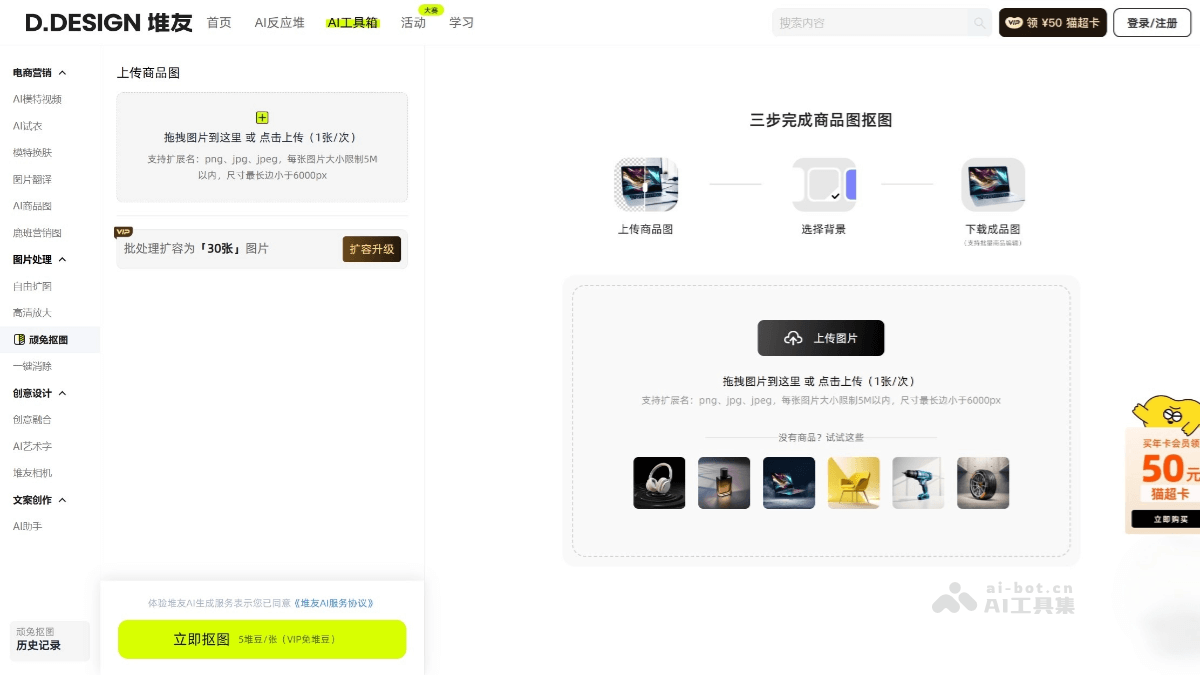
Main functions of Wantu Cutout
-
One-click intelligent cutout: Users only need to upload an image, and Wantu Cutout can automatically identify the subject and background, quickly remove the background, and generate a background-free product image or creative image, greatly saving the time and effort of manual cutout.
-
Manual fine adjustment: When the automatic cutout effect is not ideal, users can use manual tools for fine adjustment. For example, use the "Brush" tool to add a certain area of the image and make it the foreground; use the "Eraser" tool to erase incorrectly identified parts, making the cutout result more accurate.
-
Format compatibility and batch processing: Supports multiple common image formats such as .png, .jpg, and .jpeg, meeting the needs of different users. In addition, users can drag and drop 1 – 20 images at a time for batch processing, which is very practical for e-commerce sellers or designers who need to process a large number of images and can effectively improve work efficiency.
-
Convenient online operation: No need to download or install any software, use it directly online. Users can open the webpage, upload an image, and then start the cutout operation. It is simple and quick, making image processing convenient anytime and anywhere.
How to use Wantu Cutout
-
Open the tool: Visit the Wantu Cutout official website https://d.design/toolbox/cutout and enter its online tool page.
-
Upload images: Drag the images that need cutout to the designated area, or click the upload button to select images. Supports formats such as .png, .jpg, and .jpeg. Each image must not exceed 5M, and the longest side must be less than 6000px.
-
Start processing: After uploading is complete, click the "Cutout Now" button, and the tool will automatically identify and remove the background.
-
Manual adjustment: If the automatic cutout effect is not ideal, you can use manual tools to adjust it, such as using the "Brush" to add or reduce areas and the "Eraser" to erase extra parts.
-
Download the result: After adjustment is complete, click the "Download" button to save the cutout image locally.
Product advantages of Wantu Cutout
-
Completely free: Users can enjoy all functions without paying any fees.
-
Simple operation: No need to download or install, use it directly online, and the operation process is simple and quick.
-
Excellent effect: Edge processing is smooth, and the cutout effect is comparable to professional design.
-
Batch processing: Supports processing multiple images at once, greatly improving efficiency.
-
Diverse formats: Supports multiple common image formats, meeting the needs of different users.
-
Manual adjustment: Provides manual tools for users to make fine modifications.
Application scenarios of Wantu Cutout
-
E-commerce platforms: Merchants can quickly generate product images without backgrounds, improving listing efficiency.
-
Design and creation: Designers can conveniently process images to meet creative design needs.
-
Advertising and marketing: Create high-quality product images to enhance advertising visual effects.
-
Social media: Users can quickly create personalized social media images.
-
Personal use: Meet daily image processing needs, such as ID photo creation, etc.


