

What is Kapian PPT
Kapian PPT isan AI online PPT creation tool, capable of fully automating the entire process from content generation to intelligent design and beautification. Users can quickly generate a complete PPT framework by entering a topic or keywords, with AI-assisted content writing that provides expansion, condensing, polishing, and other functions, one-click skin change and intelligent beautification, content and style are independent, and the theme design style can be adjusted with one click. Create a new single-page AI design, only need to provide a title description or copy, and AI will automatically complete the PPT page design. Simplify editing and layout, reduce repetitive editing workload, support PPT download, and are highly compatible with WPS and Office.
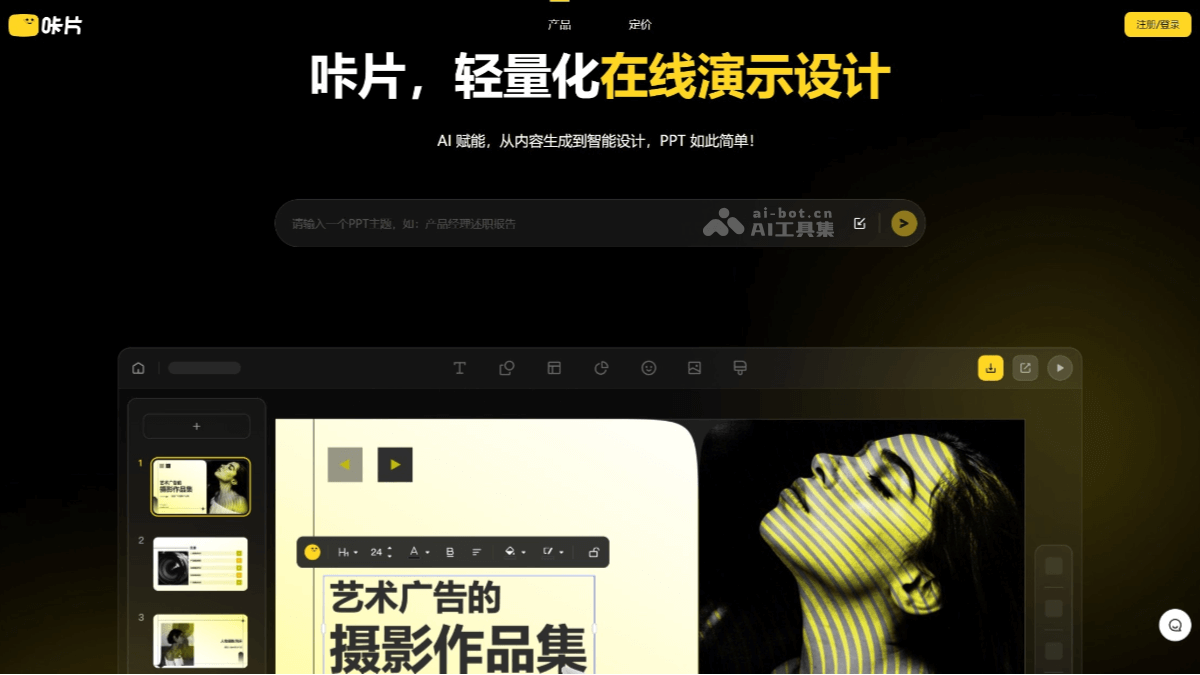
Main features of Kapian PPT
- AI one-click PPT generation: Users only need to enter a topic or keywords, and Kapian can automatically generate a complete PPT framework, including title pages, content pages, ending pages, etc., providing templates in various styles and themes. Users can choose suitable templates according to their needs, without having to design from scratch.
- AI-assisted content writing: Provides functions such as expansion, condensing, polishing, translation, and title generation, helping users quickly organize and optimize copy, suitable for users who need to quickly write or optimize PPT content.
- One-click skin change and intelligent beautification: Content and style are independent, users can adjust the theme design style with one click, quickly switch between different visual effects, and provide multiple color schemes and design styles to meet different scenarios and user preferences.
- Create new single-page AI design: Users only need to provide a title description or copy, and Kapian can automatically complete the design of a single-page PPT, suitable for scenarios that require dynamic content adjustment or adding new pages, such as sales presentations, project reports, etc.
- Simplify editing and layout: Based on PPT operating habits, reduces repetitive editing workload by 70%, provides functions such as intelligent alignment and automatic layout, making the design process smoother.
- High compatibility: Supports PPT download, highly compatible with WPS and Office, and page elements and theme masters can be edited directly.
How to use Kapian PPT
- Visit the official website: Open the Kapian PPT official website www.cappt.cc . Click the "Register" button in the upper right corner, register with an email or mobile phone number, and log in to your account.
- Choose a template: After logging in, click "Create New PPT" to enter the template selection page. Kapian provides a variety of industry templates, such as sales, planning, training, etc. Choose the template that suits your needs. You can customize the theme name and style of the PPT.
- Enter a topic or keywords: On the PPT editing page, enter your topic or keywords, and Kapian will automatically generate the PPT framework and content. If you need to optimize the copy, you can use AI functions such as expansion, condensing, and polishing. AI will automatically optimize your copy.
- Download PPT: After completing the editing, click the "Download" button to save the PPT locally.
Kapian PPT product pricing
- Free Basic Version
- AI credits: 30 credits per month
- 100k+ original premium PPT templates: limited number of uses
- AI one-click PPT generation: limited number of times
- Import documents to generate PPT: limited number of times
- AI generates a single page: limited number of times
- AI text creation
- Paid Professional Edition
- Price: ¥7.04 per month
- AI Credits: Unlimited
- PPT Source File Download
- 100k+ Original Premium PPT Templates: Unlimited Use
- AI One-Click PPT Generation
- Import Documents to Generate PPT
- AI Single-Page Generation
- AI Text Creation
- Personal Commercial License
- Dedicated Customer Service / Official Invoice Issuance
Kapian PPT Application Scenarios
- Sales: Quickly generate presentations tailored to different clients, with single-page insertion support to maintain a consistent overall style.
- Planning: Provides a rich online asset library, making it easy for users to quickly find suitable images and illustrations and saving time searching for materials.
- Trainers: Automatically matches template styles and color schemes, making the overall look of the PPT more visually appealing, suitable for users who are not good at design.
- Office Workers: Provides text polishing and condensing features to help quickly optimize PPT content and improve work efficiency.
- Managers: Supports importing Word documents to generate PPTs, facilitating executive reporting and presentations and simplifying the complex process of traditional PPT creation.
- Non-Professional Designers: For users who have no design experience but need to create PPTs, Kapian is a very practical tool.

