

What is Pixso AI
Pixso AI is a domestically developed, highly efficientAI design tool, built specifically for designers and teams, covering the entire product design process. Users can quickly generate high-quality UI design drafts through simple text descriptions, including interfaces for web pages, mobile applications, and more. The tool features professional design tools such as auto layout and component variants, simplifying the entire design process from concept to high-fidelity prototype. Pixso AI supports link delivery of design drafts and an online whiteboard feature, making team collaboration more efficient. The tool is suitable for product managers, designers, and developers, helping users improve work efficiency and creativity.
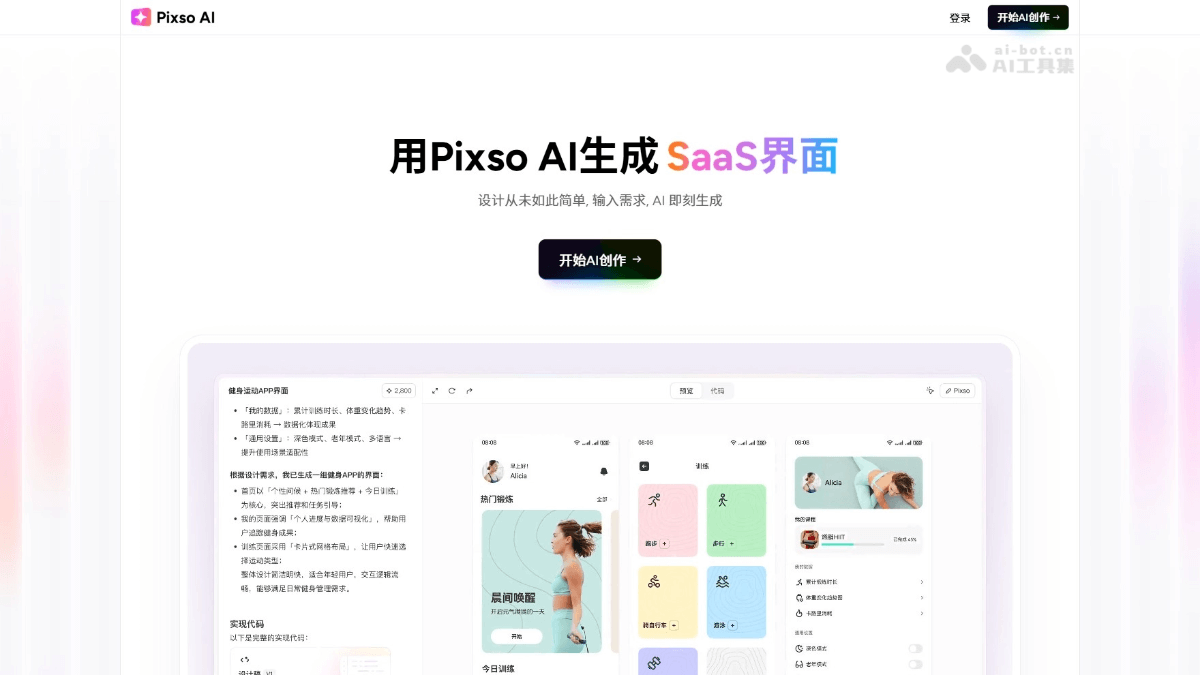
Main features of Pixso AI
- Quickly generate design drafts: Users only need to enter a simple text description, and the tool generates beautiful and user-friendly UI design drafts based on the requirements, covering layout, components, and color schemes.
- Multi-device adaptation: Supports responsive design for various devices such as web pages, mobile devices, and tablets, ensuring that designs display perfectly on different screens.
- Flexible adjustment and secondary creation: Users can make partial fine-tuning to generated design drafts, including colors, layout, components, and copy, supporting efficient iteration.
- Multi-turn dialogue optimization: Through a chat-like method, users can adjust interface layout, interaction logic, and button text, and history records can be viewed and switched at any time.
- Seamless collaboration: Design drafts can be synchronized to Pixso design files with one click, supporting team collaboration and making it convenient for multiple people to edit and modify simultaneously.
- Code mode support: Design drafts can be switched to code view to inspect layout, styles, variables, and hierarchy structure, making it convenient for developers to use directly.
How to use Pixso AI
- Visit the official website: Visit the Pixso AI official website https://ai.pixso.cn/enter the main page, and create a new account or log in to an existing account.
- Enter UI requirements: In the workspace, enter UI design requirements, and AI will generate design drafts based on the requirements.
- Choose a tech stack: If needed, choose the corresponding tech stack, such as React or Shadow UI.
- Automatically generate design drafts: The tool will automatically generate design drafts based on the entered requirements, including layout, components, and color schemes.
- Edit and optimize: Edit and optimize the generated design drafts; the tool supports partial fine-tuning and secondary creation.
- Team collaboration: Invite team members to join collaboration through links and synchronize design details in real time.
- Code mode: If needed, switch the design draft to code view to inspect and export code.
- Complete the design: After completing the design, deliver the design draft through a link, or export it as files in different formats.
Usage examples of Pixso AI
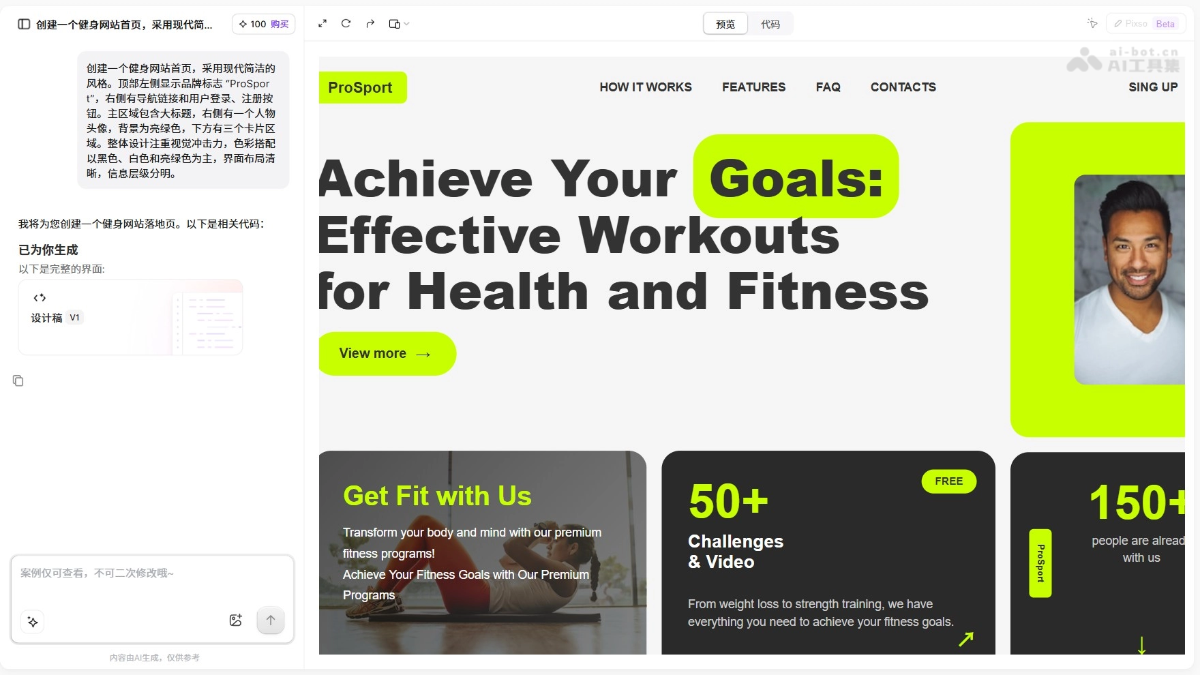
Fitness website landing page
Create a fitness website homepage with a modern and minimalist style. At the top left, display the brand logo "ProSport"; on the right, there are navigation links and user login and registration buttons. The main area contains a large headline, with a person's avatar on the right, a bright green background, and three card areas below. The overall design focuses on visual impact, with a color scheme mainly of black, white, and bright green, a clear interface layout, and a distinct information hierarchy.
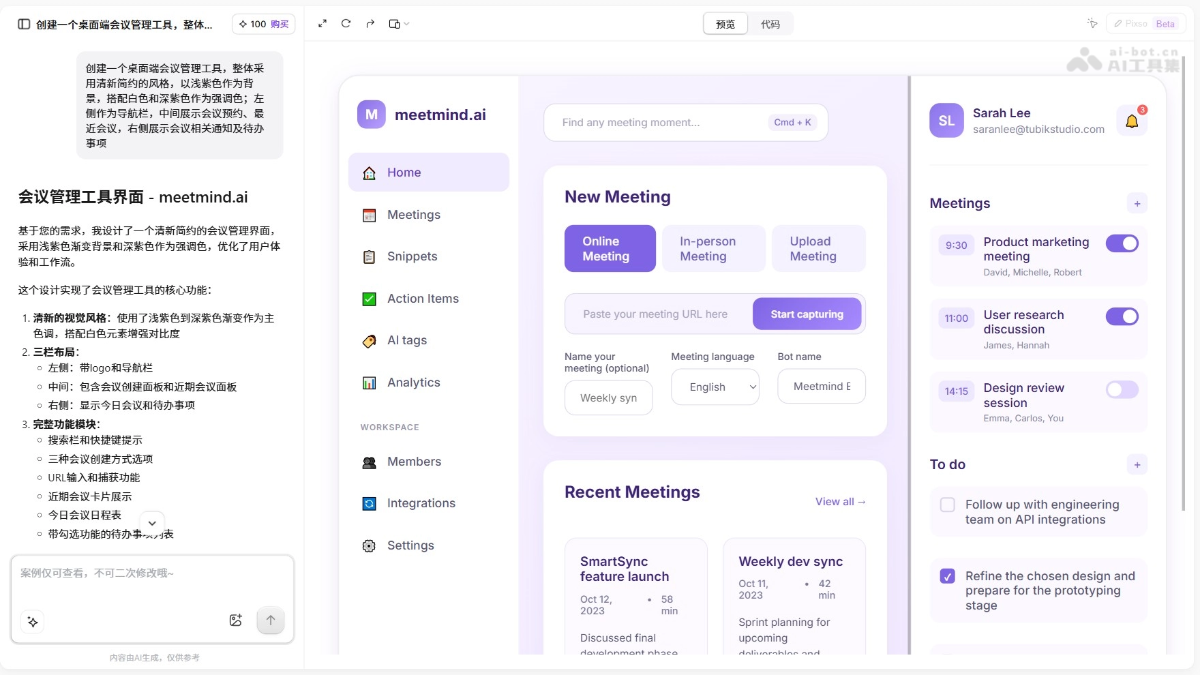
Meeting management interface
Create a desktop meeting management tool with an overall fresh and minimalist style, using light purple as the background, paired with white and dark purple as accent colors; the left side serves as the navigation bar, the center displays meeting bookings and recent meetings, and the right side displays meeting-related notifications and to-do items.
Pixso AI product pricing
- Free plan: Get 100 points for free, valid for 1 month.
-
Trial plan: 68 yuan, providing 4,000 AI points, valid for 1 month, and can generate about 20 to 40 design drafts.
-
Advanced plan: 128 yuan, providing 10,000 AI points, valid for 3 months, and can generate about 50 to 100 design drafts.
-
Professional plan: 298 yuan, providing 30,000 AI points, valid for 12 months, and can generate about 150 to 300 design drafts.
-
AI point consumption rules: Advanced model, 200 points/conversation.Basic model, 100 points/conversation.
Membership benefits include high-quality UI with advanced models, an industry-standard component library, React componentized pages, React engineered code download, and export to Pixso.
Pixso AI application scenarios
-
Education website homepage design: Create an intuitive and interactive education platform user interface to enhance the learning experience.
-
Meeting management: Design an efficient meeting scheduling and tracking interface that can help users better organize and manage meetings and improve overall organizational efficiency.
-
Financial information platform: Use the tool to build a financial data display interface, which will make it easier for users to understand and analyze complex financial information and make wiser financial decisions.
-
Fitness mobile app: A user interface for a health management and fitness tracking app designed with the tool, helping users track health and fitness progress more effectively and encouraging a healthier lifestyle.
-
Fintech website: Develop an online interface for fintech services, which can provide a user-friendly platform and make financial services more convenient and accessible.


