

What is SmartRead
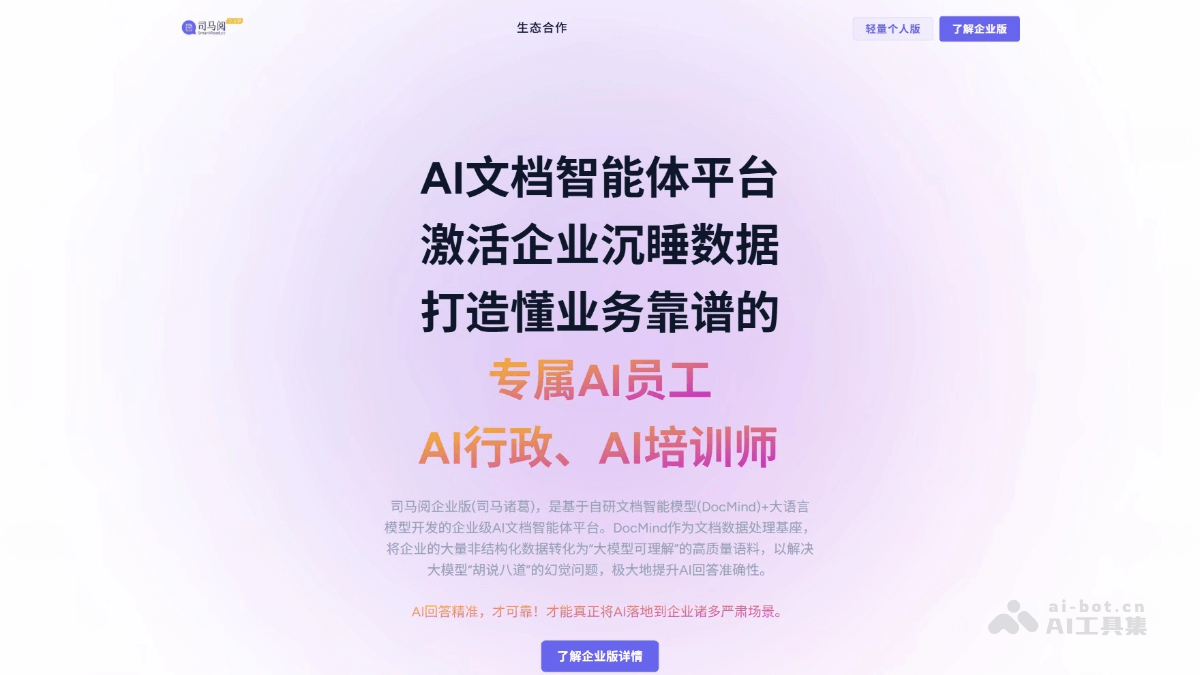
SmartRead is an AI document analysis tool that can quickly extract and summarize key information from PDF, Word, PPT, and other documents, and accurately analyze complex charts and multilingual content. Based on intelligent interaction, it provides humanized answers to help users process documents efficiently and save time and effort. The tool supports multi-document and cross-document analysis and summarization, and is suitable for various scenarios such as market research, contract management, and paper reading. Basic functions are permanently free, with 100 free questions provided every day, meeting personal and office needs. The Enterprise Edition provides AI digital employees, API services, and scenario customization, helping enterprises improve efficiency and data value.
Main Features of SmartRead
- Multi-format Support: Supports PDF, Word, PPT, TXT, HTML, and other mainstream document formats, as well as plain text pasting (such as official account articles, work summaries, etc.), meeting document processing needs in different scenarios.
- Deep Understanding: Based on the self-developed DocMind document intelligence large model, it can truly understand document content, understand semantics, structure, and style, accurately extract key information, analyze complex chart data, process multilingual documents, and support custom expert prompts for precise analysis of professional documents.
- Quickly Extract Key Information: Quickly extract effective information from massive documents, helping users quickly grasp the core points of documents and save reading time.
- Multi-document and Cross-document Analysis: Intelligently distills the relevance and commonalities between different documents, providing users with a more comprehensive perspective and deep understanding, helping them make wiser decisions, and suitable for complex scenarios such as market research and industry analysis.
- Accurate Summarization: Accurately summarizes long documents, distills key viewpoints and conclusions, and helps users quickly grasp the main idea and key points of documents, such as summaries of papers, reports, leadership speeches, and other long documents.
- Intelligent Q&A: Users can ask questions in natural language, and SmartRead can accurately understand the questions and provide accurate, detailed answers. It supports cross-language questions in more than 100 languages, meeting the needs of different users.
- Personalized Interaction: The interaction process is highly humanized, and answers fit human thinking. It supports sincere reading suggestions based on document content, improving the user experience.
- Enterprise Services:
- AI Digital Employee: Provides enterprises with 24/7 online AI employees that can handle tasks such as internal and external knowledge Q&A, professional document analysis, and content re-creation, empowering employees internally and improving customer experience externally.
- API Service: Provides API interfaces so that enterprises can conveniently integrate SmartRead's functions into their own business systems, achieving seamless connection with existing enterprise processes and improving overall work efficiency.
- Scenario Customization: Provides customized solutions according to the specific business scenarios and needs of enterprises, such as AI customer service, AI HR, AI legal affairs, AI industry analysts, AI proposal writing experts, etc., helping enterprises achieve intelligent upgrades in different business areas.
How to Use SmartRead
- Personal Edition:
- Visit the Official Website: Open a browser and visit the SmartRead official website to switch to the Personal Edition.
- Register/Log In: Click "Register" or "Log In" and log in with a mobile phone number, email, or third-party account.
- Upload Documents: After logging in, click "Upload Document", select a file in PDF, Word, or other formats, or paste plain text.
- Start Asking Questions: After the document is uploaded, click "Start Asking Questions" and enter your question in the dialog box.
- View Answers: SimaYue quickly analyzes and provides detailed answers, and the tool supports follow-up questions for deeper exploration.
- Use Free Quota: Basic features are permanently free, with 100 free questions per day (50 per single document + 50 for the document library).
- Enterprise Edition:
- Visit the Enterprise Edition Official Website: Open your browser and visit the SimaYue official website.
- Register/Log In to Enterprise Account: Click "Register" or "Log In" and sign in with your corporate email or an existing account.
- Upload Enterprise Documents: After logging in, click "Upload Document" to upload internal enterprise documents such as contracts and reports.
- Configure AI Employees: In the backend, configure roles such as AI customer service and AI HR, and upload the corresponding knowledge bases.
- Use AI Features: Based on the configured AI employee roles, start using the related features.
- API Integration (Optional): Obtain an API key and integrate it into enterprise systems according to the documentation.
SimaYue's Application Scenarios
- Personal Learning Scenario: Helps students and researchers efficiently read papers, review for exams, and learn languages, quickly extracting and understanding key information.
- Daily Office Scenario: Assists office staff in quickly processing documents such as contracts, reports, and resumes, improving work efficiency and accuracy.
- Enterprise-Level Application Scenario: Provides enterprises with intelligent services such as AI customer service, HR, legal affairs, and industry analysis, helping enterprises manage and make decisions efficiently.
-
Financial Industry: Analyzes financial statements and market reports, quickly extracting key data.

