

What is Pic Copilot AI Background Removal
Pic Copilot AI Background Removal is designed and launched by Pic Copilot specifically for e-commerce sellers: anAI background removal tool, supporting batch background removal. It can quickly extract the desired elements from images, remove cluttered backgrounds, and retain the product subject, making it convenient for secondary editing. Based on advanced AI algorithms and trained on large amounts of data, it enables one-click background removal, improving the efficiency and accuracy of image processing. Users can easily generate images focused on the product subject, optimizing e-commerce marketing results.
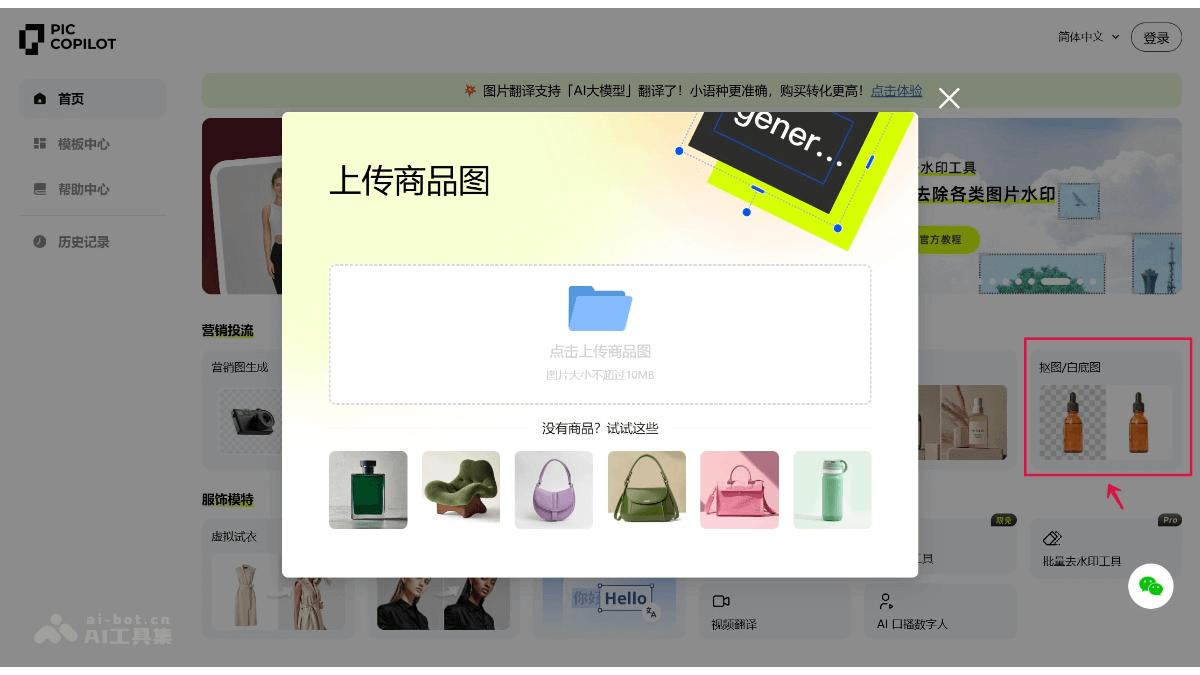
Main features of Pic Copilot AI Background Removal
- AI one-click background removal: After users upload product images, AI technology can intelligently remove the background, retain the product subject, and remove cluttered backgrounds, making it convenient for secondary editing.
- Batch background removal: Supports uploading multiple images at once for batch background removal processing, improving efficiency.
- Change image background color: E-commerce platforms have specific requirements for product main images. Pic Copilot can quickly remove the image background and replace it with product main images in different background colors to meet platform requirements.
- Intelligent recognition and processing: Even when the background is cluttered and the subject is complex, Pic Copilot's AI background removal tool can achieve precise background removal results, especially suitable for scenarios that require quickly processing large numbers of images.
- Edge and detail processing: Pic Copilot's background removal tool can handle images with complex edges and details, suitable for scenarios requiring fine background removal.
- Background image generation: Used together with the "one-click background removal" tool, after removing cluttered backgrounds, integrate the product into a brand-new, fitting scene.
How to use Pic Copilot AI Background Removal
- Visit the official website: Visit Pic Copilot'sofficial website, register or log in to your account.
- Choose a tool: On the tools page, find the "Background Removal/White Background Image" feature and click to use it.
- Upload image: Upload the product image that needs background removal. The image size must not exceed 10MB. At the bottom of the upload page, you can see previously uploaded product images.
- Choose background removal method: After uploading the product image, enter the product background removal interface. You can choose "Use AI-optimized transparent background" to intelligently extract the product image, or "Use unprocessed original image" to retain more original product details. If the product structure is complex, it is recommended to use the unprocessed original image to avoid loss of edge details.
- Remove watermarks or manually remove background: You can use the "Watermark Removal Pen" tool to remove unwanted elements from the image, or use the "Manual Background Removal" tool to manually remove unwanted parts from the product image.
- Change background color: If needed, you can choose "Replace Color" to replace the subject's background. Basic colors support transparent, white, and black, and more advanced colors are also available.
- Download image: After choosing the background color, click "Download" to complete background removal/white background image generation.
- Detailed operation instructions:Click to view detailed illustrated instructions
Pic Copilot AI Background Removal product pricing
- Free version: 25 credits; basic marketing styles and templates; AI-generated marketing ad images; AI intelligent background removal; multilingual image translation.
- Personal Professional Version: $3.99 per month; 2,400 credits (200/month/monthly distribution/expires); basic marketing styles and templates; Pro-exclusive marketing styles and templates; AI-generated marketing ad images; AI smart cutout; multilingual image translation; access to batch image processing tools & new feature lab.
- Advanced Professional Edition: $8.99 per month; 12,000 credits (1,000/month/monthly distribution/expires); basic marketing styles and templates; Pro-exclusive marketing styles and templates; AI-generated marketing ad images; AI smart cutout; multilingual image translation; access to batch image processing tools & new feature lab.
Application scenarios of Pic Copilot AI cutout
- E-commerce product display: E-commerce sellers can use Pic Copilot's AI cutout feature to create product images without backgrounds, or generate attractive product display images for online stores or social media marketing.
- Advertising production: Marketing teams can use AI cutout technology to create eye-catching advertising images, remove unwanted elements, or adjust images to fit different ad sizes and formats.
- Social media content: Social media managers or individual users can use AI cutout technology to enhance the visual appeal of posts, including adjusting image color, applying filters, and cropping dimensions to fit different social platforms.
- Brand promotional materials: Enterprises can use AI cutout to design and edit brand brochures, posters, and other marketing materials, ensuring the professionalism and appeal of the images.
- Post-processing photography: Photographers can use AI cutout technology to remove distracting elements from photos, or place the photographed subjects in more attractive backgrounds.


