

What is NetEase Jianwai
NetEase Jianwai is an AI intelligent speech transcription and listening-translation platform launched by NetEase's Artificial Intelligence Business Unit, integrating video listening-translation, live stream listening-translation, speech transcription, and direct document translation. It uses technologies such as speech recognition transcription and machine translation to provide more convenient listening-translation tools for people engaged in and interested in speech transcription and translation, improve work efficiency, reduce transcription costs, and change the way people realize cross-cultural communication and cross-border content dissemination.
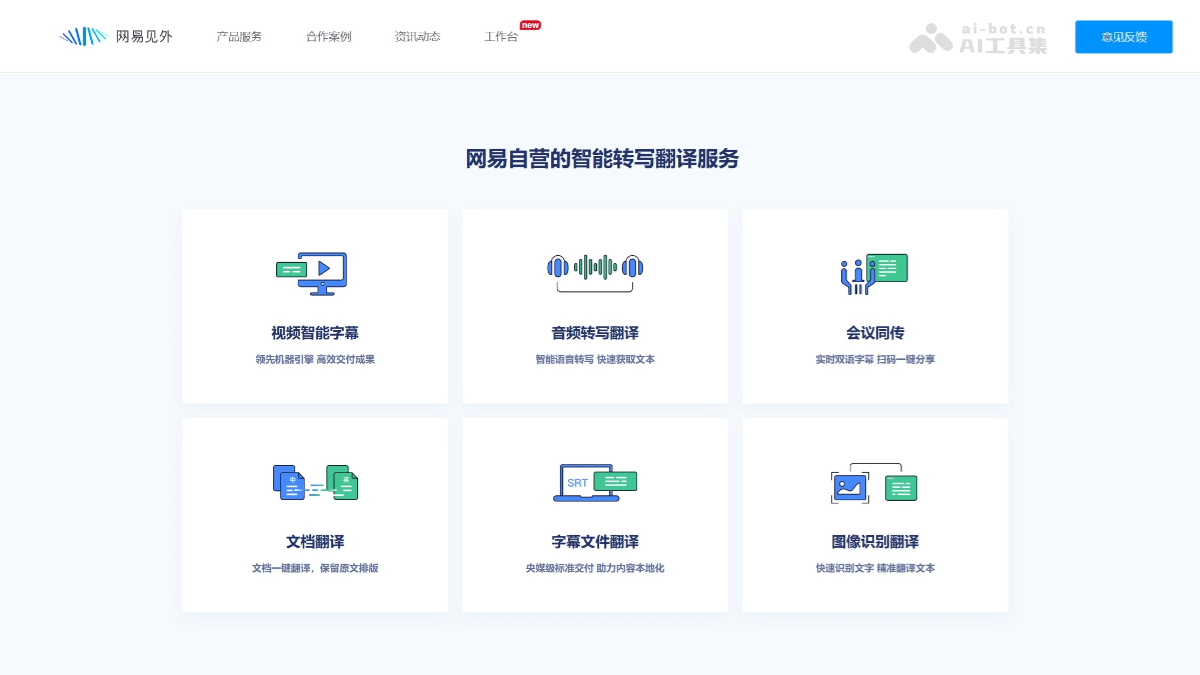
Main functions of NetEase Jianwai
-
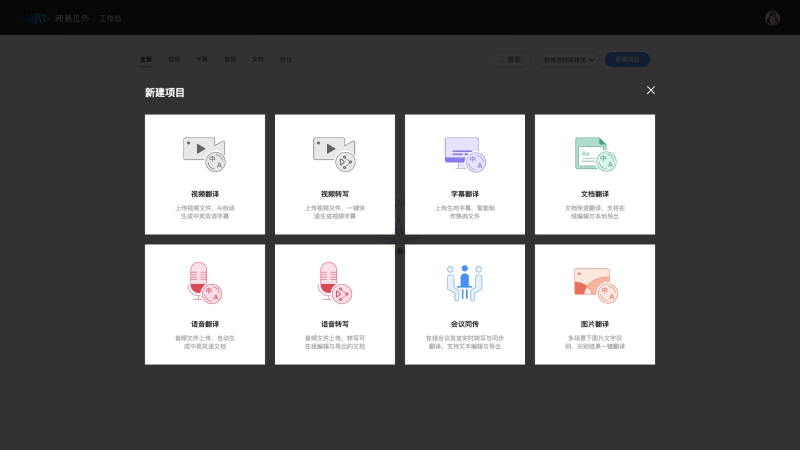
Video Listening-Translation: Supports uploading video files, and AI automatically generates Chinese-English bilingual subtitles, suitable for multiple scenarios such as film and television variety shows, recorded courses, and meeting video records.
-
Live Stream Listening-Translation: Suitable for live streaming scenarios, providing real-time speech transcription and translation services, and supporting real-time bilingual subtitle screen projection for live broadcasts such as meetings, courses, and speeches.
-
Speech Transcription: Upload audio files to quickly generate text documents, supporting speech transcription in multiple languages.
-
Direct Document Translation: Provides document translation functions, supporting mutual translation among multiple languages.
-
Image Text Recognition and Translation: Supports image translation among multiple languages such as Chinese, English, Japanese, Korean, and French.
-
Conference Simultaneous Interpretation: Used for on-site meetings, courses, speeches, and more, it can convert speech into text in real time and translate it, enabling subtitle screen projection.
How to use NetEase Jianwai
-
Register and Log In: Visit the official NetEase Jianwai website, register an account with an email address or mobile phone number, and log in.
-
Choose a Function: According to your needs, choose functions such as video listening-translation, live stream listening-translation, speech transcription, direct document translation, or image text recognition and translation.
-
Upload Files: Click the "Upload File" button and select the video, audio, document, or image files that need to be processed.
-
Set Parameters: Set parameters such as language and format as needed, for example, selecting the language for transcription or translation.
-
Start Processing: Click the "Start" button, and the system will automatically perform transcription or translation processing.
-
View Results: After processing is completed, you can view and download the generated text, subtitles, or translation files on the platform.
-
Edit and Proofread: If needed, you can edit and proofread the generated results to ensure accuracy.
-
Export and Download: After completing editing, export the final results and download them locally for convenient subsequent use.
Application scenarios of NetEase Jianwai
-
Enterprise Meetings: Supports real-time transcription and translation of meeting content, making it convenient for participants to understand and record meeting content.
-
Online Education: Can quickly transcribe teaching speech and provide real-time screen-projected lecture subtitles, helping students and teachers better record and review course content.
-
Film and Television Variety Shows: Supports rapid translation and subtitle production, improving the internationalization level of film and television works.

