

What is Doc2X
Doc2X is an AI document recognition, conversion, and translation tool launched by Wuhan Zhishi Wuyin. It can recognize various documents with high precision, including papers, financial reports, etc., and supports converting PDFs into Word, HTML, and many other formats. Doc2X provides large-model-powered bilingual side-by-side translation to help users quickly understand document content. It supports batch processing and API integration, making it convenient for individual and enterprise users. Users can use it online through the official website or integrate it via API.
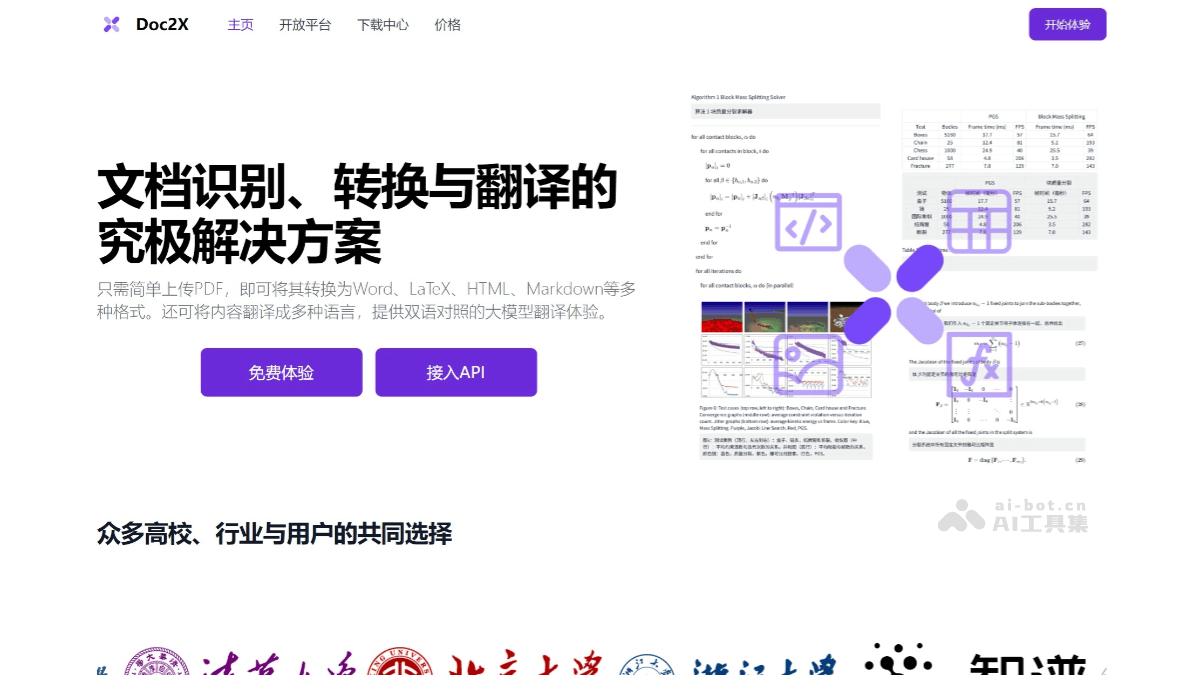
Doc2X's main features
- High-precision recognition: adapted to scenarios such as papers, financial reports, education, and books, with recognition accuracy higher than most recognition methods on the market, including multi-column recognition, formula recognition, table recognition, and code recognition.
- Complete conversion formats: users can easily convert PDFs into Word, HTML, LaTeX, Markdown, and many other formats. Before conversion, they can also edit with reference jumping against the original PDF to ensure accuracy.
- Large-model-powered bilingual side-by-side translation: supports models such as GPT, Deepseek, and GLM, providing accurate translation and an immersive bilingual side-by-side translation experience to help users quickly understand content.
- Efficient batch processing: Doc2X provides batch recognition and conversion, and can connect to the API to quickly recognize PDFs in batches. Doc2X has cumulatively processed hundreds of millions of pages+ of documents, with a daily throughput of tens of millions of pages+.
- Online use and integration: users can directly use Doc2X on the web page, or integrate it into their own systems through the API.
How to use Doc2X
- Use by individual users:
- Visit Doc2X'sofficial website address。
- Use it directly online, with no need to download or install any software.
- Register and log in to your account to enjoy the free daily document conversion and translation service quota.
- Document recognition and conversion:
- Select the PDF file to be converted and upload it to the Doc2X platform.
- Select the output format, such as Word, LaTeX, HTML, Markdown, etc.
- Before conversion, you can edit with reference jumping against the original PDF to ensure post-conversion accuracy.
- Multilingual translation:
- Based on the multilingual translation feature provided by Doc2X, select the target language for translation.
- Supports large models such as GPT, Deepseek, and GLM, providing bilingual side-by-side translation.
- Batch processing and API services:
- For users who need to process large numbers of documents, Doc2X supports batch recognition and conversion.
- Developers can use API services by visiting the official website and integrate Doc2X's features into their own applications.
Doc2X product pricing
- Trial membership: limited-time offer 4.9 yuan, original price 9.9 yuan; 500 pages of PDF parsing quota within 30 days; 100 image recognition quota within 30 days; allows batch upload/export of files; free priority experience of new models; online export to WORD/PDF.
- Monthly Pro membership: limited-time offer 9.9 yuan, original price 19.9 yuan; 1000 pages of PDF parsing quota within 30 days; 250 image recognition quota within 30 days; allows batch upload/export of files; free priority experience of new models; online export to WORD/PDF.
- Annual Pro membership: limited-time offer 98.9 yuan, original price 239 yuan; 12000 pages of PDF parsing quota within 30 days; 4000 image recognition quota within 30 days; allows batch upload/export of files; free priority experience of new models; online export to WORD/PDF.
Application Scenarios of Doc2X
- Academic Research: Scholars and researchers can use Doc2X to convert academic papers in PDF format into Word, LaTeX, or Markdown format, making them easier to edit and cite.
- Education and Training: Teachers can use Doc2X to convert teaching materials such as textbooks, courseware, and exam papers in PDF or image format into editable Word documents, making them easier to modify and supplement and improving the efficiency of teaching preparation.
- Business Office Work: In a business office environment, Doc2X can convert business documents such as contracts, reports, and meeting minutes in PDF or image format into Word documents, making editing and modification easier.
- Self-Publishing and Blog Writing: Self-publishers and bloggers can convert book chapters or articles in PDF format into Markdown format and publish them on blogs or websites.
- Data Analysis and Report Creation: In the field of data analysis, Doc2X's table recognition feature can convert table content in PDFs or images into editable Excel or Word tables, making it convenient for data analysts to conduct data analysis and create reports.

