

What is Verse
Verse is a writing and document management tool launched by Evernote that integrates AI technology. It supports free-form information layout and multi-dimensional tag management. Users can achieve personalized information layouts by freely dragging elements, and enable structured storage of fragmented information through a multi-dimensional tag system and all-platform search. Verse's AI writingassistance features are powerful, capable of intelligently generating article frameworks, automatically distilling inspiration, and providing intelligent content generation for multiple scenarios such as meeting minutes, official documents and leave requests, novels and essays, work daily reports, press releases, advertising creation, and more. Users only need to click "AI Write for Me" on the page and enter the title or brief description they want to create to quickly generate text content. Verse supports real-time multi-person collaboration, allowing users to view each other's edits in real time, discuss, and communicate. It enables data interconnection and real-time synchronization with Evernote family products, covering multiple platforms such as desktop, mobile, and web, so users can access and use it anytime and anywhere on different devices.
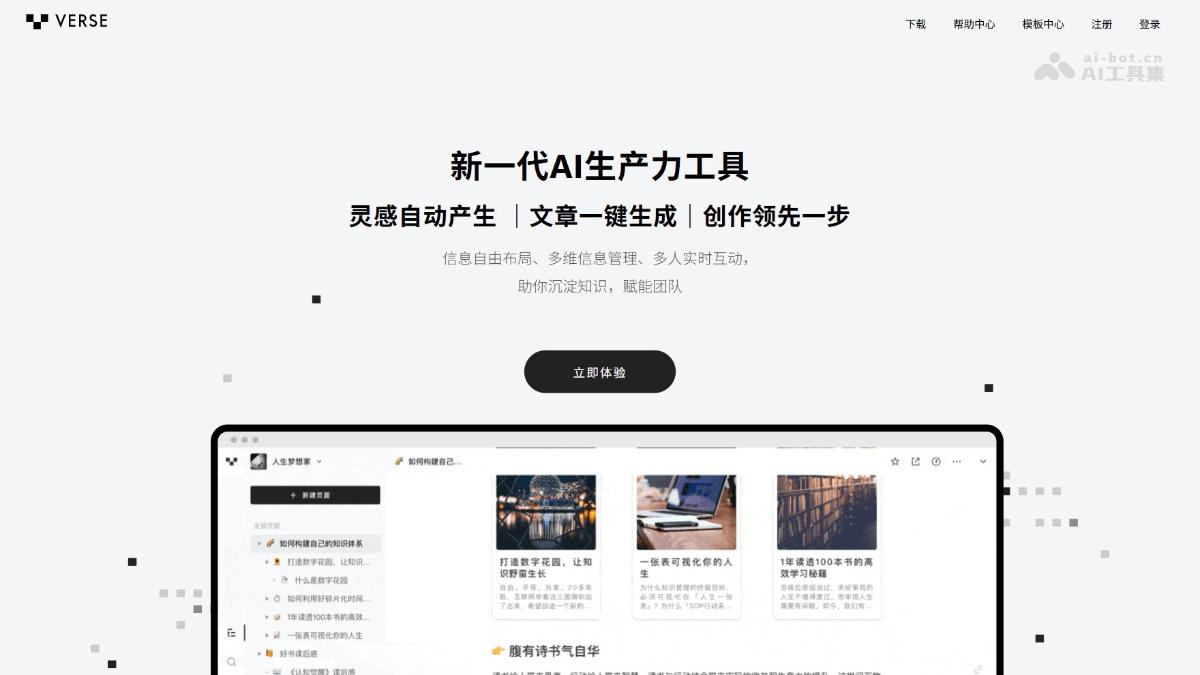
Verse's main features
-
Lightning-fast intelligent creation: Users only need to click the "AI Write for Me" feature and enter a topic or keywords to generate high-quality content in seconds, greatly improving writing efficiency.
-
Automatic inspiration generation: During the creation process, Verse can automatically generate creative inspiration based on the keywords or topic entered by the user, helping users start new creative directions.
-
Template library: Provides writing templates for various scenarios, such as meeting minutes, official documents and leave requests, work daily reports, advertising copy, etc. Users can apply them directly or customize them according to their needs.
-
Document organization and classification: Verse can automatically organize and classify large numbers of documents, helping users quickly find the information they need and improving work efficiency.
-
Intelligent text optimization: Built-in powerful grammar checking can automatically detect and correct grammatical errors in text, improving the professionalism and readability of the text. Verse can provide targeted optimization suggestions, such as keyword placement and paragraph structure adjustment, to improve the text's ranking in search engines or attract more readers.
-
Real-time collaborative editing: Supports multiple people editing the same document online at the same time. Team members can view each other's edits in real time, discuss, and communicate. Users can @ others in the document, post or reply to comments, and achieve real-time communication within the document.
-
Permission control and history: Set different levels of access permissions to ensure the security and privacy of documents; the modification history of all documents is automatically recorded, making it convenient for users to trace and roll back.
-
Modular document structure: Users can create documents with a hierarchical structure, building a knowledge base like constructing a mind map, making knowledge organization and management convenient.
-
Intelligent search and recommendations: Use the AI search feature to quickly find relevant information stored in Verse; recommend related content based on the user's reading history and preferences.
- Multi-platform support: Verse supports mainstream platforms, including Windows, MacOS, iOS, and Android, etc. Users can access and use Verse anytime and anywhere on different devices.
How to use Verse
-
Visit the official website: Open the Verse official website.
-
Log in to your account: Use WeChat to scan the QR code to log in or register your Evernote account.
-
Create a new page: After logging in to Verse, enter the Verse space and click the "New Page" button in the upper left corner to create a new document.
-
Add content blocks: On the page, click the "+" icon at the beginning of the line to add various content blocks such as text, images, tables, to-do lists, and more.
-
Modular editing: Drag the "::" icon on the left side of a block with the mouse to freely adjust the block's position and layout.
-
Set the page layout: Type "/" to select "Column Layout", or click the "Layout" button on the right to insert a suitable page layout.
-
Start AI writing: On the page, click "AI Write for Me", enter the title or brief description you want to create, and quickly generate text content.
-
Choose a writing scenario: Verse provides a variety of writing scenarios, such as meeting minutes, official documents and leave requests, novels and essays, work daily reports, press releases, advertising copy, and more.
-
Smart revision and optimization: Select the text that needs optimization and click "Smart Revision" to improve writing, fix spelling and grammar, simplify language, continue content, translate, explain, and more.
-
Invite collaboration: Users can invite others to participate in document editing, enabling multiple people to collaborate online in real time.
-
Permission control: Set different levels of access permissions to ensure the security and privacy of documents.
-
Share spaces and pages: Spaces and pages can be shared, making it convenient to build content, share, comment, and set reminders.
-
Import data: Supports importing data from Evernote, and you can import HTML, Markdown, plain text, and other file formats through the "Import File" feature in the lower left corner.
-
Cross-platform sync: Supports desktop, mobile, and web, achieving seamless synchronization.

Verse use cases
-
Article writing: Supports blog posts, press releases, product descriptions, literary works such as novels and poetry, and Verse can help users quickly produce high-quality written content.
-
Idea recording: Users can record inspiration and ideas at any time, and Verse will organize them into structured content for convenient later creation.
-
Diary and notes: As a digital diary, record the details of daily life, support inserting images, audio, video, and other multimedia content, and enrich the recording format.
-
Course notes: Students can use Verse to organize course notes and modularize classroom content for convenient review and search.
-
Paper writing: From generating paper outlines to writing literature reviews, Verse can provide assistance to help students complete paper writing efficiently.
-
Assignments and reports: Quickly generate first drafts of various assignments and reports, and students can revise and improve them on this basis, improving assignment completion efficiency.


