
What is GAIPPT
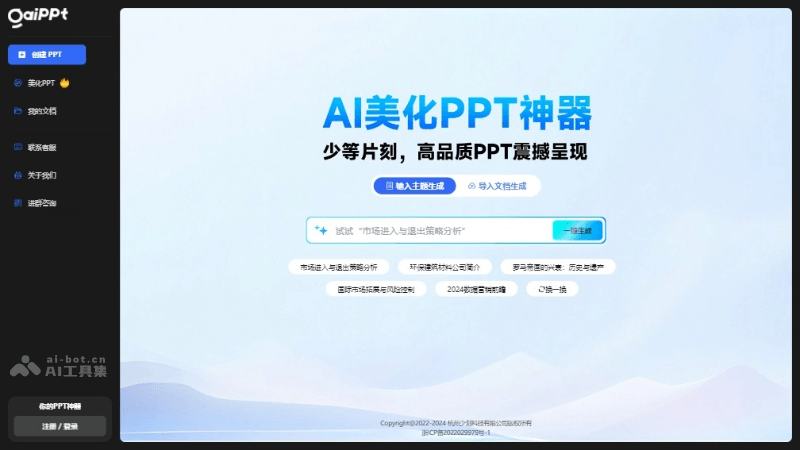
GAIPPT is an AI-powered PPT beautification tool that supports uploading a PPT for one-click beautification. AI automatically analyzes the content structure and automatically adapts the most suitable layout to achieve PPT layout beautification effects. Through AI technology, it helps users optimize the design and layout of PowerPoint presentations. Simply enter content, and GAIPPT can automatically design and lay it out, quickly generating professional-looking slides. GAIPPT provides industry master templates, one-click skin changing, smart layout, and other features, simplifying the operation steps in the PPT creation process and improving work efficiency.
GAIPPT's main features
- Quick content beautification: After entering PPT content, it automatically designs and lays it out, quickly generating beautiful slides.
- Industry templates: Provides a variety of industry templates, making it convenient for users to adjust design elements such as colors and fonts as needed.
- One-click skin changing: Quickly change the design style of the entire PPT, including color schemes and font styles.
- Smart layout: Automatically matches suitable layouts according to content logic, solving layout challenges.
- Smart recommendations: Recommends content replacements based on content structure and logic, optimizing PPT content and structure.
- Shortcut operations: Simplifies PPT creation operations, such as one-click replacement, unified fonts, and color blocks, improving work efficiency.
- Online sharing: Generates a dedicated link or QR code, making it convenient to share PPTs with others and facilitating business communication.
- Online cloud documents: Supports privacy settings for online documents, ensuring document security and privacy.
How to use GAIPPT
- Register and log in:Visit GAIPPT's official website,create an account and log in.
- Create a new presentation:Select "New Presentation" on the main interface.Enter the presentation's topic and content, or upload an existing PPT file.
- Choose a template:Choose a suitable template from the industry templates, or use a custom template.Adjust the template's colors, fonts, and other design elements to match your personal or company brand style.
- Content input and editing:Enter or paste text content into the template.Adjust the text layout and formatting, such as font size, color, and alignment.
- Smart layout and beautification:Use GAIPPT's smart layout feature to automatically adjust the content layout.Use the one-click beautification feature to quickly improve the overall visual effect of the slides.
- Add multimedia elements:Insert images, charts, videos, or audio to enhance the appeal of the presentation.Adjust the size and position of elements to ensure they coordinate with the text content.
- Preview and adjust:Preview the entire presentation and check the layout and content of each page.Make adjustments as needed.
- Save and share:Save the presentation to the cloud to ensure document security and accessibility.Use the online sharing feature to generate a link or QR code to share the PPT with others.
- Export and print:Export the final presentation as PPTX, PDF, or other formats.The presentation can be printed.
GAIPPT Product Pricing
GAIPPT's generation and beautification features consume diamonds on a per-page basis. Diamonds are mainly used for AI large model channel token consumption.
- Free Trial: New users receive complimentary diamonds upon registration and when using features such as beautification.
- Membership Subscription: Becoming a monthly member immediately grants 300 diamonds and 20 free source file downloads (valid during the membership period). For the latest information, please visit the official website.
GAIPPT Use Cases
- Business Presentations: GAIPPT can quickly create PPTs for company introductions or product showcases, helping business professionals convey information more effectively in meetings or presentations.
- Education and Training: Teachers can use GAIPPT to create presentation slides for course content, enhancing the appeal and professionalism of teaching materials.
- Student Assignments: Students can use GAIPPT to create PPTs for academic reports or project presentations, simplifying the process of preparing academic reports.
- Online Sharing: GAIPPT supports online sharing, making it easy for users to generate exclusive links or QR codes for business communication and collaboration.
- Online Cloud Documents: GAIPPT supports online cloud document management, providing privacy settings and visitor logs to ensure document security.
- One-Click Theme and Color Change: GAIPPT offers one-click theme and color change features, quickly switching the overall style and unifying the colors of a PPT to maintain visual consistency.

