
What is Simple Notes
Simple Notes is anAI speech-to-text toollaunched by Baidu Netdisk. It can quickly convert audio files into text, supports editing and format adjustments, and generates standardized meeting minutes. Simple Notes supports multiple audio formats, provides a variety of preset templates, and has real-time transcription and automated processing capabilities. Simple Notes can intelligently distinguish speakers, remove colloquial words, and maintain content coherence. It is suitable for various scenarios such as meeting records and phone recordings, improving work efficiency.
Main features of Simple Notes
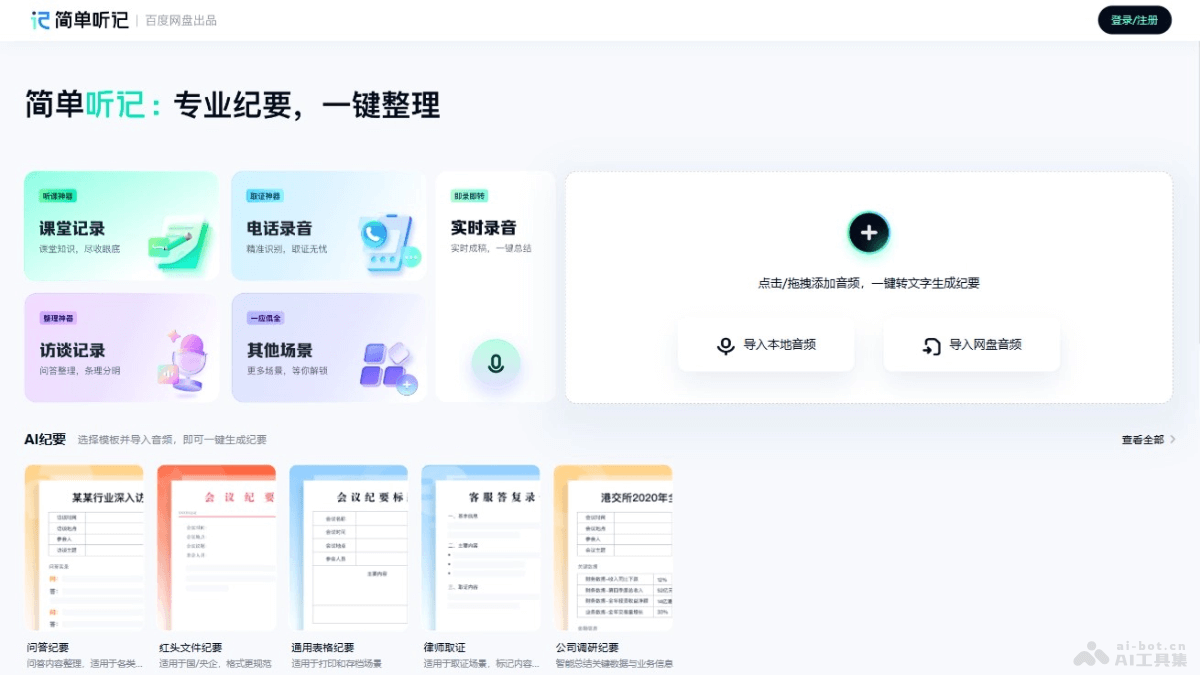
- Speech transcription: Uses speech recognition capabilities to quickly convert speech content into clear, readable text, improving the efficiency and accuracy of information recording.
- AI notes: Through AI intelligent analysis technology, automatically extracts key information from transcribed content and generates concise summary reports, helping users quickly grasp meeting key points, classroom essentials, or interview cores.
- Online editing: Provides online editing tools, allowing users to directly modify, annotate, or supplement transcription results to meet personalized needs and make documents more complete and professional.
- Multi-person meeting records: Suitable for scenarios such as business meetings and project discussions, accurately recording the entire meeting, helping decision-makers and participants quickly review meeting key points, and improving work efficiency. It can accurately distinguish different people's voices, with transcription accuracy as high as 97%, at an industry-leading level.
- Classroom records: Becomes a good helper for students' learning. Whether online courses or offline lectures, it can transcribe in real time, helping students consolidate knowledge and not miss any details.
- Face-to-face interview records: Provides professional journalists and self-media professionals with an efficient tool for recording interview content, ensuring information is accurate and providing solid material for subsequent article writing.
- Special optimization: Performs special optimization for different audio scenarios such as interviews, meetings, and classrooms to adapt to various usage needs.
- Supports multiple audio formats: Supports audio formats such as MP3, WAV, AAC, M4A, and FLAC, meeting users' daily usage needs.
How to use Simple Notes
- Log in: Visit the Simple Notes official website https://pan.baidu.com/embed/listennote , or install the Baidu Netdisk client, register, and log in to your account.
- Simple Notes feature: On the web page or client interface, click [Tools] in the lower left corner, then find and click [Simple Notes].
- Import audio files: In the Simple Notes interface, choose to import local audio files or audio files from Netdisk.
- Select audio language and scenario: According to the audio content, select the correct audio language and applicable scenario to improve transcription accuracy.
- Submit task: Click [Submit Task], and the system performs speech transcription. The process takes some time, depending on the length and clarity of the audio.
- Edit and organize notes: After transcription is complete, edit and organize the generated text record to ensure the accuracy and completeness of the information.
- Use templates: If needed, select an appropriate template to format the notes, making them more professional and suitable for specific purposes.
- Save and share: Save the organized meeting notes and share them with others as needed.
Simple Notes product pricing
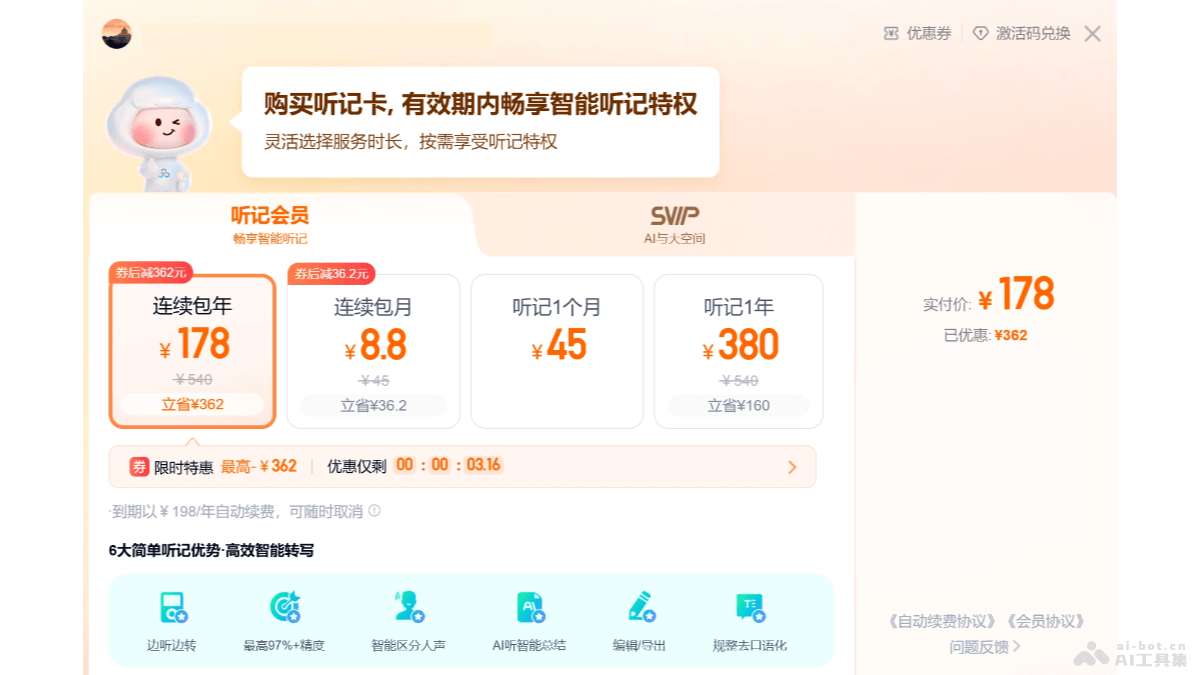
- Notes 1 month: 45 yuan,continuous monthly subscription: 25 yuan
- Notes 1 year: 380 yuan,continuous annual subscription: 198 yuan
Application scenarios of Simple Notes
- Meeting records: Quickly convert discussions and decisions in meetings into text for easy archiving and review.
- Academic lectures: Transcribe the audio content of lectures or seminars into text for easy study and research.
- Interview recordings: Convert the dialogue during an interview into text to improve the efficiency of content organization.
- Phone recordings: Convert important phone conversations or meeting recordings into text for easy later reference.
- Classroom recordings: Teachers transcribe the content of classroom explanations into text for use in preparing teaching materials or for student review.
- Podcast production: Podcast creators convert podcast content into text for use in episode summaries or promotional materials.

