
What is AiPPT
AiPPT is an AI-drivenPPT online generation tool. With no complex operations required, you only need to enter a topic, and AI can generate high-quality PPTs with one click. Users can choose the standard PPT version or the free canvas version to quickly create presentation decks. The platform provides over 200,000 templates and supports AI-powered intelligent layout design. The online editor allows users to freely edit and adjust, and cloud storage enables multi-device synchronization. AiPPT simplifies the PPT creation process and is suitable for users who need to quickly create high-quality presentations.
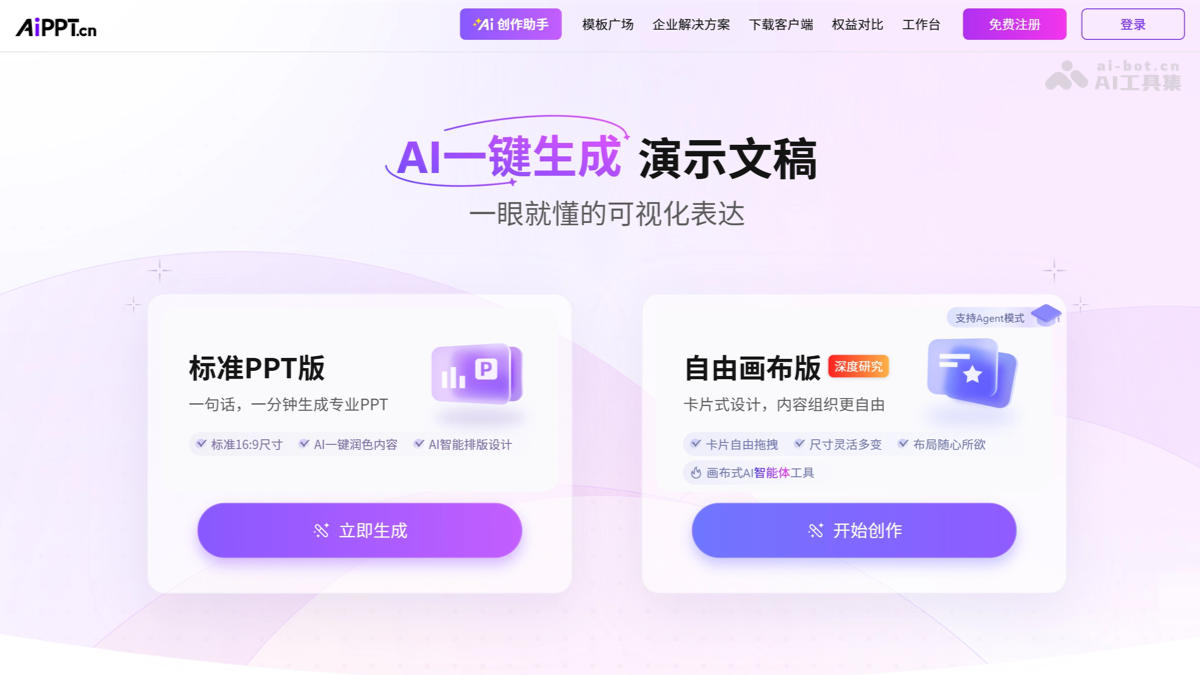
AiPPT's main features
-
AI one-click presentation generation: Users enter a topic or upload a document, and AiPPT can quickly generate a high-quality PPT that matches the topic.
-
Standard PPT version: Provides standard 16:9 size templates, supports AI one-click content polishing and intelligent layout design, simplifying the PPT creation process.
-
Free canvas version: Supports card-based design, allowing users to freely organize content and flexibly adjust size and layout to meet different creative needs.
-
Automatically generate PPT outlines: AI technology helps users automatically build the outline structure of a PPT, making copywriting simple.
-
Documents instantly become PPTs: Documents uploaded by users can be quickly converted into PPT format, supporting Word, PDF, Markdown,XMind and other formats, accelerating the PPT creation process.
-
Massive PPT templates: Provides more than 100,000 professional-grade high-quality templates, allowing users to choose suitable templates as needed.
-
Online PPT editor: Users can freely edit and adjust PPTs online, including modifying text content and styles, as well as uploading and editing images.
-
Cloud storage and multi-device sync: AiPPT supports cross-device resource synchronization, allowing users to access and edit PPTs on different devices such as computers and phones.
- AI office: The platform integratesAI image generation、AI writing, AI document reading, anddigital humanpresentation and other tools, aiming to improve office efficiency and creativity.
How to use AiPPT
-
Visit the website: Visit the AiPPT official website https://www.aippt.cn/. Complete account login and registration as prompted.
-
Choose a template or create a new presentation:Choose the "Standard PPT version" or "Free canvas version" to start generating a presentation.Or choose a preset template or start creating from scratch.
-
Enter content:
-
In the standard PPT version, enter a topic or upload a document, and AiPPT will automatically generate PPT content.
-
In the free canvas version, freely drag card-based design elements, or enter content to let AI intelligently arrange the layout.
-
-
Edit and customize: Use the online editor to edit text, add images, and adjust layout and design.
-
Choose a template: Choose one from the massive provided templates, or use the AI intelligent recommendation feature to quickly find a suitable template.
-
Preview and adjust: Preview the presentation to ensure all content meets requirements. Make further adjustments as needed.
-
Save and export: After completing the edits, save your work. Choose to export the PPT in different formats, such as PPTX, PDF, etc.
AiPPT usage examples
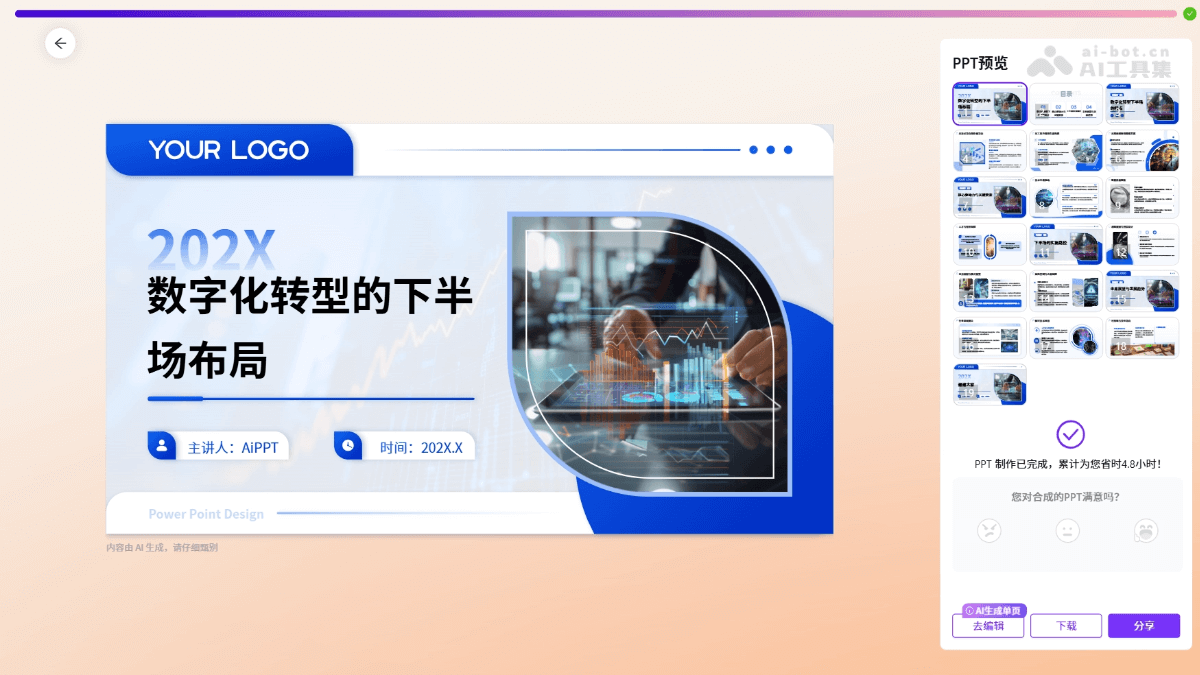
Standard PPT
Layout for the second half of digital transformation
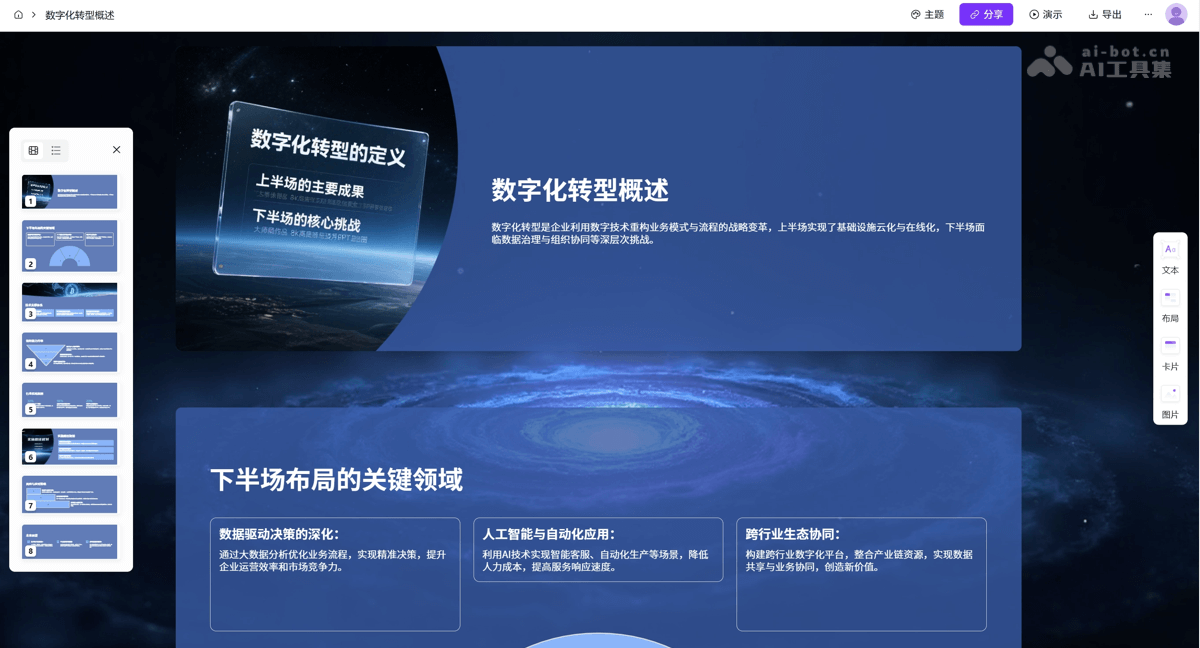
Free canvas
Layout for the second half of digital transformation
AiPPT product pricing
New users get 2 free generations per day, for a total of 6.
- One-month membership: 49 yuan, downloadable editable PPT source files, unlimited access to a massive collection of premium templates, Word/PDF document to PPT conversion, AI single-page generation/AI multi-page composition, template plaza download + editing rights, 600M image storage, personal commercial license, watermark-free online editing and export, view shared page data, dedicated customer service/official invoice.
- Two-year membership: plus two extra years of membership, 169 yuan, downloadable editable PPT source files, unlimited access to a massive collection of premium templates, Word/PDF document to PPT conversion, AI single-page generation/AI multi-page composition, template plaza download + editing rights, 600M image storage, personal commercial license, watermark-free online editing and export, view shared page data, dedicated customer service/official invoice.
- One-year membership: plus one extra year of membership,119 yuan, downloadable editable PPT source files, unlimited access to a massive collection of premium templates, Word/PDF document to PPT conversion, AI single-page generation/AI multi-page composition, template plaza download + editing rights, 600M image storage, personal commercial license, watermark-free online editing and export, view shared page data, dedicated customer service/official invoice.
- Lifetime VIP: 399 yuan, enjoy downloadable editable PPT source files, access to a massive template collection, Word/PDF to PPT conversion, AI single-page/multi-page PPT generation, 600M image storage, personal commercial license, view shared data, 5-minute digital human video, remove the AiPPT creation mark, dedicated customer service and invoice.
AiPPT application scenarios
-
Business presentations: quickly create business plans, product introductions, and market analysis reports to improve work efficiency.
-
Education: teachers and students use AiPPT to create course content, teaching plans, and academic reports.
-
Training and speeches: prepare presentation materials for internal training, seminars, or public speeches to enhance the effectiveness of information delivery.
-
Marketing: create presentations for marketing strategies, advertising campaigns, or brand promotion to attract target audiences.
-
Personal use: individuals can create resumes, portfolios, or displays of personal achievements to enhance their personal image.

