

What is Huiyi
Huiyi is an immersive side-by-sideAI translationextension that supports mutual translation in over 100 languages and provides webpage, PDF, video, and word-selection translation features. Huiyi's standout feature is bilingual side-by-side reading, allowing users to view the original text and translation simultaneously on the same page, improving reading and comprehension efficiency. It offers hover translation and one-click document translation, making it suitable for academic research, business communication, and many other scenarios. Users can download and install it from the official website.
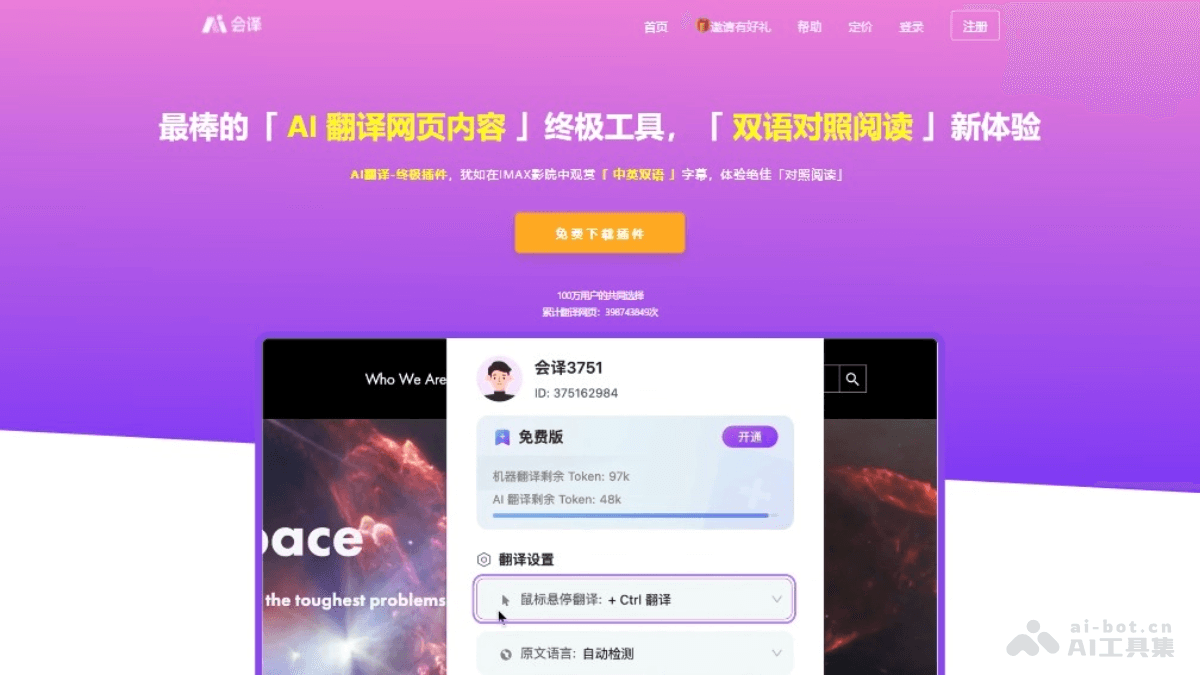
Main features of Huiyi
- Bilingual side-by-side translation: It can display the original text and translation simultaneously on the same page, making it convenient for users to read them side by side and improving comprehension and learning efficiency.
- Webpage translation: Translate the entire webpage content automatically with one click, and users can see the translated content in real time while maintaining reading fluency.
- Word-selection translation: When browsing webpages, users can select words or phrases with the mouse to quickly get translation results without copying and pasting.
- Hover translation: Hover the mouse over any part of a webpage to view the translation of the content, suitable for quickly obtaining information.
- PDF document translation: Supports uploading PDF files for translation and provides a bilingual side-by-side view, making it convenient to read and understand professional literature or reports.
- Video translation: It can generate bilingual subtitles for video content or display translated subtitles, helping users understand foreign-language video content.
- Multilingual support: Supports mutual translation in over 100 languages, meeting the language conversion needs of different users.
- Extension installation: A browser extension based on the Chromium core, compatible with mainstream browsers such as Chrome, Edge, and 360.
How to use Huiyi
- Download and install the extension:Visit Huiyi'sofficial website。Download the corresponding extension version according to the browser you use (such as Chrome, Edge, 360, etc.).After downloading from the official website, you need to drag the extension file to the browser's extensions page to install it.
- Activate the extension:After installation is complete,click the Huiyi icon in the upper right corner of the browser to confirm that the extension is enabled.
- Start translating:
- Webpage translation: Open any foreign-language webpage, click the Huiyi icon in the upper right corner of the browser, and select the translation option; Huiyi will automatically translate the entire webpage.
- Bilingual side-by-side reading: On the translated webpage, you can select the "side-by-side" mode through the Huiyi icon to view the original text and translation side by side.
- Word-selection translation: When you encounter an unfamiliar word while reading, simply select the word or phrase with the mouse, and Huiyi will immediately display the translation result.
- Hover translation: Hover the mouse over any text on a webpage, and Huiyi will display the translation of that text.
- PDF document translation: Upload the PDF file you need to translate, and Huiyi will provide bilingual side-by-side translation results.
Huiyi product pricing
- Free version: A total of 5,000 tokens gifted; supports 1 PDF side-by-side translation; 5 ChatPDF inquiries; 7-day free trial of Study Mode; 5 image translations per month; using Focus/Online Translation/Video Translation/Web Translation consumes tokens.
- PRO Version:18.4yuan/month and up;1,000,000 tokens per month; supports 50 PDF side-by-side translations; 1000 ChatPDF inquiries; unlimited Study Mode; 100 image translations per month; using Focus/Online Translation/Video Translation/Web Translation consumes tokens.
- Unlimited Version:21yuan/month and up;Unlimited use of all features.
Application Scenarios of Huiyi
- Academic Research:Translate academic papers and literature to help researchers quickly understand foreign research results.Read foreign-language textbooks and professional books to assist academic learning and knowledge accumulation.
- Business Communication:Translate business documents and contracts to ensure barrier-free cross-language business communication.Translate emails and instant messages to improve communication efficiency with international clients and partners.
- Online Learning:Translate online courses and educational materials to help students understand foreign-language educational resources.Assist language learning and improve foreign-language reading and writing skills through bilingual comparison.
- News and Media Consumption:Translate news reports and articles so users can promptly learn about global current events.Provide video subtitle translation for barrier-free enjoyment of foreign movies, TV series, and educational videos.
- Travel and Daily Life:Translate travel guides and user reviews to help travelers plan itineraries and understand destination information.Translate foreign-language signs and manuals encountered in daily life.
- Technical Documentation and Development:Translate technical documentation and API descriptions to help developers quickly master new technologies.Assist code reading and writing, and quickly understand technical terms in foreign-language materials through word-selection translation.

