

What is the Clipchamp AI Voiceover Generator
The Clipchamp AI Voiceover Generator is an onlineAI voice generation toollaunched by Clipchamp that can quickly convert text into realistic voiceover narration. The tool supports over 400 voices and 80 languages (including Chinese), and users can freely adjust tone, emotion, and speech rate (0.5x to 2x), and add natural subtitles to enhance the video accessibility experience. Clipchamp can easily meet various needs such as social media videos, corporate presentations, and educational content, making it a powerful tool for creators to improve video quality.
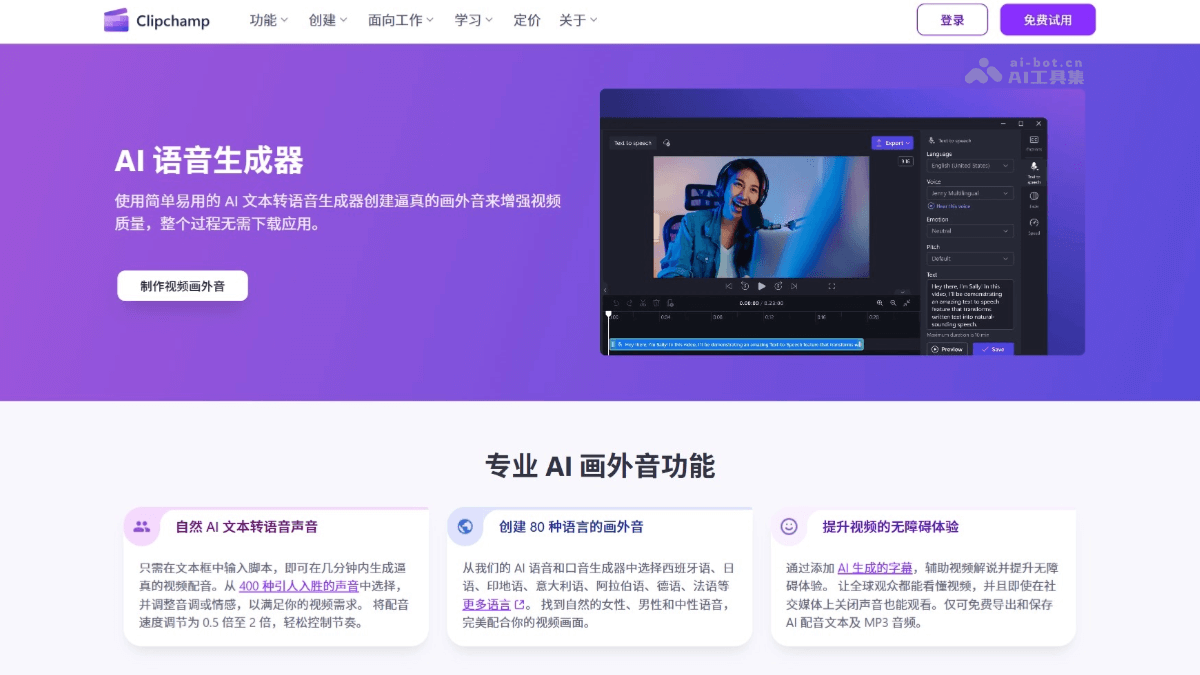
Main Features of the Clipchamp AI Voiceover Generator
-
Text to Speech: Users only need to enter or paste a script in the text box to generate high-quality voiceover narration.
-
Multilingual Support: Offers more than 80 language options, covering major global languages, including Spanish, Japanese, Hindi, Italian, Arabic, German, French, and more.
-
Diverse Voice Options: Supports over 400 voices, and users can choose natural male, female, and gender-neutral voices that perfectly match the video content.
-
Tone and Emotion Adjustment: Users can adjust the tone and emotional expression of the voice according to the emotional needs of the video, making the narration more engaging.
-
Speech Rate Control: Supports speech rate adjustment from 0.5x to 2x, meeting the needs of different scenarios and making it easy to control the narration pace.
-
Subtitle Generation: Automatically generates subtitles, improving the video accessibility experience and ensuring global audiences can understand the video content.
How to Use the Clipchamp AI Voiceover Generator
- Visit the Official Website: Visit the Clipchamp AI Voiceover Generator official website https://clipchamp.com/zh-hans/features/ai-voice-over-generator/,按提示完成注册和登录。
-
Choose the Text to Speech Generator: Select the "Text to Speech" feature on the Clipchamp platform.
-
Choose Language and Voice: From over 80 languages and more than 400 voices, choose the language and voice type that best match the video.
-
Adjust Tone and Speech Rate: Adjust the voice tone, emotion, and speech rate (0.5x to 2x) as needed to suit the video content.
-
Enter or Paste Text: Freely type or copy and paste the script content in the text box.
-
Preview the Voiceover: After generation, preview the generated narration to ensure it meets expectations.
-
Add to Video: Add the generated voiceover to your video to complete the dubbing.
-
Save and Export: Export the generated AI voiceover text as an MP3 audio file.
Application Scenarios of the Clipchamp AI Voiceover Generator
-
Social Media Videos: Add humorous or engaging narration to short videos such as TikTok, Instagram Reels, and YouTube Shorts to attract viewers.
-
Corporate Videos: Produce multilingual corporate presentation videos to enhance the internationalization and professionalism of the content.
-
Educational Videos: Add clear narration to online courses, virtual lectures, and instructional videos to help students better understand the content.
-
Product Demonstrations: Add realistic voiceovers to product introduction videos, making it easier for viewers to accept and understand the product features.
-
Gaming videos: Add narration to gaming commentary videos to enhance the viewing experience for viewers.


