

What is Seewo Whiteboard
Seewo Whiteboard is an AI courseware generator designed specifically for interactive teaching. Built around a multimedia interactive whiteboard as its core, it provides teachers with a platform that integrates multiple teaching functions. It integrates features such as cloud courseware, material processing, subject tools, and mind maps, aiming to improve lesson preparation and teaching efficiency. Seewo Whiteboard has powerful interactive presentation capabilities, supporting teachers in controlling the large screen with their mobile phones for real-time display and live streaming, enhancing classroom interactivity and fun. Seewo Whiteboard aims to simplify teachers' lesson preparation process and improve the quality and efficiency of classroom teaching based on diverse functions.
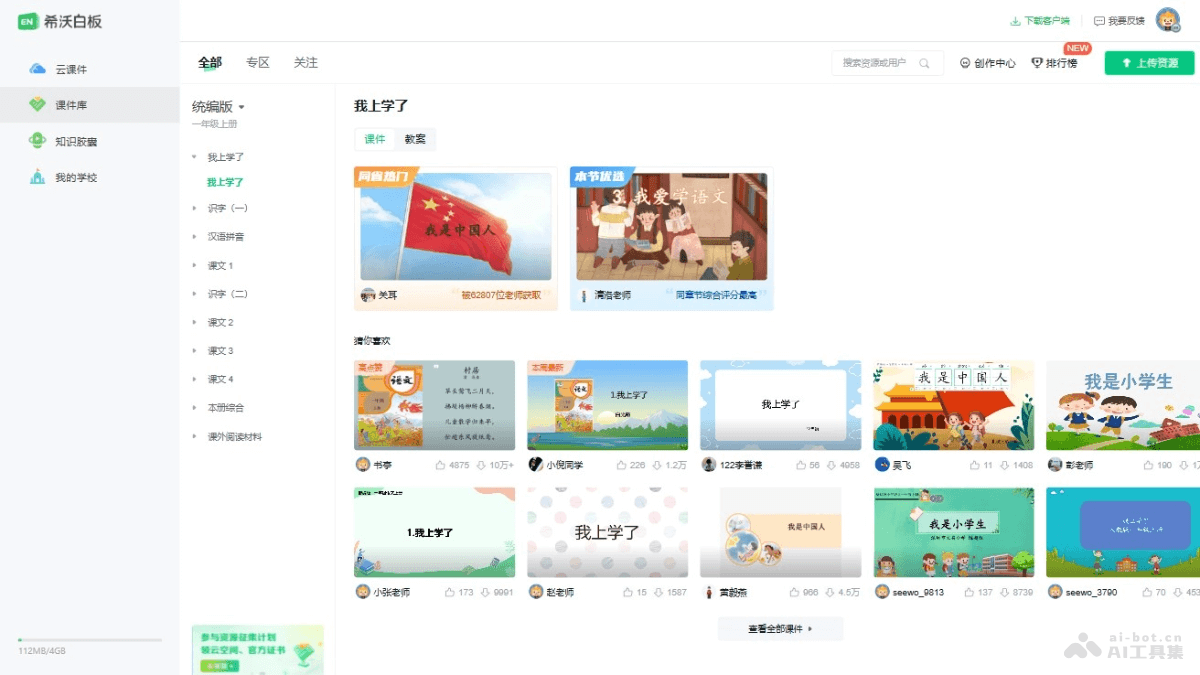
Main functions of Seewo Whiteboard
- AI courseware generation: Based on AI technology, it automatically generates teaching courseware according to the teaching objectives and content provided by the teacher.
- Cloud courseware: Supports online storage and editing of courseware, making it convenient for teachers to access and modify teaching materials anytime and anywhere.
- Material processing: Provides a rich collection of teaching materials, and teachers can process and personalize the materials as needed.
- Subject tools: Includes a variety of subject-specific tools, such as a math drawing board and simulation experiments, helping teachers teach subject knowledge more effectively.
- Mind maps: Provides mind mapping tools to help teachers and students organize knowledge structures and enhance logical thinking ability.
- Tables and classroom activities: Built-in table creation and classroom activity design functions increase classroom interactivity.
- Mobile phone control of the large screen: Teachers use their mobile phones to control the large screen in the classroom, enabling functions such as courseware page turning and annotation.
- Multi-device compatibility: Courseware is displayed seamlessly on computers, all-in-one machines, web pages, and mobile phones, adapting to different teaching environments.
How to use Seewo Whiteboard
- Access Seewo Whiteboard:
- Access Seewo Whiteboardofficial websiteEnter, download, and install.
- The AI lesson preparation function requiresapplying for beta testingto enter.
- Log in to your account: Log in with a Seewo account; if you do not have an account, you need to register first.
- Select function modules: Select the corresponding function modules as needed, such as "Courseware Library" and "AI Lesson Preparation".
- Enter the courseware topic: Enter or upload the topic information of the courseware, including the course name, teaching objectives, etc. Upload lesson plans and documents related to the topic to facilitate more accurate generation of courseware content.
- Generate teaching objectives: The system automatically searches for materials and generates teaching objectives, and teachers can modify or add to the teaching objectives.
- Generate teaching outline: After determining the teaching objectives, the system generates a teaching outline based on the objectives and presents it in the form of a mind map, and teachers can adjust the outline.
- Generate courseware:
- Click to generate courseware, and the system generates a complete instructional design and courseware based on the outline.
- The courseware preview interface is usually divided into three parts: the outline on the left, the courseware content in the middle, and the instructional design on the right.
- Edit and adjust the courseware: On the basis of the generated courseware, teachers make further edits and adjustments, adding or modifying content to adapt to specific teaching needs.
- Using subject tools and classroom activities: Use the subject tools and classroom activity features provided by Seewo Whiteboard to increase the interactivity and teaching effectiveness of the courseware.
- Mobile phone control of the large screen: Log in to the same account on a mobile phone to enable features such as controlling courseware page turning and annotation from the phone.
- Share and export courseware: After the courseware is completed, share it with other teachers or students, or export it to a specific format so it can be used on different devices.
Application scenarios of Seewo Whiteboard
- Traditional classroom teaching: Teachers teach in traditional classrooms, using interactive whiteboard and multimedia features to replace traditional blackboards and slides.
- Remote teaching: In remote or online teaching, teachers use Seewo Whiteboard's screen sharing and real-time presentation features to interact with students and improve the online learning experience.
- Group discussion: In group discussions or collaborative learning, students use Seewo Whiteboard's collaboration features to jointly write, draw, and present ideas on the whiteboard.
- Interactive lectures: In large lectures or seminars, speakers use Seewo Whiteboard's interactive features, such as real-time voting and Q&A, to increase audience participation.
- Training and workshops: In teacher training or professional development workshops, trainers use Seewo Whiteboard's diverse tools and resources to conduct efficient teaching and training.

