

What is Miaochu PPT
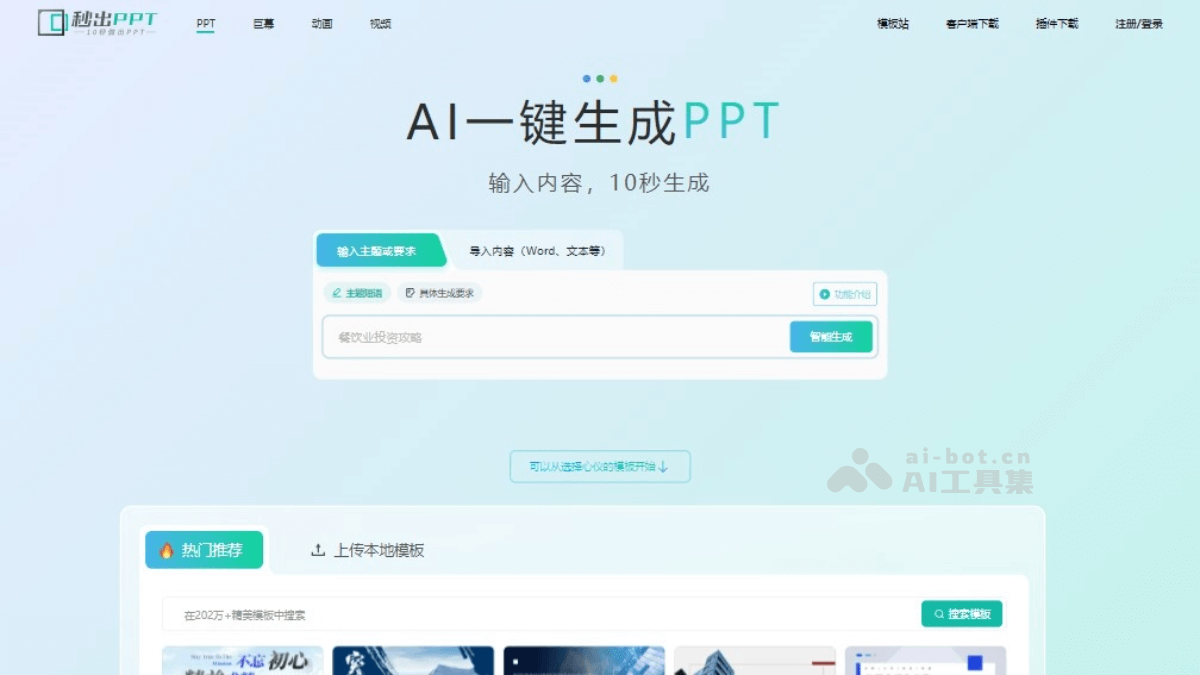
Miaochu PPT is anAI PPT generation tool, which helps users quickly create presentations. Users only need to enter a topic or upload text content, such as a Word document, and the AI can intelligently analyze and generate a PPT including an outline and content. Miaochu PPT provides a variety of template and style options, supports online collaborative editing, and features an intelligent assistance mode, simplifying the traditional PPT creation process. Miaochu PPT also integrates ChatGPT technology, further improving the quality and efficiency of content generation. "Miaochu PPT" supports team collaboration, allowing multiple people to jointly modify and improve presentations via a link.
Main features of Miaochu PPT
- One-click PPT generation: After users enter a topic or upload text content, the AI automatically helps analyze the topic, build an outline, generate titles, and fill in content, quickly generating a complete PPT presentation.
- Intelligent assisted editing: In intelligent assistance mode, users edit content on the left and instantly preview the PPT effect on the right, enabling efficient content editing and layout adjustments.
- Rich template selection: Built-in PPT templates in multiple styles. Users can choose a suitable template according to the topic and can also modify the template's colors and fonts as needed.
- Online collaboration: Supports team members jointly editing and reviewing a PPT online through a link, improving team collaboration efficiency.
- Image and material library: Provides a massive library of images and PNG materials. Users can choose as needed or upload their own images to enrich the visual content of the PPT.
- Adding charts and elements: Users can add elements such as charts, tables, videos, and flowcharts with one click. AI assists in processing chart information, simplifying data presentation.
- Animations and transition effects: Although the animation effects are relatively simple, users can add animations to each PPT page to enhance the dynamic effect of the presentation.
How to use Miaochu PPT
- Visit the website: Open a browser and visit theofficial website。
- Register/Log in: If you need to save your work or use more advanced features, you may need to register an account and log in.
- Enter or upload content: Enter a topic or requirements in the input box on the homepage, or directly import the text for which you need to generate a PPT, such as a Word document.
- Intelligent generation: Click the "Intelligent Generate" button, and the AI will analyze the topic, build an outline, and generate a PPT with titles and content.
- Edit and adjust: If you are not satisfied with the generated outline or content, you can click on the topic and content to modify them freely. You can also tell the AI assistant the specific content that needs to be adjusted.
- Choose a template: After confirming the outline, choose your preferred template. "Miaochu PPT" provides a variety of templates and color styles to choose from.
- Content refinement: Use intelligent assistance mode to modify content on the left, and the PPT on the right will automatically update. You can add footers, LOGOs, and more.
- Fill in images and materials: If you need to replace an image on a page, you can click the image and select "Image Fill" to choose from the material library or upload your own image.
- Add charts and elements: As needed, add charts, tables, videos, flowcharts, etc., with one click, based on AI-assisted processing of chart information.
- Animations and Transitions: Animation effects can be added to each PPT slide.
- Download PPT: After completing the edits, click the download button and choose a suitable format to save the PPT. Some features may require a membership.
秒出PPT Product Pricing
- Free to Use: Register and log in to generate 10 PPTs for free and download 5 times for free.
- VIP Member: 10 downloads/month, 50 pages/month AI-generated PPT.
- SVIP Member: 100 downloads/month, 500 pages/month AI-generated PPT.
秒出PPT Use Cases
- Business Presentations: In business meetings or client proposals, use "秒出PPT" to quickly generate professional presentations and improve preparation efficiency.
- Education and Training: Teachers and trainers can use the tool to create courseware and training materials, saving time on making slides and focusing more on delivering content.
- Academic Reports: Scholars and researchers can use it to prepare academic reports and research presentations, quickly organizing complex data and charts.
- Product Launch: Product managers or marketing personnel can use "秒出PPT" to create presentations for product introductions or market analysis.
- Project Planning: Project managers can use the tool to quickly create project plans and progress reports, clearly presenting project goals and progress.
- Corporate Internal Training: The human resources department can use it to create PPTs for employee training and company culture introductions, improving training efficiency.

