

What is Soda Office
Soda Office is a one-stop AI office tool launched by 360 Company. With a simple and efficient design philosophy, it provides users with a series of office tools including PDF reading, conversion, merging and splitting, image text recognition, and image-to-PDF conversion. Soda Office supports real-time online collaborative document editing by multiple people, making it very suitable for team collaboration.
Soda Office's AI technology is widely applied, including image editing, video processing, and various other intelligent services. Soda Office provides abundant template resources, such as PPT templates, Word templates, Excel templates, and more, helping users quickly create professional documents. Soda Office's online usage method allows users to work anywhere with an internet connection, improving work flexibility and convenience, and meeting the needs of modern office work.
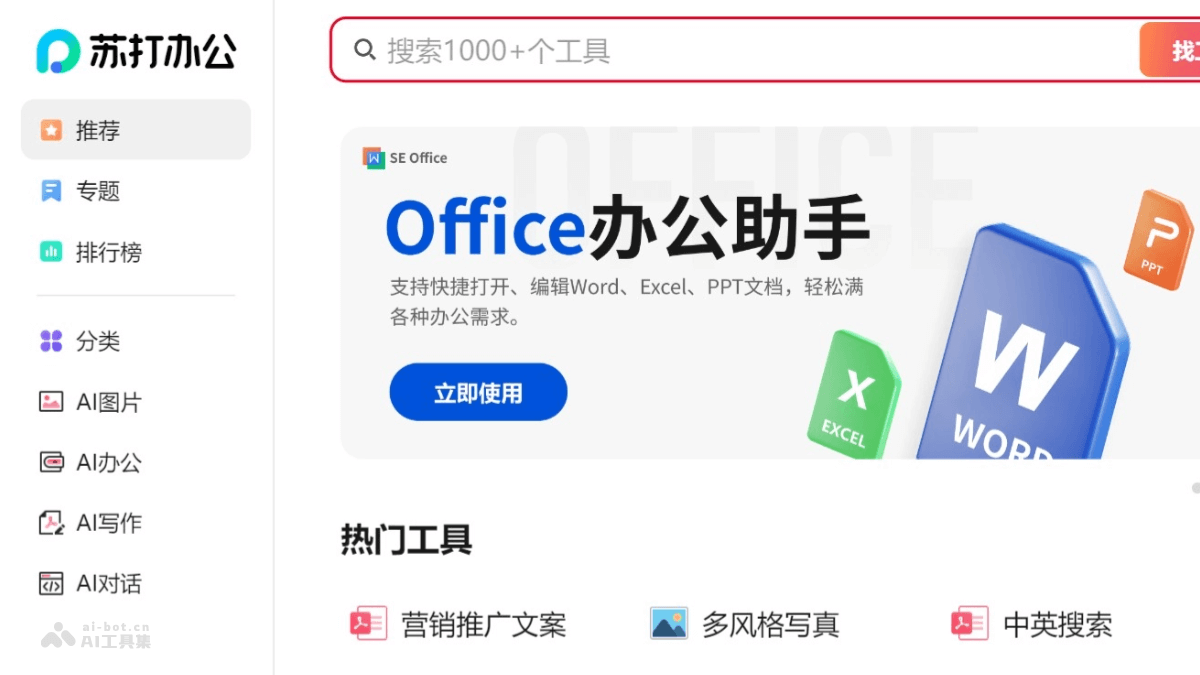
Main features of Soda Office
- PDF tool set: Provides PDF reading, conversion (such as PDF to Word, PDF to PPT), merging, splitting, and adding watermarks.
- Document conversion: Supports conversion between multiple file formats, such as Word to PDF, PPT to Word, etc.
- Image processing: Includes image cropping, size adjustment, lossless enlargement, and image enhancement.
- Video editing: Provides video clipping, format conversion, intelligent keying, and watermark removal.
- AI image and video: Performs portrait beautification, video transformation, and more based on artificial intelligence technology.
- Design tools: Includes artistic text design, poster creation, logo design, etc.
How to use Soda Office
- Register and log in: Visit Soda Office'sofficial website, register and log in.
- Choose a tool: On the homepage, various tool categories are included, such as "Popular Tools", "Efficient AI Tools", "AI Design Tools", etc. According to your needs, click the corresponding tool or service.
- Upload files: For documents, images, or videos that need to be processed, after clicking the tool, click to upload the file.
- Use templates: If you need to use a template, you can choose a suitable template in the "Template Center". Download or edit the template online, and follow the prompts.
- Edit and process:
- Use the tools provided by the platform to edit and process.
- For PDF conversion, select the source file and target format, then convert.
- For image and video editing, choose editing functions as needed, such as cropping, resizing, etc.
- Real-time collaboration: If you need to collaborate with others, use the real-time collaboration function. Invite team members to join the document and start editing together.
- Save and download: After completing editing, save the file to the cloud or download it locally.
- Use AI features: Based on AI tools, such as AI image generation, intelligent video keying, etc., operate according to the page prompts.
Soda Office product pricing
- As an online office platform launched by 360 Company, Soda Office provides its basic functions to users for free, such as document conversion, PDF processing, image editing, etc.
- Membership fees are charged for some advanced functions or value-added services, such as AI image tools, AI PPT creation, AI writing tools, etc.
- The official website has a detailed pricing page. The charging standards and purchase options for different services are subject to the latest information on the official website.
Application scenarios of Soda Office
- Daily office work: Handle daily work documents, such as writing reports, creating meeting minutes and project management.
- Education and learning: Teachers create teaching courseware and lesson preparation materials. Students write papers and create course presentation slides.
- Marketing: Marketers design brochures, posters and social media images. Create product introduction documents and market analysis reports.
- Design and creativity: Designers create logos, posters and illustrations based on AI design tools. Quickly generate artistic text and product image designs.
- Legal industry: Legal professionals edit and review contract documents. Convert and organize case files.
- Financial analysis: Finance personnel create financial statements and budget analyses. Convert data tables, such as Excel to PDF.

