

What is Youdao Translate · AI Writing
Youdao Translate · AI Writing is an intelligent writing assistant tool launched by NetEase Youdao, providing users with efficient and convenient writing services. The tool supports one-click generation of various content such as papers, emails, and official document notices, and also features advanced functions such as polishing, expansion, summarization, and deduplication to help improve article quality. It supports over 100 languages, enabling easy creation of multilingual content. Users can use it via the web or desktop client, enjoying the convenience of multi-device synchronization and real-time saving, ensuring a seamless writing process.
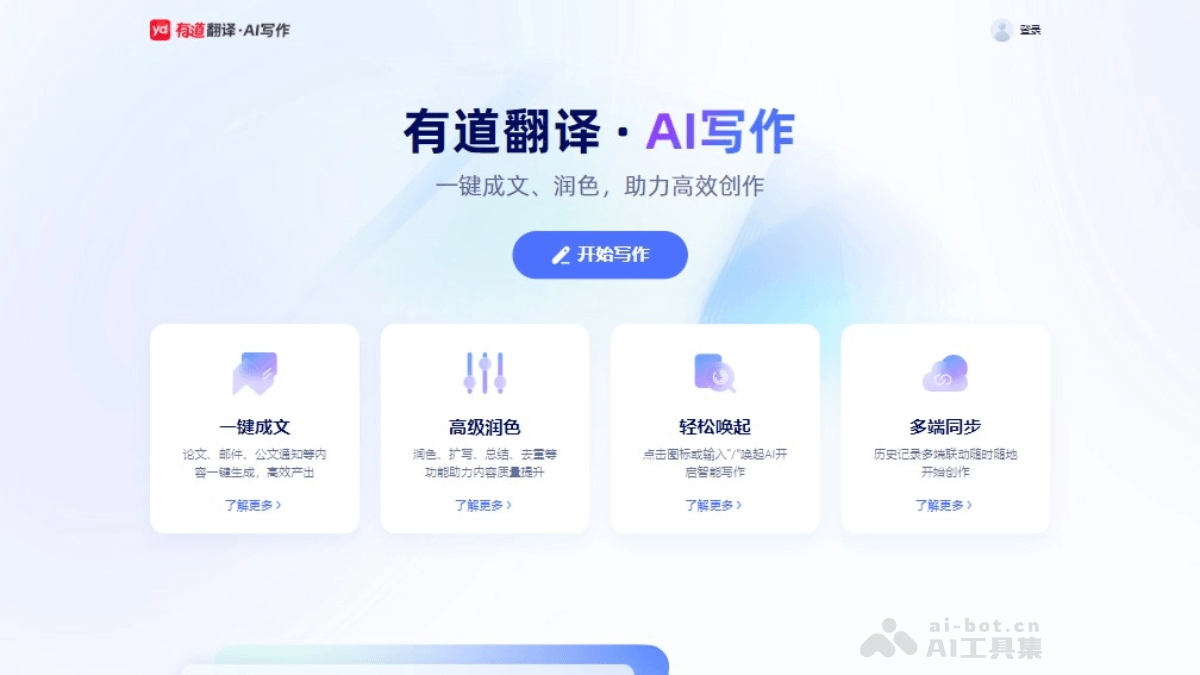
Main features of Youdao Translate · AI Writing
- One-click content generation: Users can quickly generate text content such as papers, emails, official document notices, and marketing copy.
- Multilingual support: Supports text generation and polishing in over 100 languages, including Chinese, English, Japanese, Korean, and French.
- Advanced polishing: Provides text polishing functions, including expansion, summarization, and deduplication, helping improve content quality.
- Intelligent error correction: Can correct grammatical errors in real time, improving the linguistic accuracy of the text.
- Multi-device synchronization: Supports data synchronization between desktop and web, making it convenient for users to continue writing on different devices.
- Real-time saving: Document content is saved in real time, preventing data loss and ensuring writing security.
- Smart invocation: Users can quickly invoke the AI writing assistant by clicking an icon or entering specific characters.
- Content customization: Supports users entering custom instructions to make personalized modifications to generated content.
How to use Youdao Translate · AI Writing
- Register an account:Visit the official website of Youdao Translate AI Writing or download the desktop client.Register and log in to a Youdao account.
- Select a function:Choose "One-click content generation" or "Advanced polishing" as needed.
- Enter instructions:Enter writing instructions or requirements in a blank document, for example, "Write a paper about environmental protection."
- Invoke AI:Click the AI writing icon on the interface or enter "/" in the document to invoke the AI writing assistant.
- Generate content:AI generates content according to the instructions, and the generated text can be viewed and edited.
- Polishing and error correction:Use the polishing function to optimize the text, and use the error correction function to fix grammatical errors.
- Multi-device synchronization:Use the multi-device synchronization function to continue editing your document on different devices.
- Save the document:After editing is complete, use the real-time saving function to ensure document security.
- Export the document:Export the document in Word format or another desired format.
Application scenarios of Youdao Translate · AI Writing
- Academic writing:Students and researchers can use it to write academic papers, reports, research proposals, etc.
- Business communication:Professionals can use it to write business emails, reports, speeches, and marketing copy.
- Technical documentation:Technical personnel can use it to write technical manuals, product specifications, and development documentation.
- Legal documents:Legal professionals can use AI writing tools to draft contracts, legal opinions, and other legal documents.
- Content creation:Writers and bloggers can use it to create articles, stories, blogs, and social media content.
- Multilingual translation:Users who need to translate content into multiple languages, such as multinational companies and translation service providers.


