

What is Meitu Cutout
Meitu Cutout is a smartAI cutout toollaunched by Meitu Xiuxiu. It is an online image editing tool based on AI technology that can intelligently identify and separate the foreground and background in an image. Users only need to upload an image and click the cutout button, and the AI can automatically complete the complex cutout work without manual adjustment. It is suitable for users who need quick cutouts, with simple and fast operation, and supports one-click cutout and batch processing. It supports AI smart cutout for all categories, such as portraits, pets, products, icons, etc. In addition to cutout, it supports image editing functions such as background replacement, filters, resizing, edge optimization, shadow, stroke, and image quality restoration.
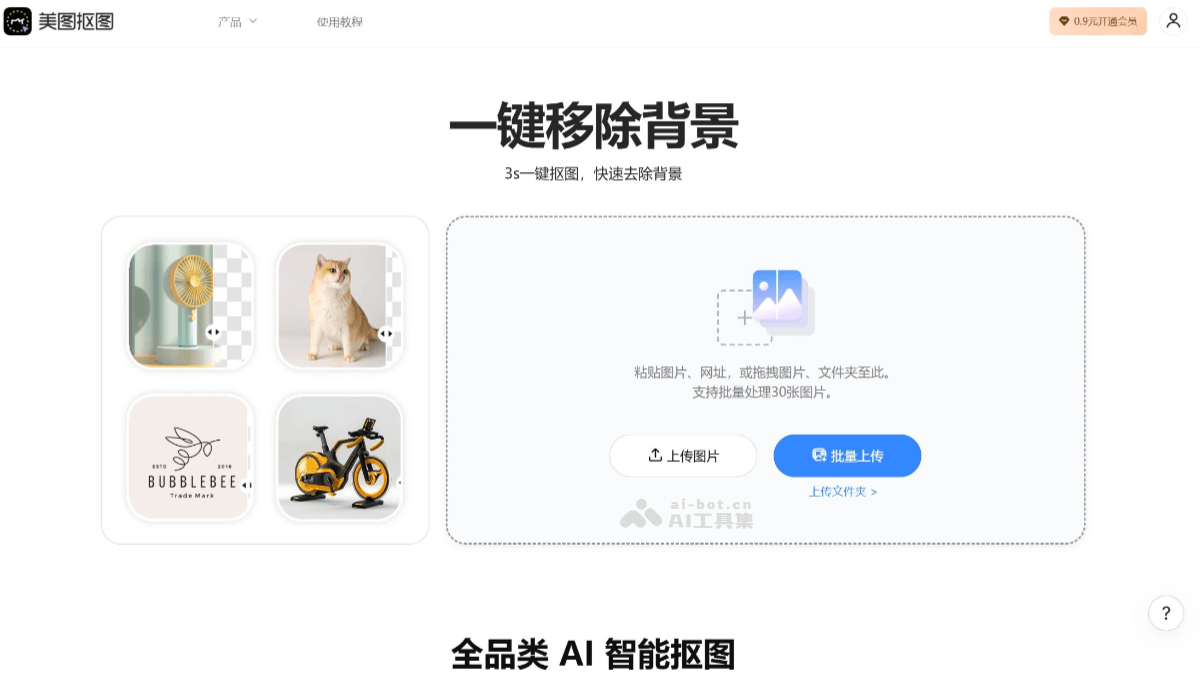
Main Features of Meitu Cutout
- Smart Cutout: Meitu Cutout is based on advanced AI technology and can automatically identify and separate the foreground and background in an image without manual operation by the user. It can accurately identify and process complex image edges and details.
- One-Click Operation: Just upload an image and click the "One-Click Cutout" button, and the cutout process can be completed automatically, greatly simplifying the operation process and improving efficiency.
- Batch Processing: Meitu Cutout supports batch upload and editing of images. Multiple images can be uploaded at once, and the system will automatically process them in sequence, making it suitable for users who need to process a large number of images.
- High-Quality Output: The image quality after cutout is high and can maintain the high resolution and clarity of the original image. At the same time, you can choose to keep a transparent background, making it convenient for subsequent image compositing or application to different backgrounds.
- Smart Subject Recognition: Meitu Cutout can intelligently identify the subject in an image, making the cutout process more convenient and faster.
How to Use Meitu Cutout
- Visit the Website: Visit the Meitu Cutout official website and register or log in to your account.
- Upload an Image: On the website homepage, click the upload button, then select the image file you want to cut out. Multiple image formats are supported, such as JPG, PNG, etc.
- Choose a Cutout Mode: After uploading an image, choose a cutout mode as needed. There are two modes: automatic cutout and manual cutout. Automatic cutout is suitable for images with simple backgrounds and obvious subjects; manual cutout requires users to finely adjust the cutout area using brush or eraser tools.
- Automatic Cutout: If automatic cutout is selected, the system will automatically identify and cut out the subject in the image based on AI technology.
- Manual Adjustment: If the result of automatic cutout is not perfect enough, you can use manual tools for fine-tuning. This can help you erase extra parts or restore parts that were mistakenly cut out.
- Download the Cutout Result: After the cutout is completed, once you are satisfied with the preview, click the download button, choose the image format you want (such as PNG, which supports transparent backgrounds), and then download it to your device.
- Batch Processing: If you need to process multiple images, Meitu Cutout also supports batch upload and cutout, allowing multiple images to be processed at once and improving efficiency.
Application Scenarios of Meitu Cutout
- E-commerce Platforms: In the e-commerce industry, Meitu Cutout can quickly remove the background from product images, create high-quality product display images, and enhance the visual effect of product pages.
- Advertising Design: Designers can use Meitu Cutout to quickly extract design assets and create uniquely creative advertising posters and promotional materials.
- Portrait Processing: In the fields of photography and portrait processing, Meitu Cutout can be used for background replacement in images such as ID photos and wedding photos, enhancing the overall visual effect.
- Personal Creation: Ordinary users can use Meitu Cutout to meet social media sharing needs and create eye-catching content, such as travel photos and personal artistic photos.
- New Media Operations: New media operations personnel can use Meitu Cutout to quickly and precisely perform cutouts, for creating article illustrations, social media content, and more.
- Photo Post-Processing: For personal photos such as travel photos and wedding photos, Meitu Cutout can be used for background replacement, increasing the fun and professionalism of the photos.


