

What is Kacha AI
Kacha AI is a professionalAI portrait toolthat uses AI technology to turn ordinary photos into artistic photos with professional photography effects. Users can easily upload snapshots, choose from a variety of styles such as professional portraits, cartoon avatars, or travel photos, and quickly get personalized images. Kacha AI also features AI skin tone matching, ensuring skin tones look their best in various scenarios. Kacha AI supports social media-themed creations, offering users a variety of entertaining options.
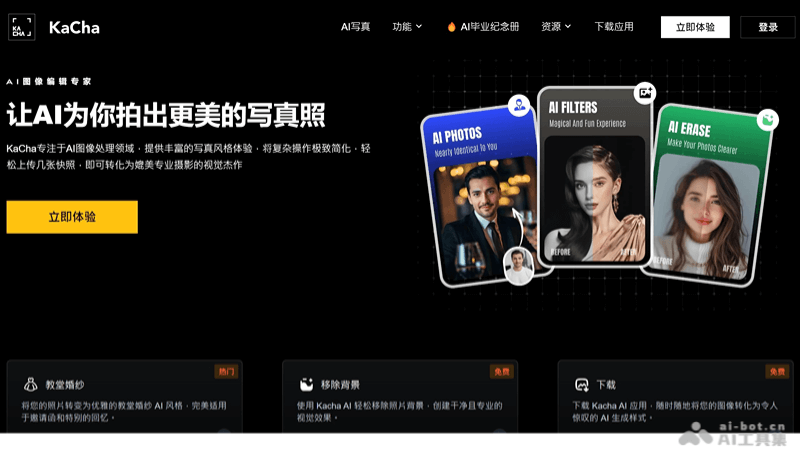
Kacha AI's main features
- AI portrait technology: Provides portraits in a variety of professional and creative styles to meet the needs of different industries.
- AI cartoon avatars: Quickly converts user photos into personalized cartoon images.
- AI travel portraits: Allows users to place their photos in dream scenarios, such as famous landmarks or scenic destinations.
- AI skin tone matching: Kacha AI supports skin tone matching, ensuring skin tones look their best in avatar creation and photo editing.
- Social media-themed creations: Kacha AI offers a variety of themed options to help users create images that match social media themes and attract followers.
How to use Kacha AI
- Register/Log in: Visit the Kacha AI official website (kacha.ai) and register an account to log in.
- Choose a feature: After logging in, you can choose different features as needed, such as AI professional portraits, AI cartoon avatars, AI travel portraits, etc.
- Upload a photo: Select the photo you want to process, upload it from your phone album, or take one directly with the app.
- Choose a style: Based on the selected feature, choose a style or effect, and Kacha AI will display a preview.
- Adjust and edit: If needed, you can further adjust and edit the photo to ensure the final result meets your expectations.
- Apply AI technology: Kacha AI will use its AI technology to process your photo and generate a high-quality artistic work.
- Save and share: After processing is complete, you can save the photo to your device or share it directly to social media through the app.
Kacha AI use cases
- Profiles and avatars: Use Kacha AI to convert personal photos into professional or creative-style avatars for social media, forums, or personal blogs.
- Professional image building: Provides professional-style portraits for working professionals, helping them build a professional image for resumes, business cards, or professional social platforms.
- Creative content creation: Content creators can use Kacha AI to make unique images for blogs, videos, or any media that needs visual appeal.
- Social media marketing: Businesses and brands can use Kacha AI to create eye-catching visual content for social media ads or promotional campaigns.
- Personalized gifts: Convert photos of family and friends into cartoon avatars or other styles as personalized gifts.


