

What is PicMa Studio
PicMa Studio is an AI photo enhancement tool that improves photo quality. Based on AI technology, it supports users in enhancing, restoring, and colorizing photos with one-click operations, as well as removing scratches and unwanted elements from photos. PicMa Studio supports batch processing, allowing users to upload multiple photos for editing at the same time, simplifying the workflow. It is suitable for professional photographers and photography enthusiasts, and supports web and mobile use.
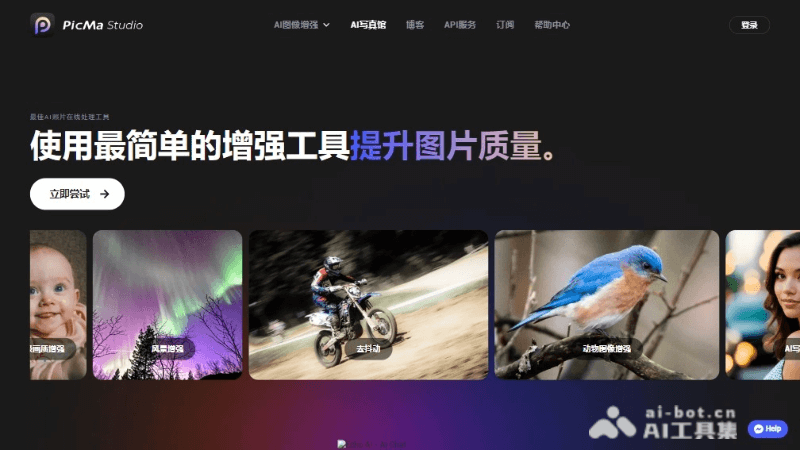
Main Features of PicMa Studio
- Photo Enhancement: Automatically optimizes image details and corrects color deviations, making photos clearer and more vivid.
- Photo Restoration: Repairs old or damaged photos, removes defects such as creases and scratches, and restores the original appearance of photos.
- Photo Colorization: Converts black-and-white photos to color, adding vitality to historical photos.
- Scratch Removal: Removes scratches, dust, and other blemishes from photos, leaving a clean and clear image.
- Batch Processing: Supports uploading multiple photos for editing at the same time, improving editing efficiency.
- Multi-function Selection: Users can choose one or more editing functions, such as performing restoration and scratch removal at the same time.
PicMa Studio Project Address
- Product Web Version:picma.magictiger.ai
- Apple App Store:https://apps.apple.com/cn/app/picma-ai
How to Use PicMa Studio
- Visit the Website: Visit PicMa Studio'sofficial website。
- Upload Photos: Find the upload button on the homepage and upload the photos you want to edit. PicMa Studio supports batch upload, allowing multiple photos to be uploaded at once.
- Select Editing Functions: After uploading photos, select the editing functions you want to apply, such as enhancement, restoration, colorization, or scratch removal.
- Apply Edits: After selecting the editing functions, PicMa Studio will automatically process your photos using AI technology. You can preview the editing effect during processing.
- Adjust Settings: You can manually adjust the editing settings to achieve more satisfactory results.
- Save and Download: After editing is complete, you can preview the final result. If satisfied, click the save or download button to save the edited photo to your device.
Who PicMa Studio Is For
- Professional Photographers: Professionals who need to quickly and professionally enhance or restore photo quality.
- Photography Enthusiasts: Amateur enthusiasts who want to improve the visual effect of their work or repair old photos.
- Designers and Creative Professionals: Those who need to edit and enhance images for design projects or creative work.
- Social Media Users: Ordinary users who want to share high-quality, attractive photos on social platforms.
- Historians and Archivists: Archive managers who need to digitize and restore old documents and photos.


