

What is Meitu AI PPT
Meitu AI PPT is a free online tool launched by "Meitu Design Studio" under the well-known domestic photo editing software "Meitu Xiuxiu"AI PPT creation tool, based on intelligent algorithms, it quickly generates high-quality presentations according to the theme or text content entered by the user. Users can choose from a variety of template styles, including dynamic templates, making presentations more vivid and eye-catching. The generated PPT can be further edited and beautified, such as adjusting text style, font color, adding pictures or icons, etc. Meitu AI PPT supports export in multiple formats to meet the needs of different usage scenarios.
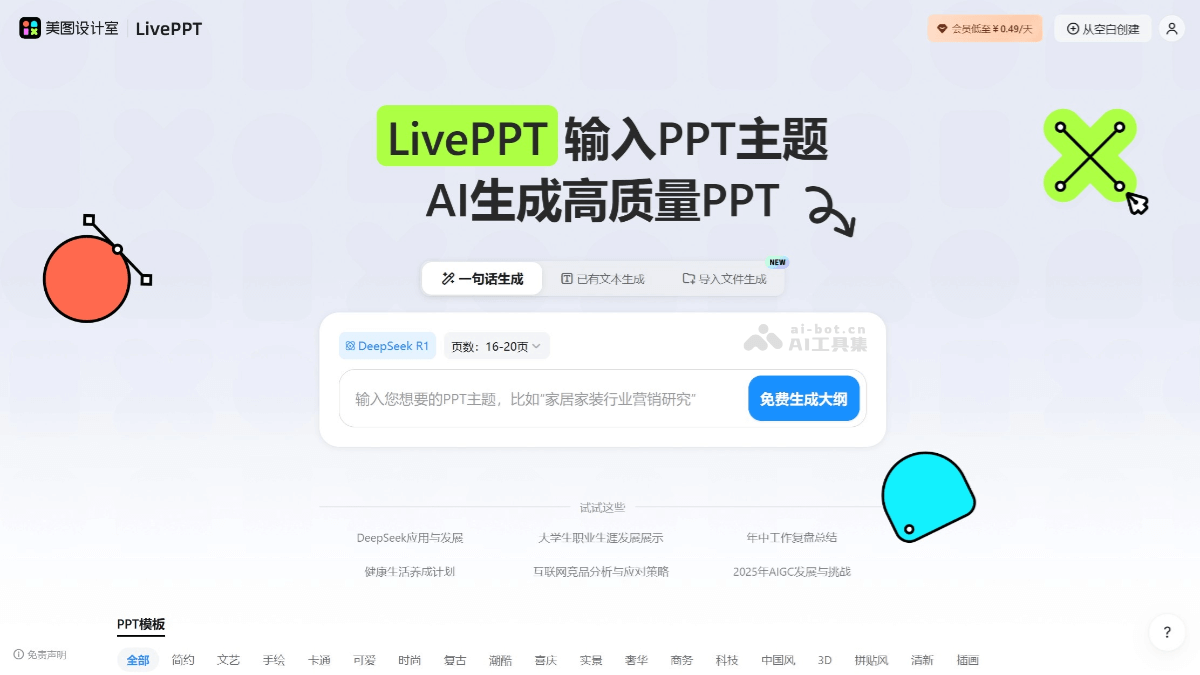
Main features of Meitu AI PPT
-
Quickly generate PPT: Users only need to enter a theme or a piece of text content, and Meitu AI PPT can automatically generate a high-quality PPT including copywriting and layout.
-
Multiple generation methods: Supports generating PPT by entering a theme, pasting text, or importing files (such as Word, PDF, PPT, etc.), providing flexible creation options.
-
Content and template customization: Users can modify the content outline, choose template styles, set the number of PPT pages, and switch templates after generation.
-
Intelligent editing and beautification: Supports further editing and beautification of the generated PPT, including text rewriting, expansion, content condensing, choosing text styles, and adding pictures, icons, etc.
-
Multi-format export: Supports exporting PPT to multiple formats, such as PDF, PPTX, etc., to meet different display and sharing needs.
-
Dynamic templates: Provides a rich library of static and dynamic templates. Choosing dynamic templates can make presentations more vivid.
-
AI intelligent layout and color matching: The system automatically optimizes content layout and visual effects to ensure that the PPT design is beautiful and elegant.
-
One-click sharing: Supports one-click sharing of PPT to social platforms.
How to use Meitu AI PPT
-
Visit the official website: Log in to the official Meitu AI PPT website.
-
Choose a generation method: You can choose to generate PPT by entering a theme, or generate PPT by pasting existing text.
-
Set PPT parameters: Enter the PPT theme, choose the number of pages, adjust the outline content, etc.
-
Edit and beautify: Edit the content, adjust the layout, optimize the style, etc. of the generated PPT as needed.
-
Export PPT: After completing the editing, export the PPT in the required format.
Application scenarios of Meitu AI PPT
-
Work reports and summaries: Workplace professionals can quickly generate PPTs such as project reports and work summaries. AI can generate high-quality presentations based on the entered theme or content, saving a lot of time and effort.
-
Project planning and proposals: In the project planning stage, LivePPT can help users quickly organize their ideas, generate a PPT framework for a project plan, and improve work efficiency.
-
Corporate promotion and training: It can be used to create presentations such as company introductions, product promotions, and market analyses, clearly displaying corporate strength and product advantages, and is suitable for creating employee training materials.
-
Course assignments and reports: Students can use it to create course reports and graduation defense PPTs, quickly generating high-quality presentations and improving learning efficiency.
-
Event Planning and Presentation: It can be used to create planning PPTs for events such as birthday parties, weddings, and team building, showcasing the event process and highlights.

