
What is Adobe Podcast
Adobe Podcast is an online AI audio recording and editing tool launched by Adobe, designed for podcast creators, voice professionals, and content creators. The tool uses AI technology to optimize voice quality, remove background noise and echo, and make voices clear and professional. Users do not need to download software and can record and edit audio directly in the browser, with support for remote multi-person collaboration. Adobe Podcast provides transcription functionality, supports multiple languages, can convert audio to video, and generate subtitles, making it easy to share on different platforms and helping creators efficiently produce high-quality audio content.
Main features of Adobe Podcast
-
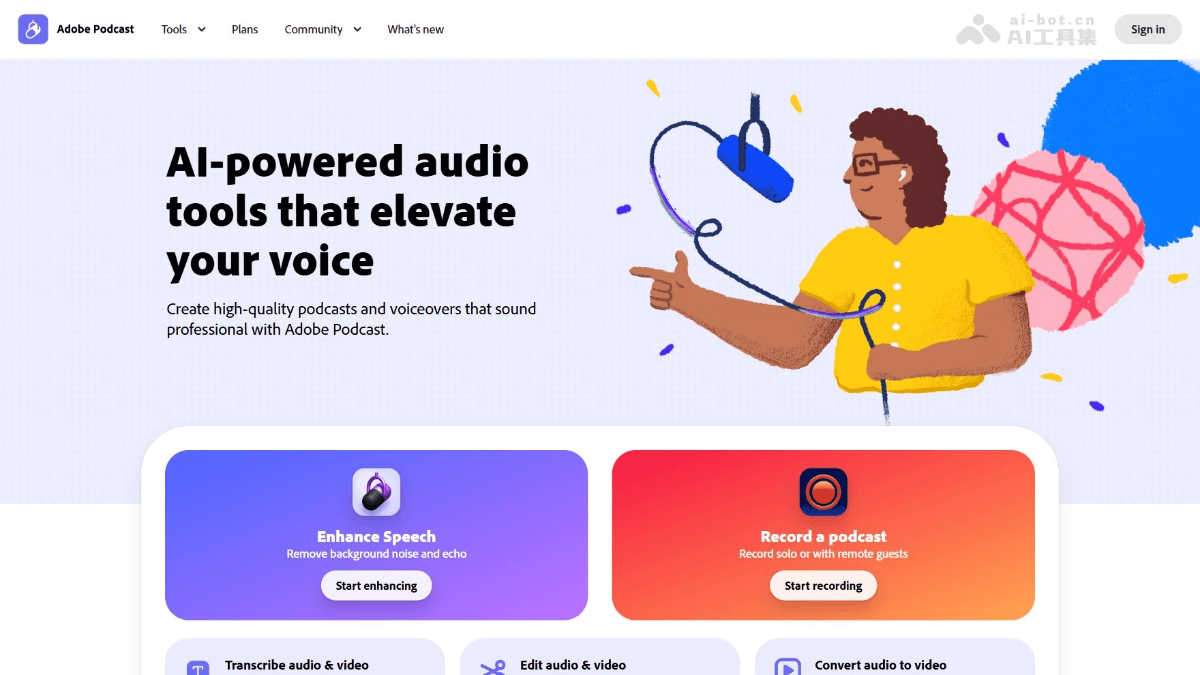
Voice enhancement: Uses AI technology to remove background noise and echo, optimizing audio with one click to make voices clear and professional.
-
Recording: Supports local and remote multi-person recording, capturing audio in high-quality 16-bit 48kHz WAV format.
-
Audio editing: Transcribes audio into text, supports editing audio like editing a document, and intelligently cuts silent parts to improve editing efficiency.
-
Audio-to-video: Converts audio content into dynamic audio visualization videos (Audiogram), supports adding subtitles and subtitle bars, and is suitable for social media sharing.
-
Transcription: Supports high-accuracy transcription in multiple languages (including Hindi), using the same technology as Adobe Premiere Pro to ensure accuracy.
-
Music and sound effects library: Provides a rich library of pre-edited royalty-free music and sound effects, supports one-click addition, and removes copyright concerns.
-
Convenient sharing: Supports multiple export formats (such as MP3, WAV, and video) and provides one-click sharing, making it convenient to publish on different platforms.
-
AI analysis and optimization: Uses AI to analyze the microphone and recording environment, provides optimization suggestions, and intelligently adjusts volume and sound quality to ensure the best recording results.
How to use Adobe Podcast
- Register and log in: Visit the Adobe Podcast official website https://podcast.adobe.com/,完成账号注册和登录。
- Create a new project: After logging in, click "Create New Project" and select the project type (such as podcast, lecture, etc.).
- Record audio:
- Local recording: Click "Start Recording," and Adobe Podcast automatically optimizes the microphone recording.
- Remote recording: Invite guests to join via a link, and the system records each participant's audio separately.
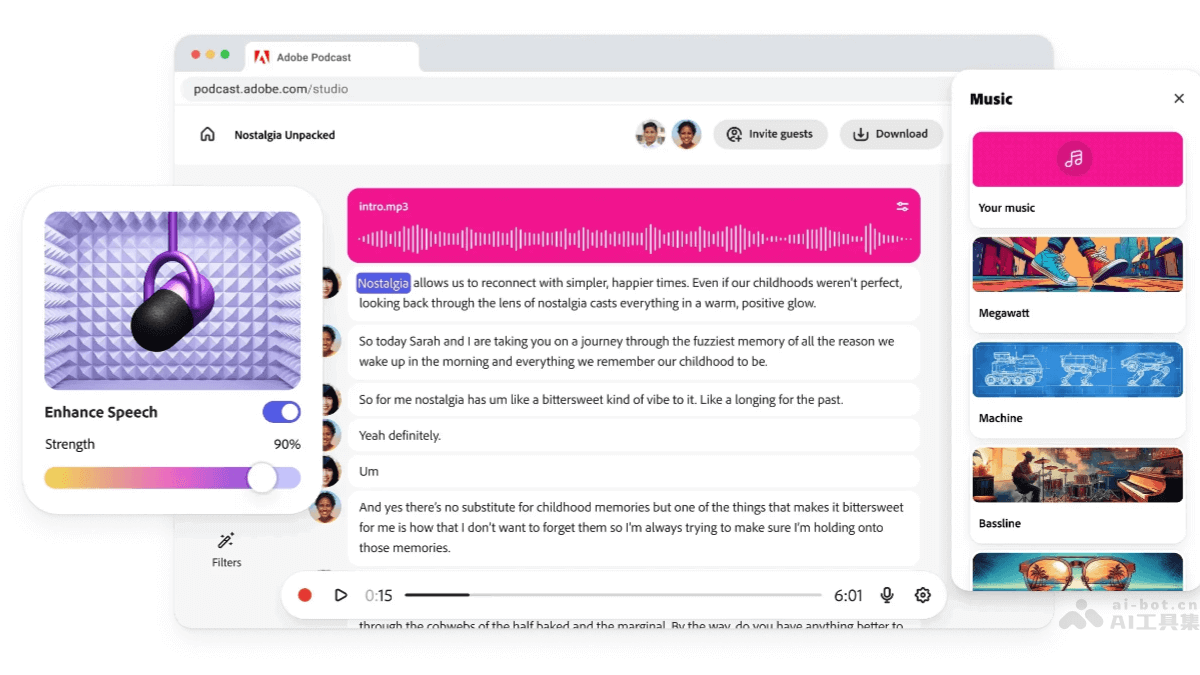
- Voice enhancement: After recording is complete, click "Enhance Speech," and AI automatically removes noise and echo and optimizes sound quality.
- Audio editing: Adobe Podcast automatically transcribes audio into text, allowing audio clips to be cut, copied, and pasted directly in the text.
- Add music and sound effects: Choose from the pre-edited royalty-free music and sound effects library and drag them into the project.
- Audio-to-video: Select "Create Audiogram" to convert audio into a dynamic visualization video, with support for adding subtitles and subtitle bars.
- Export and share: Choose the export format (such as MP3, WAV, or video), choose whether to include subtitles, and share to social media with one click.
Application scenarios of Adobe Podcast
- Podcast production: Creators can record, edit, and publish high-quality podcast content, with support for remote guest recording, suitable for individuals or teams producing podcast programs.
- Online Education: Teachers record course lectures and transcribe them into text for students to review, suitable for online teaching and distance education.
- Audio News: Journalists quickly record news reports, remove background noise, and optimize audio quality, improving the listenability and professionalism of the news.
- Social Media Content: Creators convert audio content into dynamic audio visualization videos (Audiogram) and add subtitles, suitable for sharing on social media platforms.
- Corporate Training: Enterprises record internal training courses, with support for multi-person remote recording, making it convenient for employees to learn anytime and anywhere.


