

What is PicTech AI
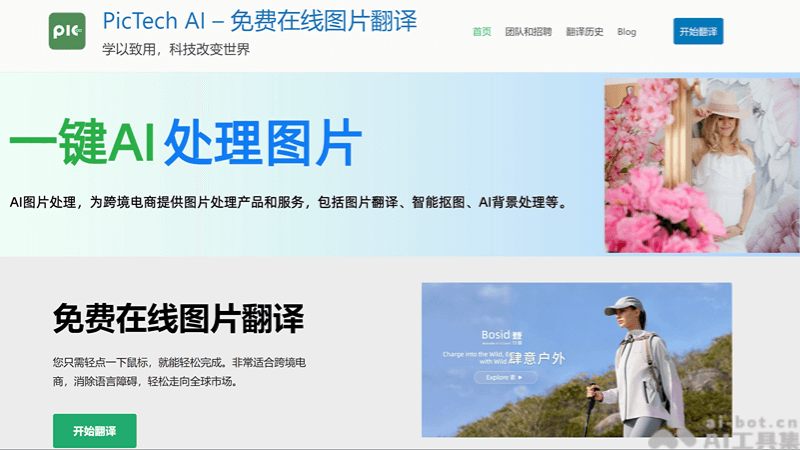
PicTech AI is a free online image translation tool designed specifically for cross-border e-commerce, helping users easily translate text in images, supporting Chinese and English to multiple languages. It features high accuracy, high clarity, and batch processing, and provides intelligent cutout services to remove image backgrounds with one click. Driven by technological innovation, PicTech is committed to simplifying cross-border e-commerce business processes.
Main features of PicTech AI
- Online image translation: Users can upload images, and the system automatically recognizes and translates the text in the images, supporting multiple languages.
- High accuracy: Utilizes advanced AI technology to ensure translation accuracy.
- High clarity: Maintains the original clarity of the image during translation without affecting the reading experience.
- Batch processing: Supports translating multiple images simultaneously, improving work efficiency.
- Intelligent cutout: AI automatically detects image edges, removes the background with one click, and highlights the image subject.
How to use PicTech AI
- Official website: The official website of PicTech AI pictech.cc 。
- Select a service: Find the corresponding service on the website, such as image translation or intelligent cutout.
- Upload an image: Click the upload button and select the image file you need to translate or edit.
- Select languages: If using the image translation service, select the source language and target language.
- Start translation/editing: After confirming the selections are correct, click the start translation or cutout button.
- View the result: After translation or editing is complete, the system will display the result. You can check the accuracy of the translation or the effect of the cutout.
Application scenarios of PicTech AI
- Cross-border e-commerce: Helps merchants translate the text on product images into the language of the target market, making it easier for customers in different countries to understand product information.
- Multilingual content creation: Content creators can use it to translate text in images to suit audiences with different language backgrounds.
- Education and learning: Students or teachers can use this tool to translate foreign language content in teaching materials or study materials.
- Travel and navigation: Travelers can use it to translate text on road signs, menus, or signs for a better understanding of local information.


