

What is LOVO AI
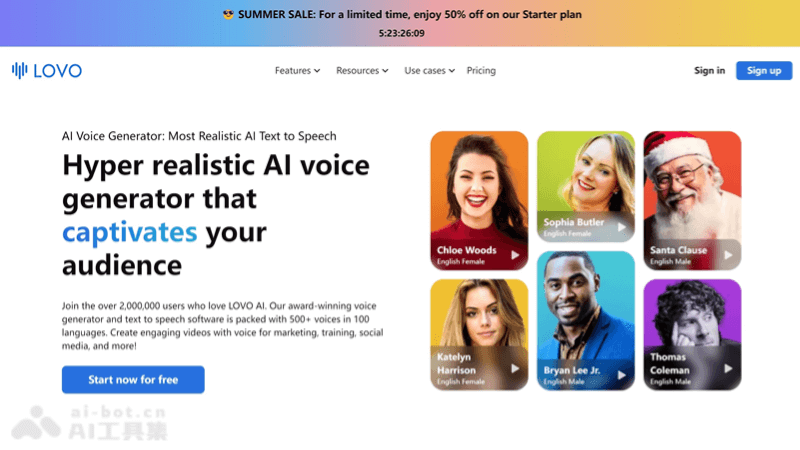
LOVO AI is a professionalAI text-to-speech tool, providing text-to-speech services in 500+ voices and 100 languages. Designed for video content creation such as marketing, training, and social media, it supports seamless audio-video synchronization, automatic subtitle generation, AI writing assistance, and voice cloning technology. Through its easy-to-use interface and powerful editing tools, LOVO AI helps users save time and costs and enhance the global appeal and professionalism of their content.
Main features of LOVO AI
- Text-to-speech: Convert text into natural, fluent, and realistic human voices, with support for 500+ voice options.
- Multilingual support: Provide voice options in more than 100 languages to meet global content needs.
- Genny video editing platform: An integrated online video editor that makes it easy for users to edit and synchronize video and audio.
- Automatic subtitle generation: Automatically generate subtitles in 20+ languages for videos, increasing engagement among global viewers.
- AI writing assistant: Help users quickly generate professional-level scripts and solve writing challenges.
How to use LOVO AI
-
Visit the website: Open your browser and visit (lovo.ai)。
-
Register an account: Create a new account or log in with an existing account. LOVO AI offers a free trial, and users can register to experience some features.
-
Choose a voice: Browse and select a voice on the platform that suits your project. LOVO AI offers voice options in multiple languages and genders.
-
Enter or upload a script: Enter your text script into the text box, or upload a document for the platform to read.
-
Adjust voice settings: Adjust parameters such as speech speed, volume, and intonation as needed to ensure the voice meets your expectations.
-
Generate speech: After completing the settings, click the generate button, and LOVO AI will generate an audio file based on the script you provide and the voice you selected.
-
Edit and synchronize: Use LOVO AI's online video editor to synchronize the generated speech with your video content. You can trim and adjust audio and video to achieve perfect synchronization.
-
Add subtitles: Use the automatic subtitle generator to add multilingual subtitles to videos to expand your audience reach.
-
Edit and refine: Use the AI writing assistant to improve the script, or use the AI art generator to add images and elements to enhance the appeal of the video.
-
Export and share: After editing is complete, you can export the video in MP3, WAV, or MP4 format.
Use cases of LOVO AI
-
Marketing and advertising: Create attractive advertising videos for businesses and products to increase the appeal and persuasiveness of marketing content.
-
Social media: Publish videos with voiceovers on social media platforms to improve content interactivity and view rates.
-
Corporate training and education: Create educational and corporate training videos, using natural voices to improve the appeal and comprehensibility of learning materials.
-
Product demos and explainer videos: Add professional voiceovers to product demos and explainer videos to help users better understand product features and usage.
-
Customer service and support: Use AI voice generators in customer service scenarios to provide automated voice replies or interactive voice response systems.


