

What is Qingyuntu
Qingyuntu is an AI one-click visualization word cloud generation tool launched by Biyou Technology, allowing users to input any text passage and use AI cognitive parsing technology to quickly identify and extract keywords. The platform provides 2D and 3D word cloud generation options, and users can choose different visual presentation effects as needed. The generated word clouds can intuitively display the key information and themes in the text. Qingyuntu also supports exporting the generated word clouds in image or video format, making it convenient for users to use and share on various occasions.
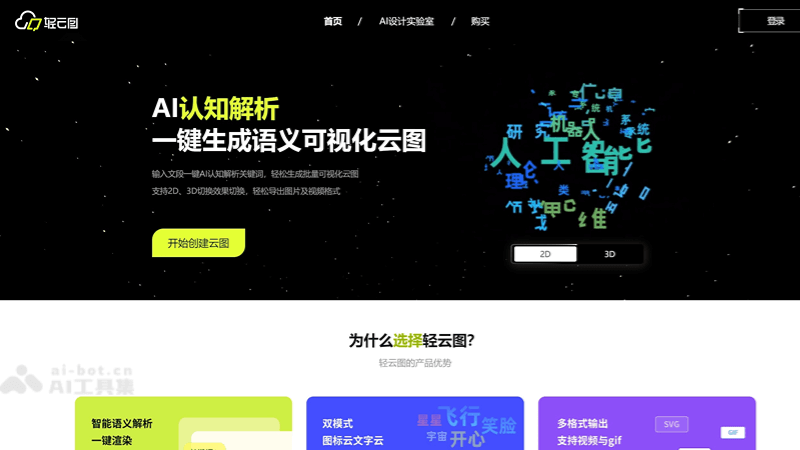
Main features of Qingyuntu
-
AICognitive parsing: Uses artificial intelligence technology to analyze the input text and identify keywords and phrases.
-
One-click word cloud generation: Based on the parsing results, quickly generates a visualized word cloud, displaying the key information in the text in a graphical way.
-
2D/3D effect switching: Provides 2D and 3D word cloud display effects, and users can choose according to their preferences or presentation needs.
-
Personalized customization: Users can customize the style, color, and layout of the word cloud to meet different visual and content needs.
-
Export function: Supports exporting the generated word cloud in image or video format, making it convenient for further editing or sharing.
-
Batch processing: Supports batch generation of word clouds, improving efficiency, and is suitable for scenarios that need to process large amounts of text data.
How to use Qingyuntu
-
Log in and register: Use a browser to visit the official website of Qingyuntu (cloud.yoo-ai.com), and register an account to log in.
-
Enter text: Enter or paste the text you want to analyze in the provided text box. Any type of text is supported, such as articles, reports, user comments, etc.
-
Select settings: As needed, select settings such as the word cloud style, color, font, and layout. Qingyuntu provides multiple templates and customization options.
-
AIParse: Click the generate or parse button to let the AI system analyze your text and identify keywords.
-
Generate word cloud: AI will generate a word cloud based on the analysis results. It takes a few seconds to a few minutes, depending on the length and complexity of the text.
-
Adjust word cloud: The generated word cloud will provide some adjustment options, such as keyword weight, font size, color, etc., which can be adjusted as needed.
-
View and edit: Check the generated word cloud to ensure it accurately reflects the key information in the text. If needed, make further edits and adjustments.
-
Export word cloud: If satisfied, the word cloud can be exported in image or video format. Qingyuntu supports multiple file formats, such as PNG, JPG, GIF, or MP4.
Suitable users of Qingyuntu
-
Data analysts: Need to present data and statistical results in graphical form to convey information more intuitively.
-
Marketing experts: Analyze market research data, identify consumer trends and preferences, and use them for market strategy formulation.
-
Social media managers: Monitor brand mentions and user feedback on social media, and quickly understand public sentiment through word clouds.
-
Content marketers: Use word clouds in blogs, articles, or marketing materials to enhance content appeal and information delivery efficiency.
-
Educators: Use word clouds in teaching to help students better understand and remember complex concepts.

