

What is Glif
Glif is a no-code AI mini-tool building platform where users can create and run small AI generators, called "glifs", by entering text, images, or simple click operations. The platform's core advantage lies in its ease of use: even users without a programming background can quickly get started and easily build and test AI models (such as AI meme generation). Glif provides non-technical users with a friendly environment for exploring and implementing artificial intelligence applications, lowering the technical barrier and expanding the popularization and application scope of AI technology.
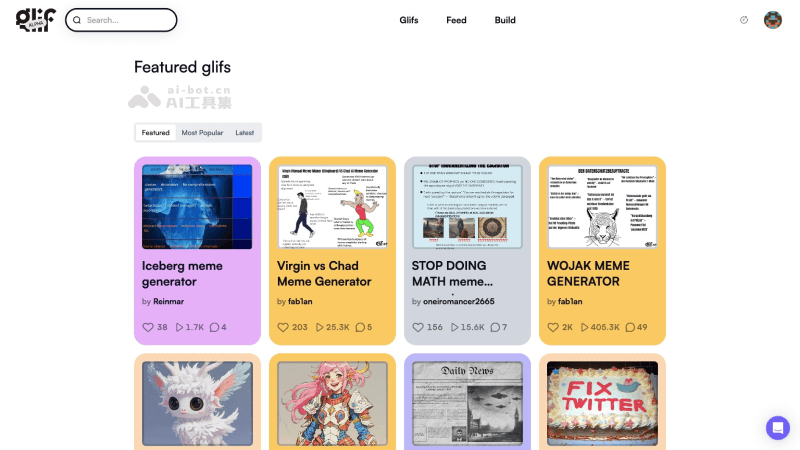
Glif's Features
- User-friendly interface: Glif provides an intuitive drag-and-drop interface, enabling users to easily build AI workflows without professional programming knowledge.
- Diverse input support: The platform supports multiple input methods, including text, images, and click operations, to accommodate different AI application scenarios.
- Custom AI generators: Users can create custom "glifs", these miniature AI generators can generate output according to user-defined rules.
- Rapid prototyping: Glif supports rapid prototyping, allowing users to quickly build AI models and test and optimize them.
- Model iteration and testing: Users can continuously iterate and test their AI generators to improve the model's accuracy and efficiency.
- Community and sharing: Glif has an active community where users can share their "glifs", get feedback, and collaborate with other users.
How to use Glif
- Sign up and log in: Visit Glif's official website (glif.app), click Sign In to register/log in
- Start building: Click "Build" in the website's top navigation bar to start creating your Glif.
- Naming and description: Set a unique title and description for the Glif. Using a hashtag (#) in the description can turn it into a link to the page for the corresponding tag.
- Add blocks: Click the large "+" symbol in the Glif Builder to add the first building block. Building blocks can be user input, prompts, tools, or styles, which together affect the final Glif output. There are different types of building blocks to choose from in the builder, including user input (pageInputs), generators (pageGenerators), tools (pageTools), styling (pageStyling), and advanced or experimental features (pageAdvanced/Experimental)
- Test and iterate: Use the test area on the right side of the builder to test your Glif. Enter values in the input fields (if applicable), then click "Glif it!" to see the results. Adjust and optimize based on the results.
- Add more blocks: If you need more functions or effects, you can continue clicking the "+" symbol to add new building blocks.
- Publish your Glif: When you are satisfied with the Glif's output, click the "Publish" button at the top of the page to publish your work. All Glifs are public by default and will be visible in your profile.
Glif's product pricing
Glif is currently open for users to use for free, with a limit on the number of runs users can generate. Currently, each user can run it for free 200 times per day. More paid plans may be introduced later.

