

What is BGM Cat
BGM Cat is an AI-powered BGM generation tool launched by Beijing Lingdongyin Technology Co., Ltd.musicUsers only need to select the music duration and corresponding tags, and the tool can automatically generate BGM. The tool provides a variety of music styles and scene options, such as rhythmic, jazz, light music, travel, funny, etc., helping users easily find suitable background music and enhancing the appeal and professionalism of videos. BGM Cat can simplify the music creation process, making video production more convenient and efficient.
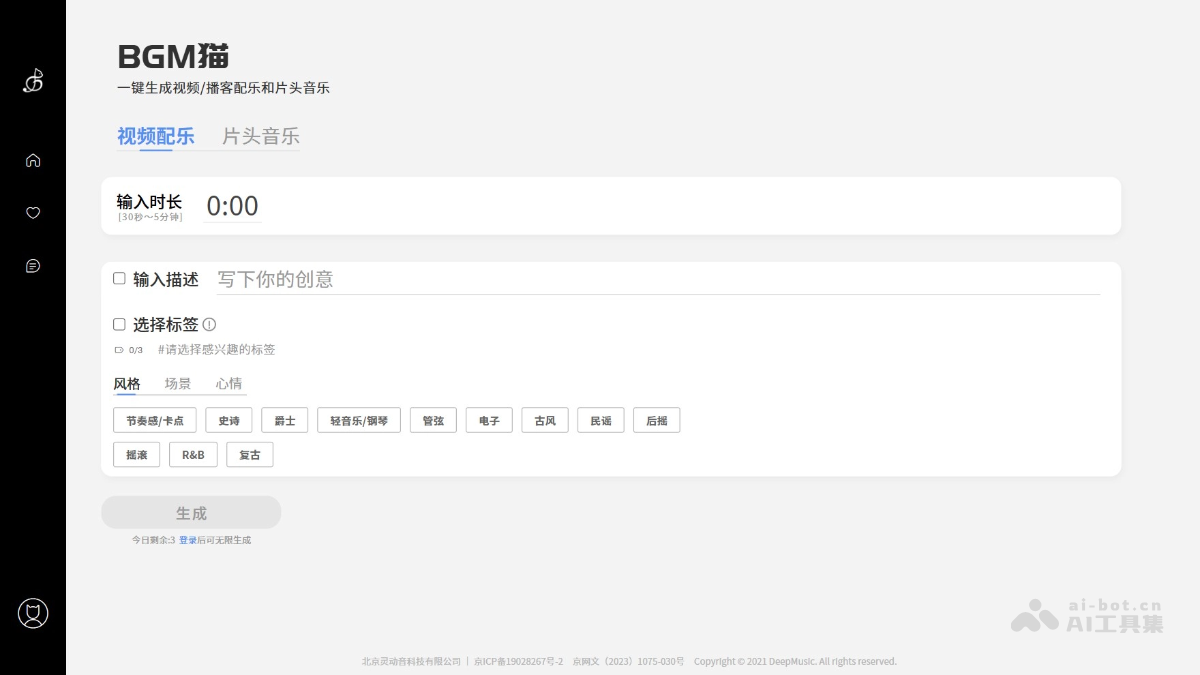
Main features of BGM Cat
- Intelligent generation: Users input the music duration and related tags, such as scene, style, mood, etc., and BGM Cat can automatically generate matching background music.
- Diverse choices: Provides a rich variety of music styles, including ancient style, electronic, R&B, jazz, light music, folk, etc., as well as multiple scene tags, such as fashion, beauty, travel, funny, etc., meeting different creative needs.
- Personalized customization: Users can adjust parameters such as rhythm and melody according to their needs to achieve personalized music customization.
- Copyright protection: BGM Cat provides licensed commercial authorization, so users can use the generated music with confidence without worrying about copyright issues.
How to use BGM Cat
-
Visit the website: Visit the BGM Cat official website https://bgmcat.com/,完成账号注册和登录。
-
Select music type: Select the desired music type on the interface, such as "video soundtrack" or "opening music".
-
Enter duration: Enter the required music duration in the "Enter duration" box, ranging from 30 seconds to 5 minutes.
-
Enter description (optional): If you have a specific idea or thought, write the creative description in the "Enter description" box to help the system better understand your needs.
-
Select tags:Select at least one tag from the three categories "style", "scene", and "mood", and you can select up to three tags.
-
Generate music: Click the "Generate" button. The system will generate a piece of music based on the input information and selected tags.
-
Download or use the music: Download the generated music locally, or use it directly in a video.
Application scenarios of BGM Cat
-
Video production: Generate customized background music for personal or commercial video projects, enhancing the appeal and emotional expression of videos.
-
Podcast production: Provide professional background music for podcast programs, enhancing the listening experience for audiences.
-
Social media: When posting videos on social media platforms, use music generated by BGM Cat to increase the appeal of the content.
-
Advertising: Generate engaging music for advertising videos, enhancing the appeal and memorability of advertisements.
-
Educational content: Use BGM Cat's music in educational videos or online courses to make learning materials more vivid and interesting.


