
What is Notta
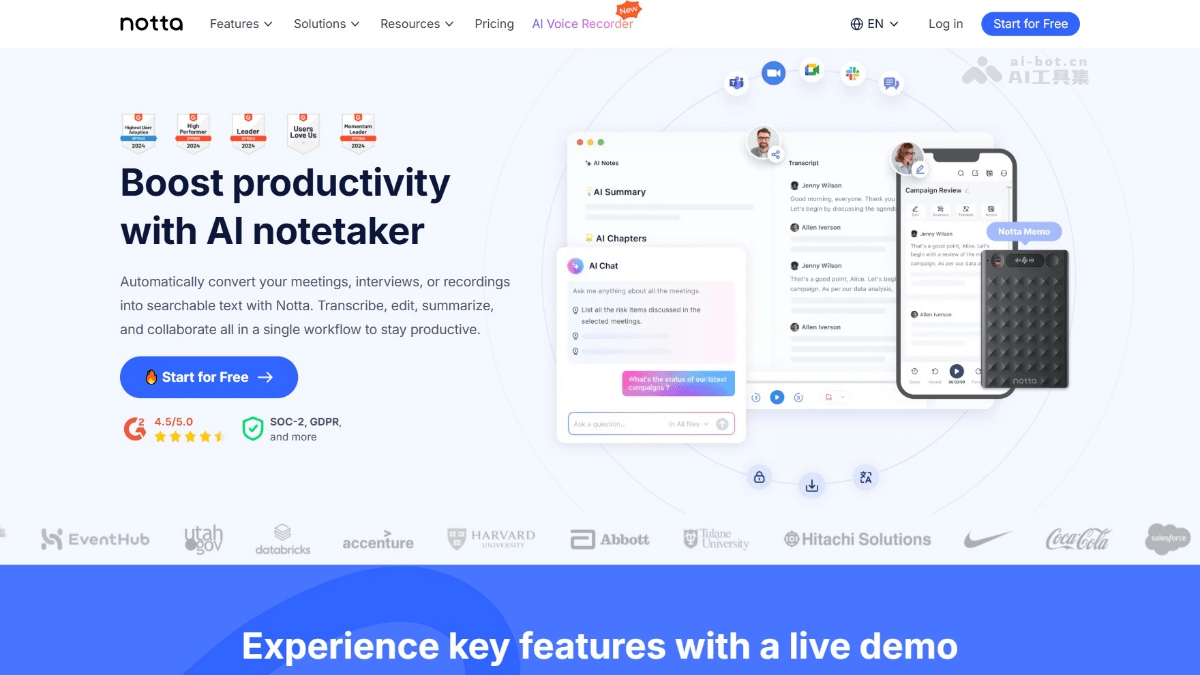
Notta is aspeech-to-text toolthat can transcribe audio and video content into text in real time, supporting up to 58 languages. The tool automatically generates meeting summaries, extracts key information and action items, and clips important content into snippets to share with team members. Notta features meeting recording, scheduling, and more, and supports seamless integration with various commonly used tools such as Slack, Salesforce, and Notion, greatly improving work efficiency. Notta works on any modern device, such as PCs, smartphones, and tablets. From transcribing online meetings, web audio, audio files, and live recordings via microphone, Notta can handle it all, making it a powerful tool for improving meeting efficiency and team collaboration.
Notta's main features
-
AI transcription: supports 58 languages and can transcribe audio or video content into text in real time, making it easy for users to quickly obtain meeting records.
-
Automatictranslation: provides AI-driven translation features to help users overcome language barriers and easily handle multilingual meetings.
-
AI notes: automatically extracts key information, action items, and decisions from meetings, helping users quickly summarize meeting highlights.
-
Bilingual transcription: supports transcription of bilingual meetings, facilitating smooth communication in multilingual environments.
-
Meeting recording: records online meetings with high audio quality and high-definition video, making it easy for users to review at any time.
-
Meeting scheduling: simplifies the meeting scheduling process, supports calendar synchronization, and makes it easy for users to manage their time.
-
AI chat: ask questions about meeting content and get instant answers from AI, helping users better understand and follow up on meeting content.
-
Content export: supports exporting meeting records to TXT, Word, PDF, SRT, and other formats, making it easy for users to use them in different scenarios.
-
Team collaboration: integrates with commonly used tools such as Slack, Salesforce, and Notion, making it easy for team members to share notes and collaborate.
How to use Notta
-
Sign up and log in: visit the Notta official website https://www.notta.ai/,或下载Notta APPto complete account registration and login.
-
Create a record: after logging in, click "New Recording" to start recording a meeting, or upload an existing audio/video file.
-
Real-time transcription: during recording, Notta automatically transcribes speech into text, supporting 58 languages.
-
Generate a summary: after the meeting ends, click the "Generate Summary" button, and AI quickly extracts key information and action items.
-
Edit and share: edit the transcript as needed, click the "Share" button, and share it with team members via Slack, email, and other methods.
-
Export notes: click "Export Notes", choose an export format (such as TXT, Word, PDF, etc.), and save it locally or sync it to tools such as Notion.
-
Integrated tools: connect commonly used tools such as Slack and Salesforce to ensure notes and schedules sync seamlessly with your workflow.
Notta's use cases
-
Meeting notes: transcribe meeting content in real time and generate summaries, saving the time needed for manual note-taking and organizing.
-
Remote collaboration: Record online meetings and share key clips to ensure team members can quickly grasp the key points even if they cannot attend.
-
Sales Follow-up: Transcribe sales calls or meetings, extract customer feedback and action items, and help the sales team follow up efficiently.
-
Education: Transcribe lectures and seminars, making it convenient for students to review and for teachers to organize teaching content.
-
Media and Podcasts: Generate accurate subtitles or transcript text for podcasts and video content, improving content production efficiency.


