

What is GitMind
GitMind is a new-generation AI-powered intelligent mind mapping collaboration tool. The tool supports multiple chart types, such as mind maps, flowcharts, organizational charts, and more, while also providing powerful AI features, including text-to-mind map, PDF-to-mind map, speech-to-text, and more. GitMind helps users quickly record inspiration, organize thoughts, and spark creativity, supports cloud sharing and team collaboration, and is suitable for both individuals and teams. Through visualization, GitMind makes knowledge management more efficient and helps users build their own "second brain." GitMind supports multiple clients and can be experienced on the web, mobile, and iPad.
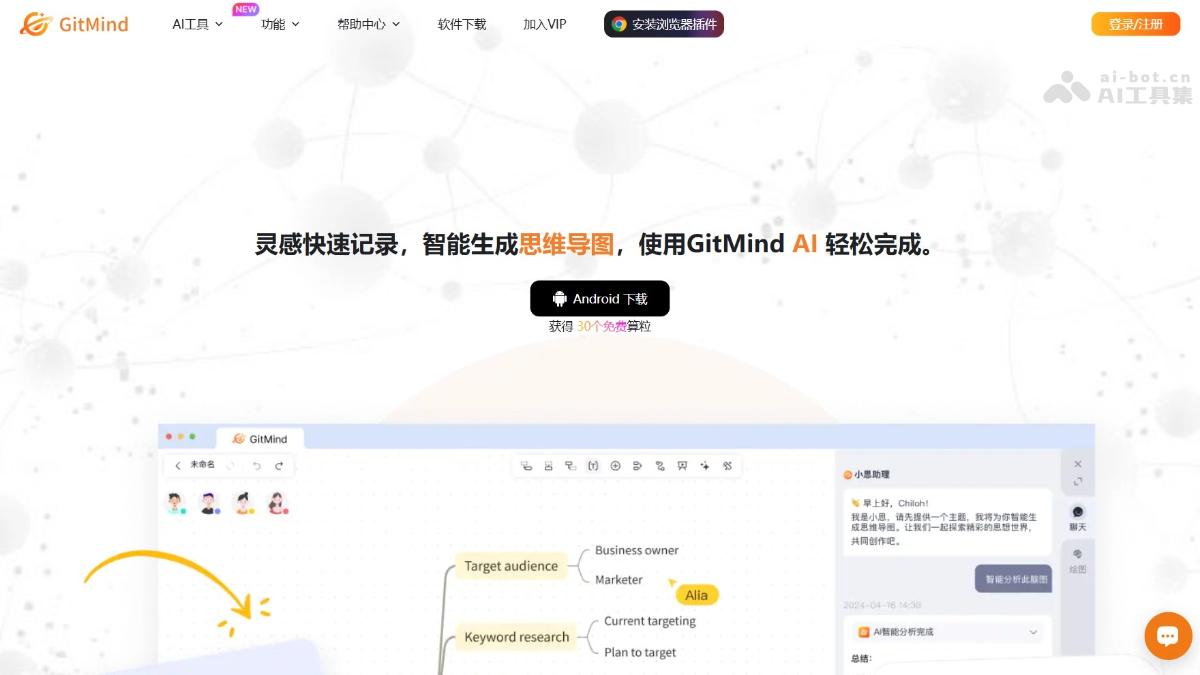
Main features of GitMind
- AI Assistant: Provides intelligent suggestions and automation features to help users quickly generate and optimize mind maps.
- Generate a map from one sentence: Enter a short description, and AI automatically generates a mind map framework.
- File-to-map: Supports directly converting content from files such as PDF, Word, and PPT into mind maps.
- Speech-to-text: Supports voice input and quickly converts speech content into text and generates a mind map.
- PDF-to-mind map: Directly extracts content from PDF files and generates a structured mind map.
- Text-to-mind map: Quickly converts plain text content into a mind map for easy organization and analysis.
- Video-to-text: Supports transcribing video content into text and generating a mind map.
- Chart types: Supports multiple chart types, including mind maps, flowcharts, organizational charts, UML diagrams, and swimlane diagrams, meeting visualization needs in different scenarios.
- Collaboration features: Provides cloud sharing and multi-person collaboration features, supports real-time online editing and commenting by team members, and facilitates team communication and project progress.
- Mobile support: Supports iPhone/iPad and Android devices for convenient use anytime and anywhere.
- Export and share: Supports exporting mind maps to multiple formats, such as PDF, PNG, Markdown, and more.
How to use GitMind
- Register and log in: Visit the GitMind official website, experience it online, directly choose to log in, or use the client by downloading the corresponding client as needed. Complete registration and login according to the prompts.
- Create a mind map: Click "New Chart" and choose a chart type or template to start creating.
- Edit a mind map: Quickly build a mind map by adding and editing nodes and setting styles.
- Use AI features: Improve operation efficiency with features such as AI Assistant, file-to-map, and speech-to-text.
- Collaborate and share: Invite team members to collaborate on editing and share mind maps with cloud sharing links.
- Export and save: Export mind maps to formats such as PDF and PNG.
Application scenarios of GitMind
- Project management: Project teams draw project flowcharts, clarify task assignments and timelines, collaborate in real time to update progress, and efficiently advance projects.
- Study notes: Students organize course notes and reading notes during the learning process, structuring key knowledge points for easy review and understanding.
- Creative ideation: Designers or creative workers quickly record inspiration, expand creative directions, and spark more creativity.
- Meeting notes: During meetings, participants organize key points in real time, and after the meeting quickly generate clear meeting minutes, making it easy for the team to review and execute.
- Personal planning: When individuals make annual plans, travel plans, or health management plans, they use GitMind SiHu to sort out goals, break down tasks, and track progress, improving execution.

