

What is Noty.ai
Noty.ai is an AI technology-based tool for improving meeting efficiency. By automatically transcribing meeting content and capturing key details and deadlines, the tool helps users turn meetings into a source of productivity. Noty.ai can generate to-do lists based on meeting content, allowing users to easily prioritize tasks, quickly organize work, and focus on action items rather than tedious administrative tasks. Noty.ai can integrate with the tools users commonly use to further improve work efficiency, helping users make efficient use of meeting time and achieve efficient work.
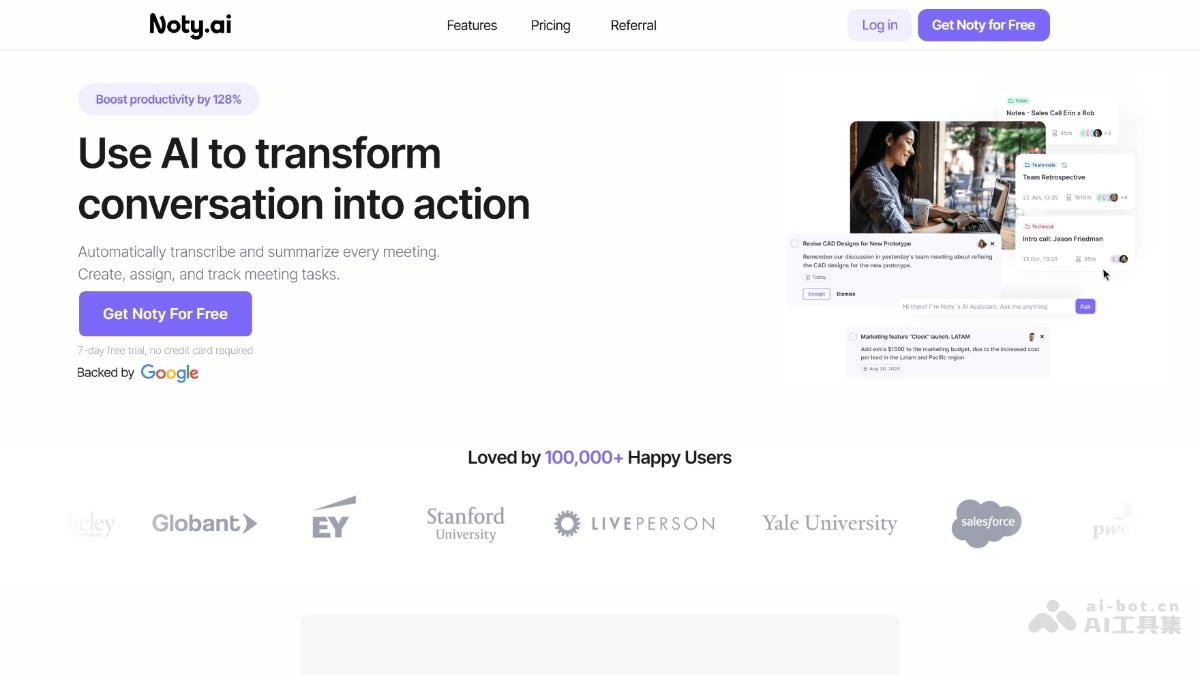
Main features of Noty.ai
- Meeting transcription: Records meeting content in real time, captures details and deadlines, and makes it convenient to mark key points at any time during the meeting.
- Task generation: Generates meeting summaries after the meeting, including key information, supports editing and comments, and reduces post-meeting organizing work.
- Action-oriented: Identifies key tasks, deadlines, and owners in meetings, generates to-do lists, and makes it easy to track task progress.
- Tool integration: Connects with commonly used tools (such as Zoom, Microsoft Teams, Google Calendar, etc.) to seamlessly synchronize meeting summaries and tasks.
- Boost productivity: Integrates meeting content into workflows, making it easy to find data and trace the discussion content of different meetings.
How to use Noty.ai
- Visit the official website and register: Visit the Noty.ai official website and register with an email or social media account.
- Start a free trial: After registering, you can start a 7-day free trial and experience all features.
- Connect meeting tools: In the "Integrations" settings, select and connect meeting tools such as Zoom and Teams.
- Create or join a meeting: Use the connected meeting tool to create or join a meeting, and Noty.ai automatically starts transcription.
- Meeting transcription and summarization: Transcribes in real time during the meeting and automatically generates meeting summaries and key information after it ends.
- View and manage tasks: Log in to Noty.ai to view the task list, manually edit, assign owners, set priorities, or mark tasks as complete.
Use cases of Noty.ai
- Remote meeting notes: In remote team meetings, Noty.ai automatically transcribes meeting content, ensuring team members do not miss any important information.
- Project management: After the meeting ends, it generates a task list and assigns owners, helping the team efficiently advance project progress.
- Meeting summaries and sharing: Meeting summaries automatically generated after the meeting are quickly shared with team members, so even those who could not attend the meeting can understand the key information.
- Client meetings: When communicating with clients, it records the meeting content and extracts action items, ensuring client needs are accurately recorded and followed up.
- Team collaboration: Team members share meeting notes and tasks, promoting team collaboration and information synchronization.

