

What is OptimizerAI
OptimizerAI is an artificial intelligence sound effect generation tool that can automatically create sounds and sound effects suitable for various scenarios based on text prompts, such as shooting sounds in games, rain sound environments in animations, or subway arrival sounds, etc. It is designed specifically for video creators, game developers, artists, and video production personnel. Optimizer AI supports sound effect variation functionality and style tag specification, and can generate consistent background music and sound effects with specific atmospheres.
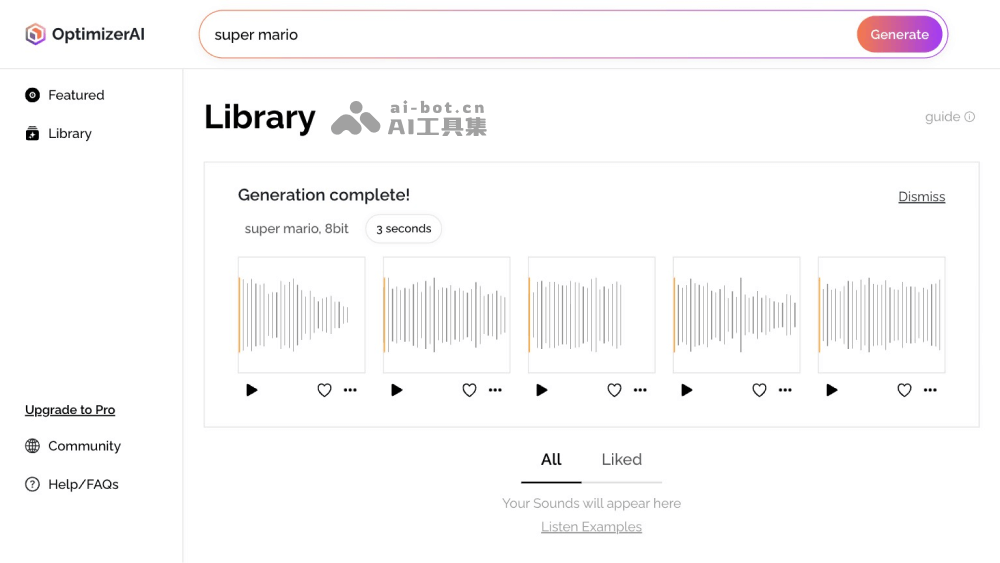
OptimizerAI's Featured Functions
- Text-to-Sound Effect Generation: Optimizer AI can generate various sound effects based on user text prompts, suitable for different scenarios and applications, such as shooting sounds and jumping sounds in games, environmental sound effects in animations, etc.
- Multi-Style Sound Effect Generation: Users can guide the AI to generate sound effects in specific styles by specifying different style tags (such as cartoon, horror, 8-bit, sci-fi, etc.).
- Sound Effect Variation Generation: This tool can generate multiple similar sounds based on a reference sound, providing users with rich variation options.
- Background Music and Ambient Sound Creation: OptimizerAI can generate background music or sounds with specific atmospheres, helping creators set the appropriate mood and style for their projects.
- Stereo and High-Quality Audio Support: Will support generating stereo and 44.1 kHz high-quality audio, enhancing the realism and immersion of sound.
- Comprehensive Video-to-Sound Generation: Directly extract and generate sound effects from videos, further expanding the scope and possibilities of sound creation (this feature will be launched later).
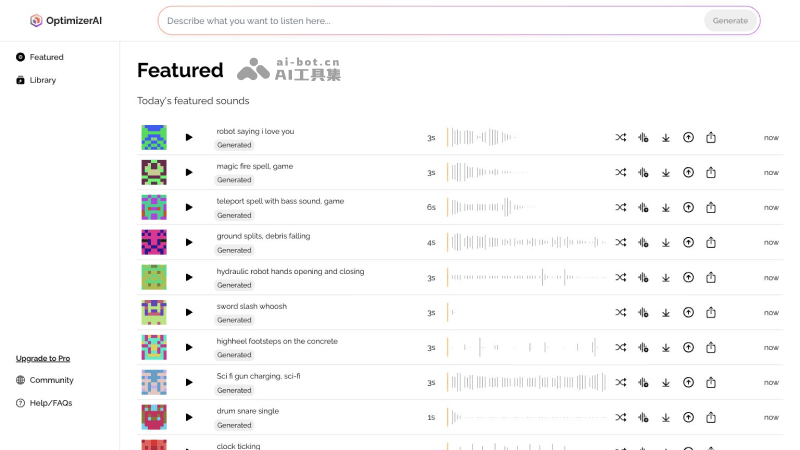
How to Use Optimizer AI
Method 1: Use the Online Web Version
- Visit OptimizerAI's official website (optimizerai.xyz), click Make a Sound, then log in/register
- After successful login, you will be redirected to the backend interface. Describe the sound effect you want to generate in the input box.
- Select the sound effect duration and sound effect style
- Click the Generate button to generate
Method 2: Use the Discord Server
- JoinOptimizerAI's Discord server
- Switch to the generate-sfx channel
- Enter the /generate + prompt command and send it
- Wait for OptimizerAI to generate the sound effect
OptimizerAI's Product Pricing
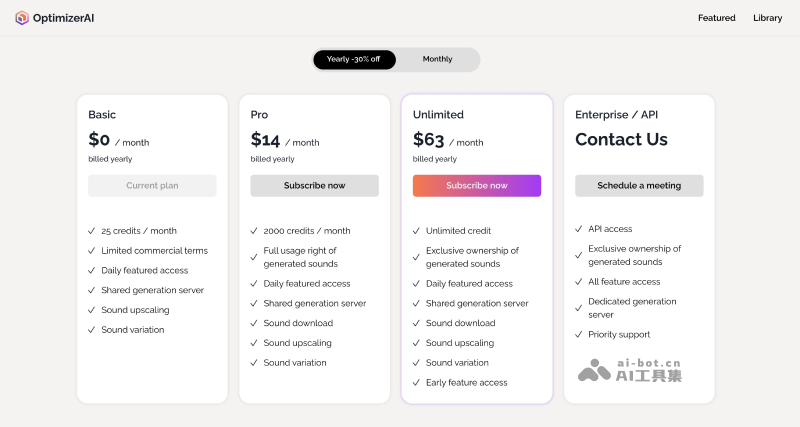
- Basic Plan: Free trial, 25 credits per month, access to daily featured sound effects, use of shared generation servers, sound effect upgrades, sound effect variations
- Pro Plan: $20 per month (equivalent to $14 per month with annual payment), 2000 credits per month, full usage rights to sound effects, access to daily featured sound effects, use of shared generation servers, sound effect upgrades, sound effect variations, and other benefits
- Unlimited Plan: $90 per month (equivalent to $63 per month with annual payment), provides unlimited credits, exclusive ownership of generated sounds, access to daily featured sound effects, use of shared generation servers, sound effect upgrades, sound effect variations, early feature access, and other benefits
Who OptimizerAI Is For
- Video creators: Whether you are a video creator making short films, advertisements, educational videos, or social media content, you can use Optimizer AI to add various sound effects to your videos and enhance the audiovisual experience.
- Game Developers: During game development, sound effects are crucial for improving players' immersion and gaming experience. Optimizer AI can help game developers generate various sound effects in games, such as shooting, jumping, explosions, and more.
- Animators: In animation production, background music and environmental sounds are very important for creating atmosphere and emotion. Optimizer AI can provide animators with the sound effects they need, thereby enriching the layers and emotional expression of animations.
- Audio Designers: Professional audio designers can use Optimizer AI to quickly generate and experiment with different sound effects, improve work efficiency, and explore more sound ideas.
- Advertising Producers: In advertising production, suitable sound effects can attract the audience's attention and convey the advertising message. Optimizer AI can help advertising producers create eye-catching sound effects.
- Podcasters and Content Creators: For creators who produce podcasts and audio content, Optimizer AI can provide background music and sounds for specific atmospheres, enhancing the listening enjoyment of the audience.


