

What is 135 AI Layout
135 AI Layout is an AI graphic and text layout tool under 135 Editor designed specifically for official accounts. It is easy to use: simply enter a topic and generate a high-quality layout with one click. The tool provides massive copyright-compliant materials, supports AI intelligent copywriting generation and one-click intelligent layout, and allows free switching between overall templates and local styles. It supports plain text import, AI intelligent adjustment of layout and font size, and also supports batch rapid layout, greatly improving work efficiency.
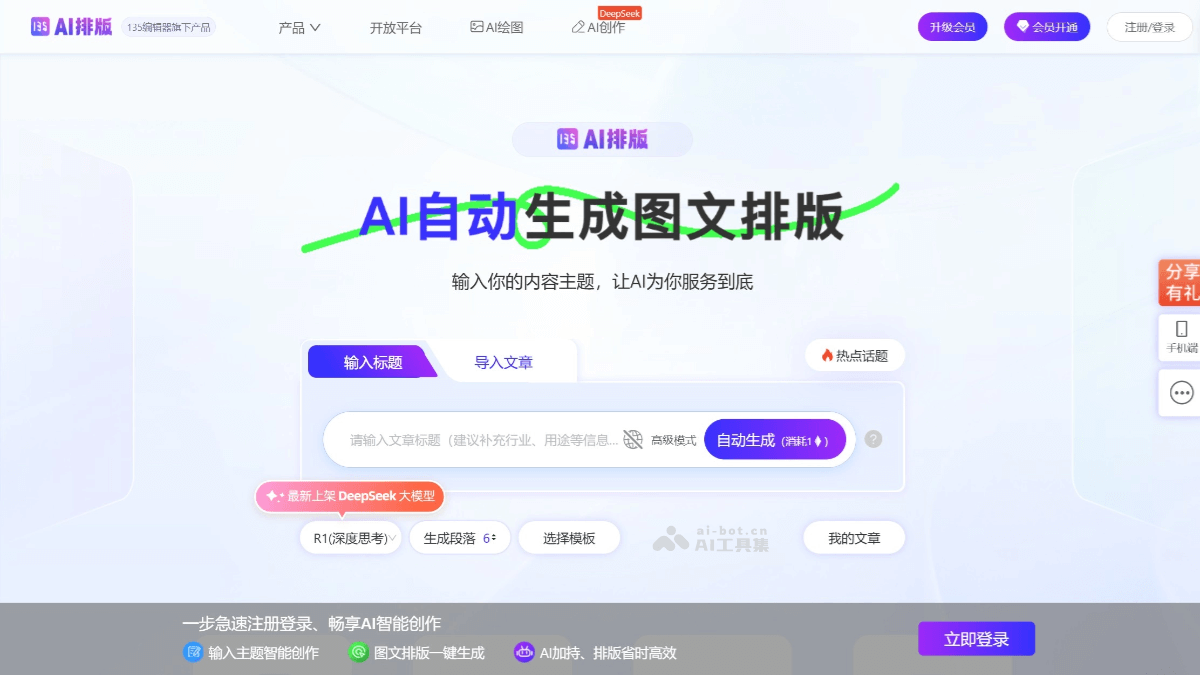
Main features of 135 AI Layout
- AI graphic and text layout: Simply enter a topic, and 135's AI copywriting generation feature will help you easily write posts and complete the layout with one click, completely freeing you from tedious operations, saving time and improving efficiency.
- AI Xiaohongshu layout: Users can quickly generate attractive Xiaohongshu notes with one-click operation, improving the appeal and spread of content. AI can imitate the writing style of viral notes or specific writing modes, helping users quickly complete Xiaohongshu notes. It supports adding emoji to notes, increasing the fun and expressiveness of the content.
-
Intelligent creation: Users enter a content topic, and AI automatically generates an article and performs layout optimization.
-
One-click article import: Supports one-click article import. AI automatically recognizes the content and extracts the title, outline, subheadings, body text, etc., completing automated layout.
-
Massive templates: Provides a massive template library covering the needs of multiple industries. Users can choose suitable templates according to their needs.
-
Copyright material library: Provides a million-level copyright image and icon material library. Users can replace and beautify with one click, avoiding infringement risks.
-
Personalized adjustment: Generated layout content supports secondary modification and adjustment. Users can replace, crop, or delete images, and adjust font size, color, layout, etc.
How to use 135 AI Layout
-
Visit the official website: Click the 135 Editor AI Layout official website to enter the homepage.
-
Register and log in: New users need to register an account, while existing users can log in directly.
- Content generation
-
Automatic generation: Enter the topic title in the input box and click "Automatic generation". AI will generate article content that fits the topic. After generation, you can choose whether to replace the outline content, then select a suitable template from the alternative templates and click "One-click layout" to complete the layout.
-
Import article:
-
AI import: Enter or import content, and AI automatically recognizes and extracts the title, outline, subheadings, body text, etc., completing content analysis and refinement.
-
Regular import: Content needs to be set in the format in advance, then imported and generated into an article.
-
-
- Layout adjustment
-
Content modification: The generated layout content outline, styles, and images all support secondary modification and adjustment. You can directly replace and edit the article content in the input box, or delete unwanted parts.
-
Image adjustment: Images in the article support replacement, cropping, and deletion.
-
Body content adjustment: Body content supports one-click addition and deletion.
-
Body style adjustment: Click "More Styles", select the style you want to replace, and click that style to replace it successfully. You can also click "Apply to Full Text" to replace the same old style with the new style.
-
Template Style Adjustment: Click "Change Template", filter alternative template styles by style and color, and click the selected template to replace the article template.
-
Application Scenarios of 135 AI Typesetting
- News and Information: Quickly publish news and information, provide professional typesetting templates, and improve the readability and professionalism of articles. AI intelligently matches the best template and generates typesetting with one click, saving time and effort.
- Talent Recruitment: Provide attractive typesetting solutions for recruitment advertisements to help attract more job seekers. Supports plain text import, intelligently adjusts layout and font size, and meets personalized needs.
- Announcements and Notices: Suitable for publishing various announcements and notices to ensure clear transmission of information. A massive amount of copyrighted materials can be used for free, helping creators easily achieve high-quality image and text typesetting.
- Event Promotion: Provide creative templates for event promotion to attract more participants. Supports rapid batch typesetting, saving manpower and improving efficiency.


